WDR Software User Manual System Setup
24-10437-3 Rev. A 2-29
This document contains confidential and proprietary information of Weldex Corporation. 9/10/08
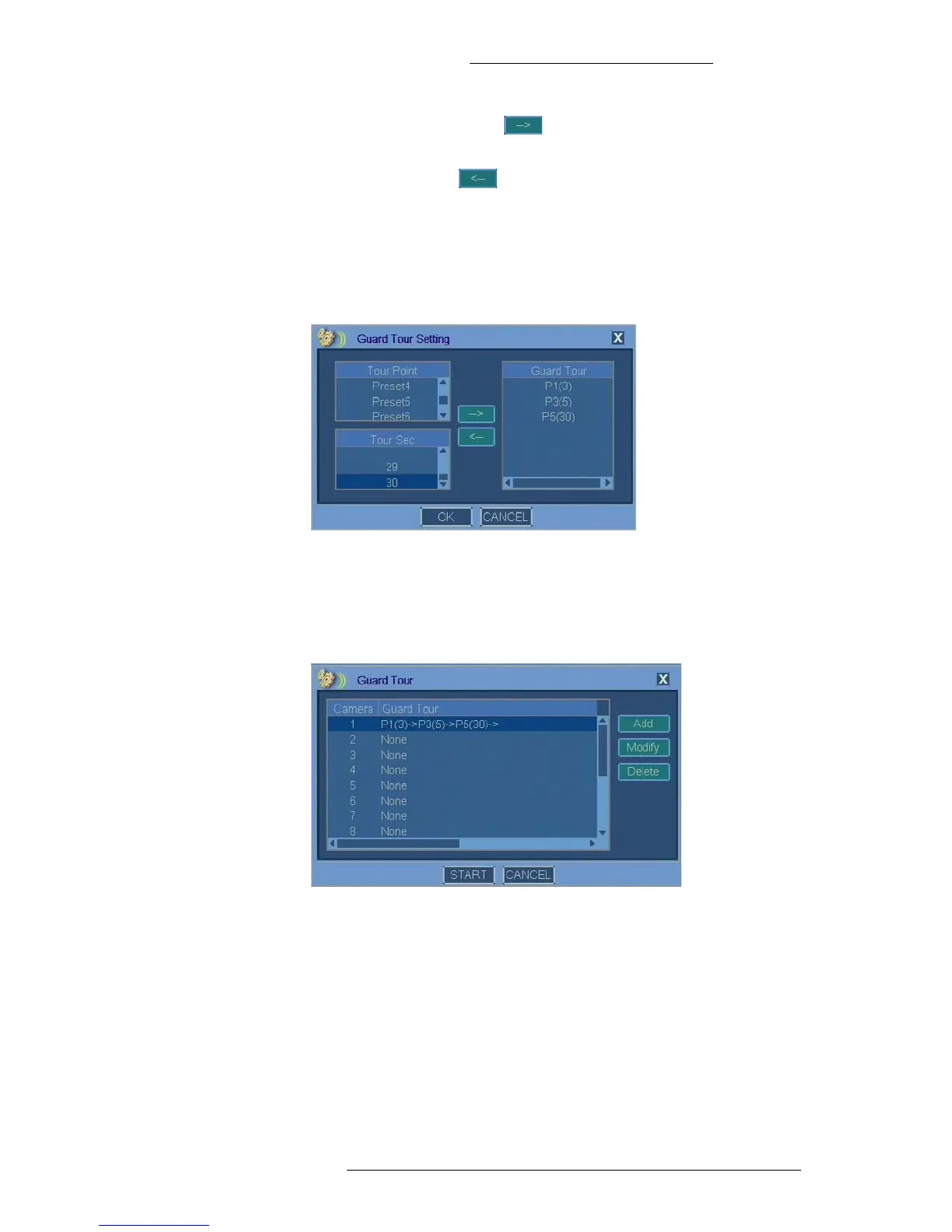
4. Click the right arrow button to add the selection to the Guard Tour
list.
The left arrow button
allows you to remove unwanted items from the
list after highlighting them.
5. Repeat steps 3 and 4 until the Guard Tour is defined.
The Guard Tour elements are displayed in the following format: PX(Y),
where X is the number of the preset and Y is time in seconds. For example,
P1(3) symbolizes
preset 1 with dwell time of 3 seconds.
6. Click OK to save the Guard Tour.
7. In the Guard Tour window click the St
art button to begin the Guard Tour.
You can also use this window to add, modify
, or delete guard tours for other
cameras.
8. In the PTZ window click Move to verify guard tour operation.
9. In the PTZ window click Sav
e.



 To Next Page