System Setup WDR Software User Manual
2-28 24-10437-3 Rev. A
This document contains confidential and proprietary information of Weldex Corporation.9/10/08
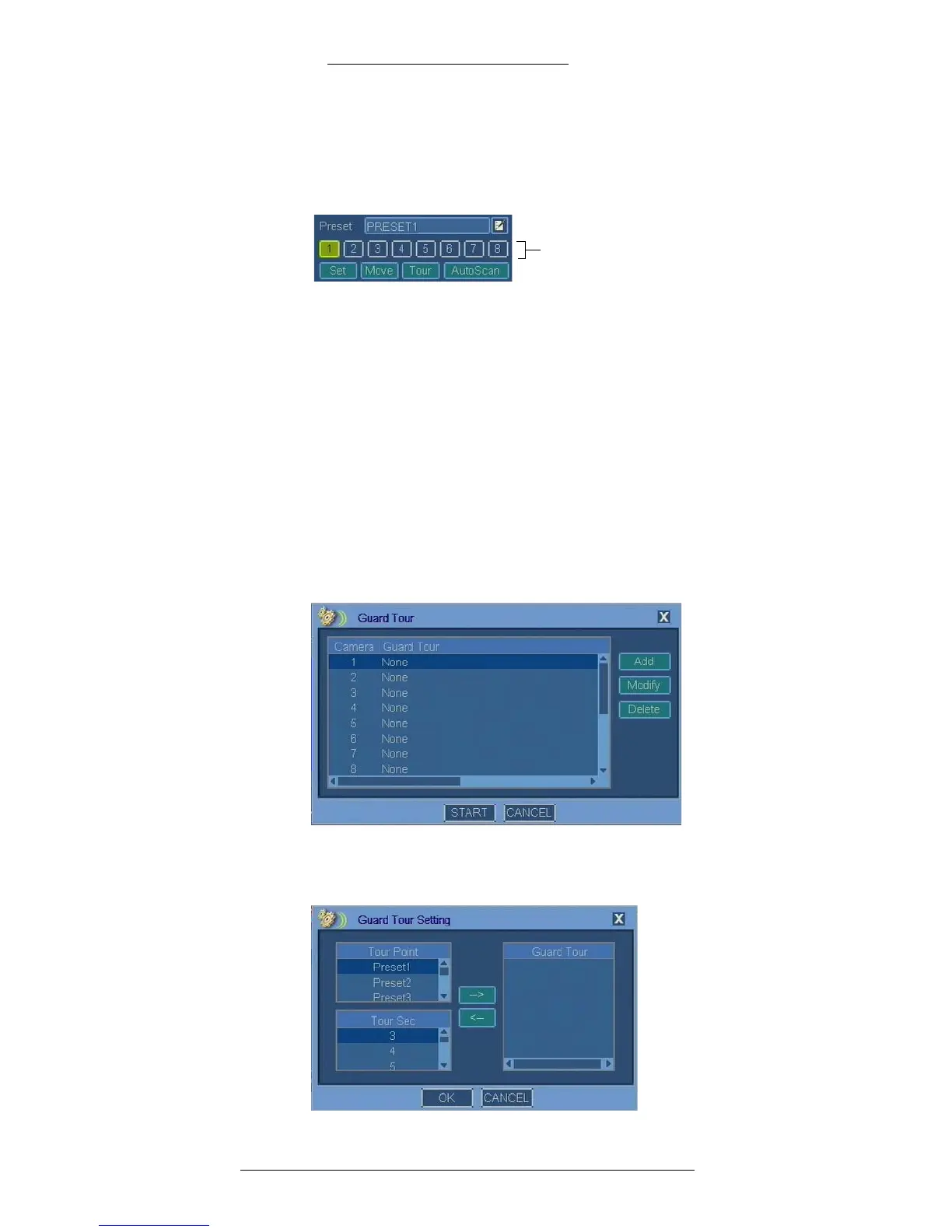
To configure presets for a selected camera:
1. In the Pr
eset field, use the virtual keyboard to define preset name.
2. Assign a number to the preset by selecting a numeric button.
3. Use the navigational buttons for the PTZ functions to adjust the camera
settings.
4. Click the Set button for the preset.
5. Repeat steps 1 - 4 for all presets you want to define for this
camera.
6. To verify preset function select a preset by highlighting a corresponding
numeric button and click
Move.
7. Click Save
or continue with the next procedure to configure a guard tour.
T
o configure guard tour for a selected camera:
1. In the PTZ window click the Se
t button for Guard Tour.
2. In the Guard Tour window select th
e camera and click the Add button.
3. The Guard Tour Setting window opens. Select a preset and from the Tour
Point list and time (in seconds) from the Tour Sec list.



 To Next Page