System Setup WDR Software User Manual
2-10 24-10437-3 Rev. A
This document contains confidential and proprietary information of Weldex Corporation.9/10/08
Configuring Date and Time
!
CAUTION
The DVR generates file names based on date and time. If you change
the settings to an earlier date and time, the previously recorded
information will be overwritten as newer files with the same name get
created.
To configure system date and time:
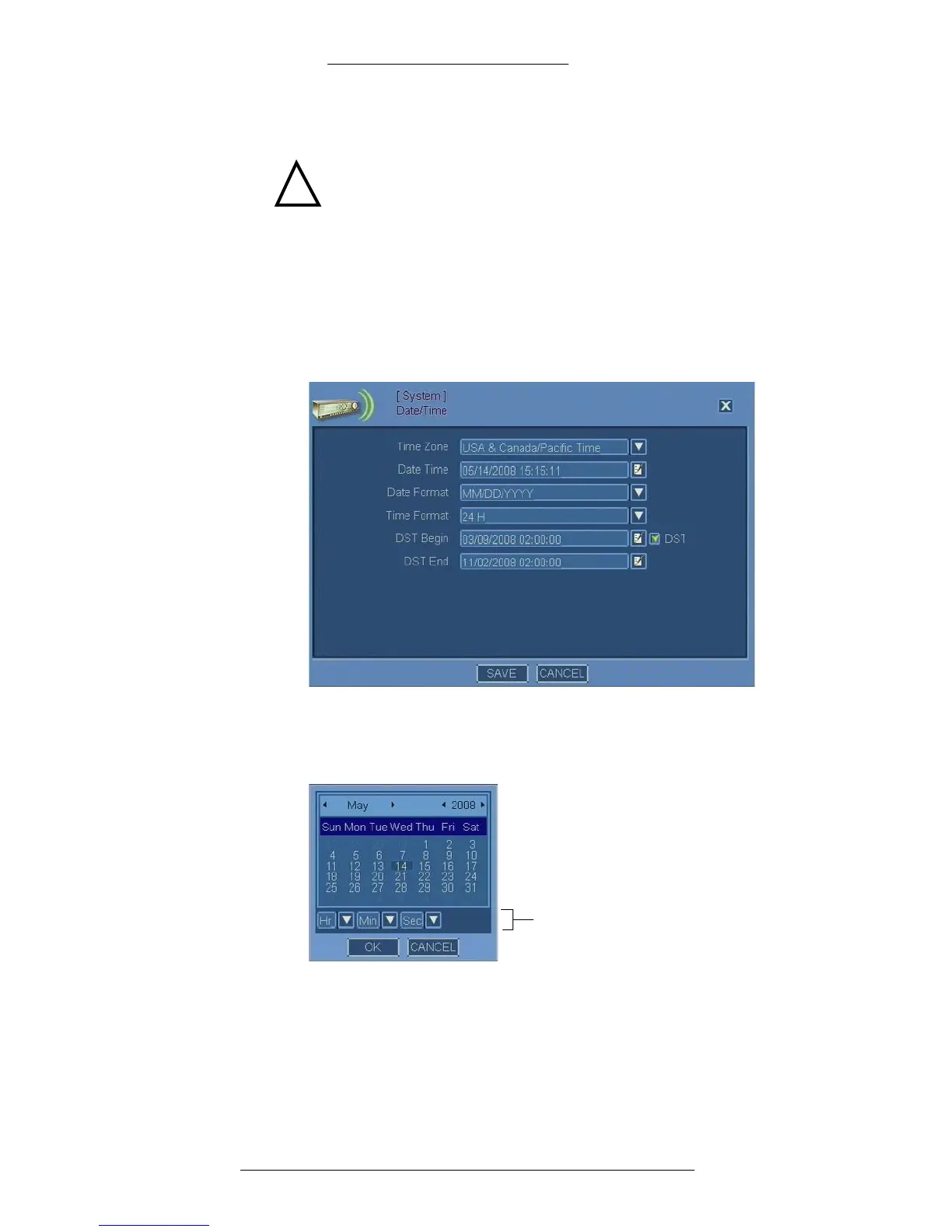
1. From the Main menu select System>Date
/Time.
2. The Date/Time window opens. To specify Dat
e/Time, first launch the
calendar.
3. When the Calendar window is accessed from the Date/Time window, in
addition to the date it also displays the time. Select the date and time and click
OK.
Time in the following format:
HH:MM:SS, AM/PM (if selected from
Time Format in Date/Time window)
4. In the Date/Time window, make the remaining selections. Refer to
“Date/Time Field Definitions” for details.
5. Click Save.



 To Next Page