System Setup WDR Software User Manual
2-36 24-10437-3 Rev. A
This document contains confidential and proprietary information of Weldex Corporation.9/10/08
Alarm Notifications
Alarm notifications are generated when a specific event occurs. They can be set up
for the following alarms:
+ Sensor In/Relay Out
+ Motion
+ S.M.A.R.T.
+ Video loss
+ Recording failure
+ HDD Full
T
o set up notifications:
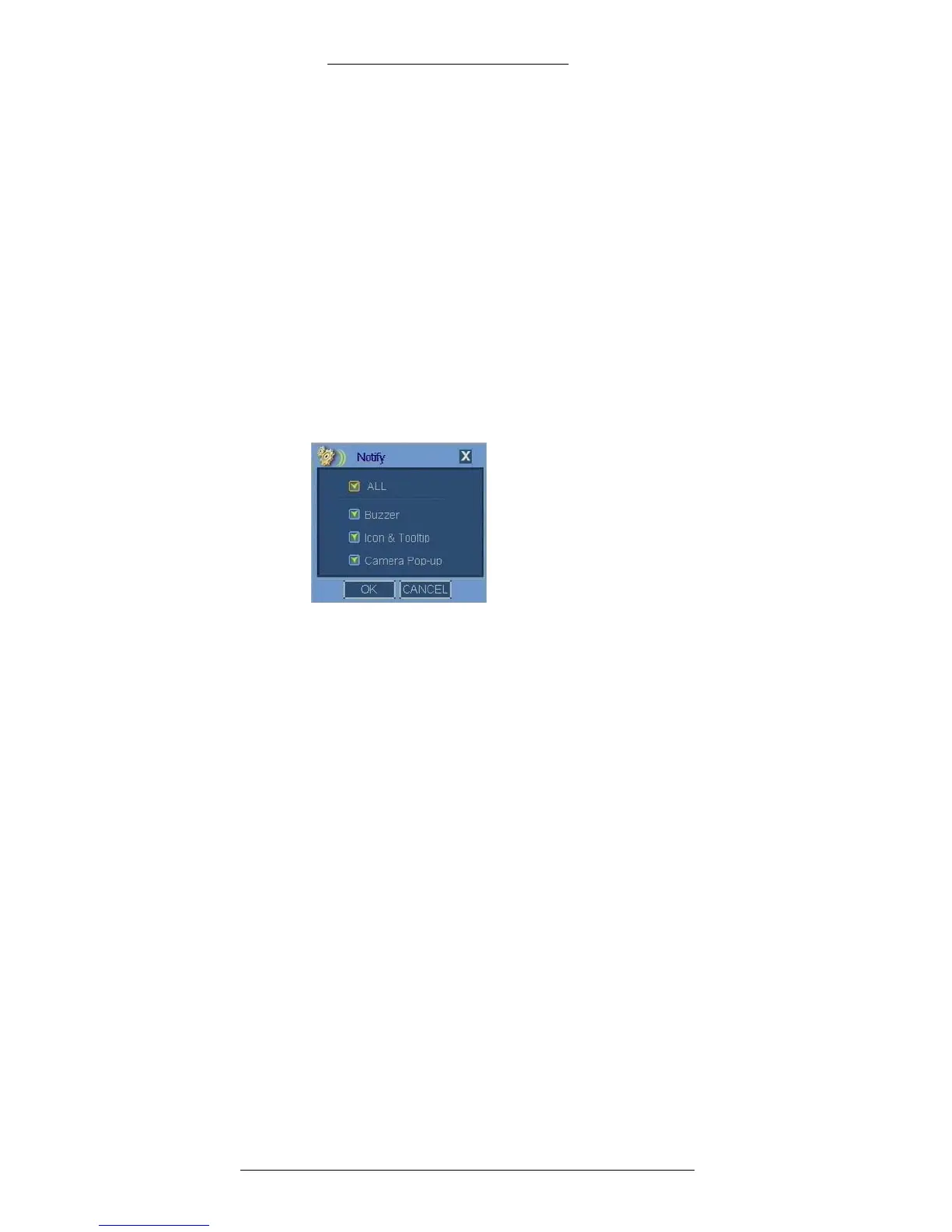
1. In the window used to define alarms, click the Notify button.
Note: Camera Pop-up is available only for
Sensor In/Relay Out and Motion alarms.
2. The following notification options are available:
+ Buzzer - When an alarm is triggered, the DVR generates an alarm sound
for a pre-defined dwell time.
+ Icon and Tooltip (Motion Alarm or Sensor only) - When an alarm is
triggered, the DVR generates an icon on the Main taskbar. The type of
event will also be displayed (but not the specific camera or sensor
involved).
+ Camera Pop-up (Sensor In/Relay Out alarms only) - When an alarm is
triggered, the DVR will automatically switch to multiple channel view.
The camera channel name will be displayed in red.
Select the appropriate check boxes. Selecting All enables
all sensor
notifications.
3. Click OK to save your changes.



 To Next Page