System Setup WDR Software User Manual
2-24 24-10437-3 Rev. A
This document contains confidential and proprietary information of Weldex Corporation.9/10/08
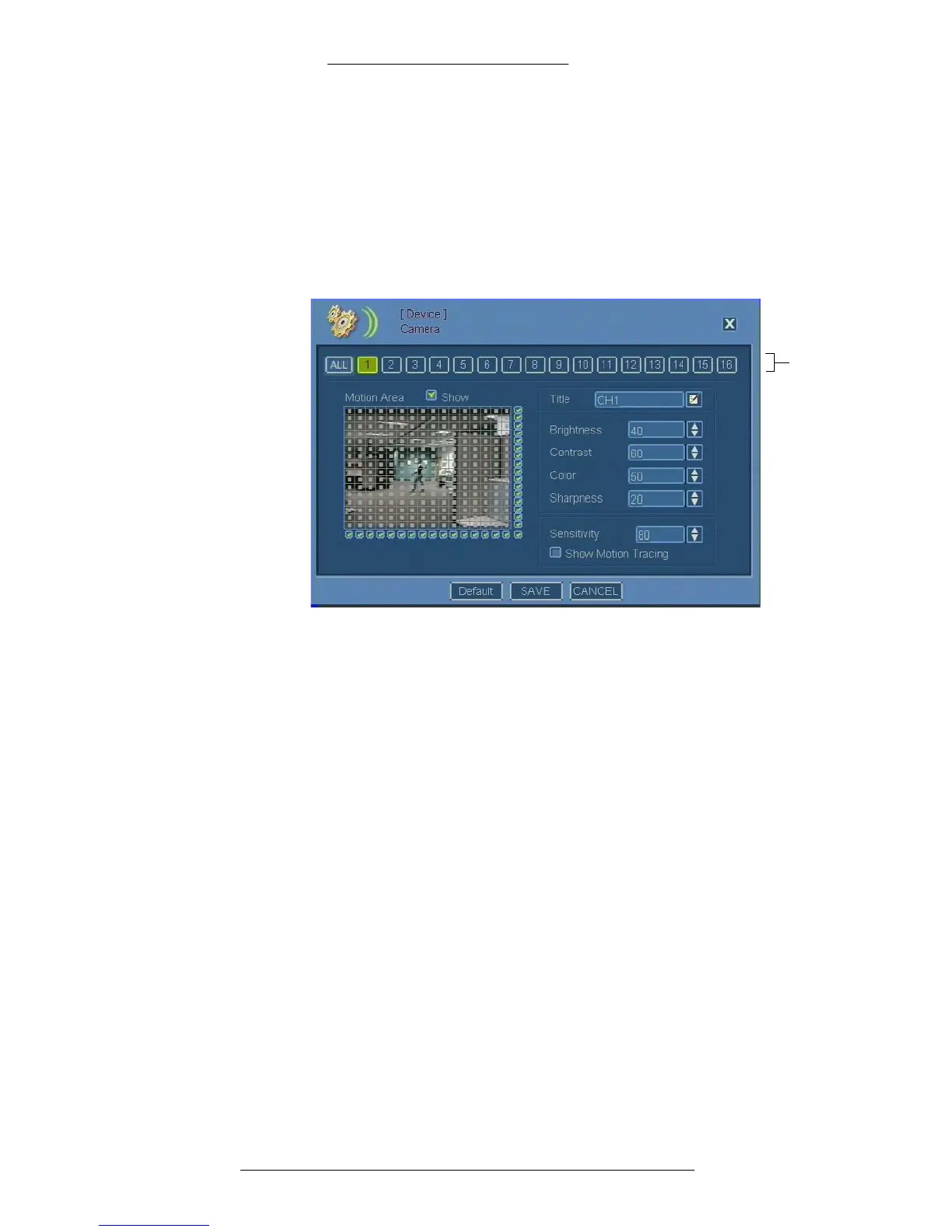
Configuring Cameras
To configure a camera:
1. From the Main menu select De
vice>Camera.
2. Select the camera to be configured. The All button allows you to select all
cameras at
once, while the individual numeric buttons correspond to
individual cameras.
3. In the Title field specify camera name.
4. Make the remaining selections as required. Refer to “Camera Field
Definitions” for details.
5. Click Save.
Camera Field Definitions
Camera – Select one or more camera(s). The All button allows you to select all
cameras at once.
Motion Area – Select the area s
ensitive to motion triggers. See. “To define motion
tracing area:” on page 2-25 for details.
Show
– Select this check box for the defined motion area to be displayed.
Title – Ente
r the name for the camera.
Brightness – Us
e the arrows to adjust brightness. Value range: 0-100.
Contrast – Use the arrows to adjust contrast. Value
range: 0-100.
Color –
Use the arrows to adjust color saturation. Value range: 0-100.



 To Next Page