WDR Software User Manual System Setup
24-10437-3 Rev. A 2-49
This document contains confidential and proprietary information of Weldex Corporation. 9/10/08
Close – Click to close the window.
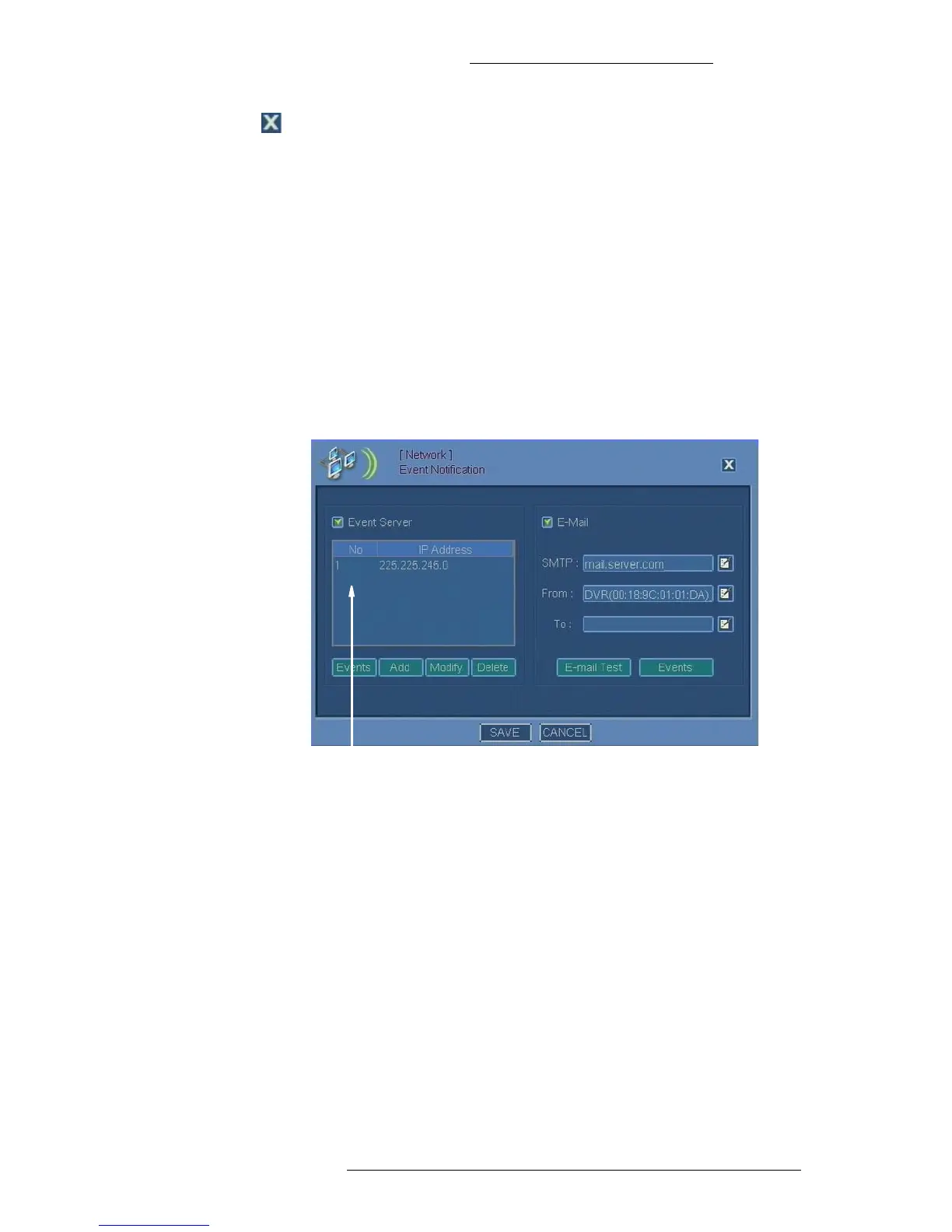
Setting Up Event Notification
Event notification forwards event information from the DVR to an event server
running SAgent through the network.
Event notification feature can also be used
to send event information via email. The
port number used for email notifications is 25.
T
o configure event notification:
1. From the Main menu select Network>Event Notification.
2. The Event Notification window opens. Filling out several fields will require
you to use the virtual keyboard.
3. Make selections for each alarm type you want to configure. Refer to “Event
Notification Field Definitions” for details.
Event Notification Field Definitions
Event Server
Event Server – Select this check box to use event server.
NO and IP Address – Numbered list of IP addresses.
Events – Click to set up alarm notificat
ions. The notifications will be sent to the
server’s IP address. See “To configure network events:” on page 2-50 for details.



 To Next Page