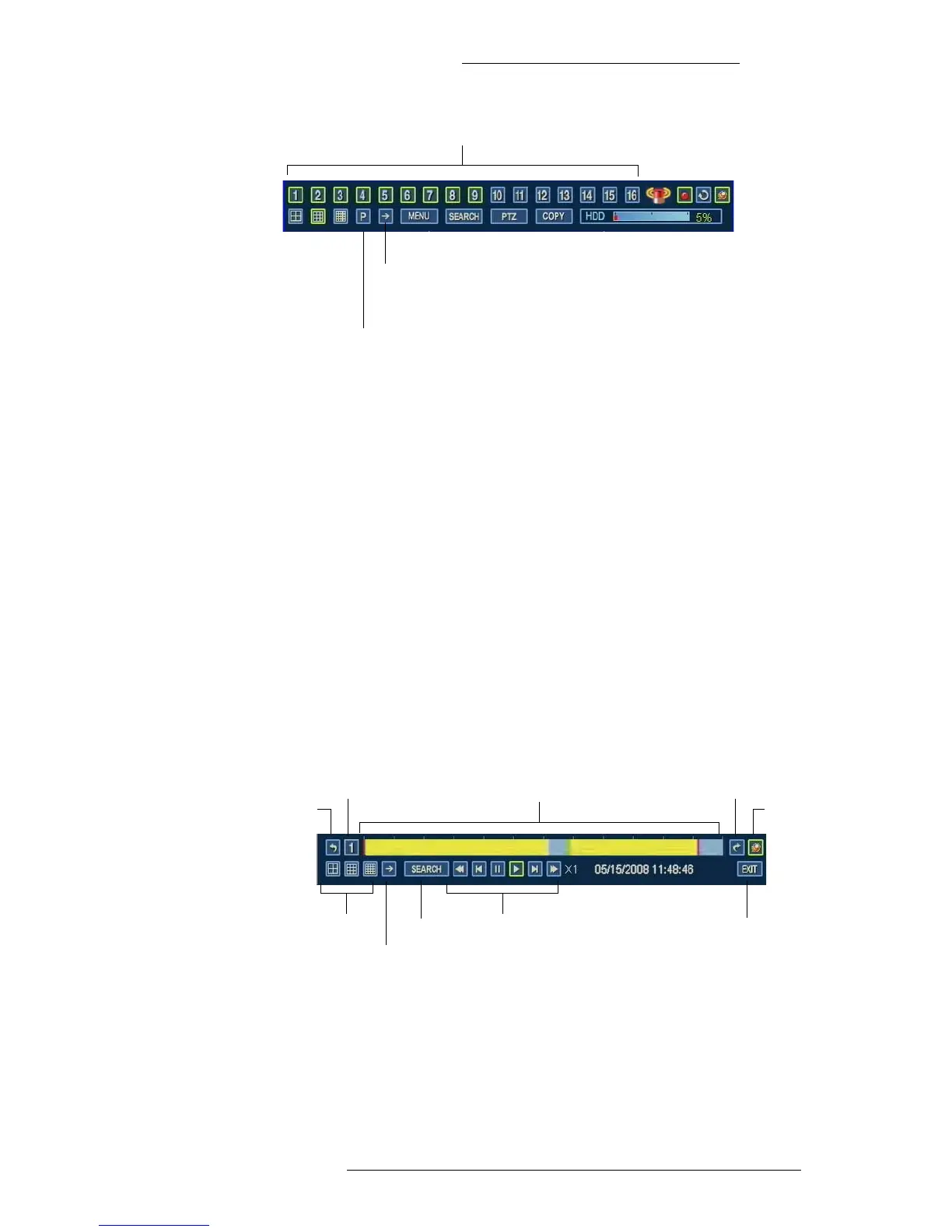
Click any channel to exit PIP display mode
Click to enable PIP display mode
and to change the channel for the
inner picture.
Click to change the channel for the
background picture.
WDR Software User Manual Operation
24-10437-3 Rev. A 3-7
This document contains confidential and proprietary information of Weldex Corporation. 9/10/08
PLAYBACK MODE
The Playback Mode allows you to view previously recorded video.When the DVR reaches
the end of the recorded video, it will go to still mode.
During the playback, the data may be also played back in reverse
, paused, or speed searched.
The Playback Mode is accessible from the Calendar Sea
rch window. See “Calendar Search”
on page 3-11 for details.
T
o access the Playback Mode
+ Press the “Search” button on the WDR device, or
+ From the Live Mode, go to Search>Calendar Search. The Calendar Search
window opens. Select the playback time and click Play.
Next day
Exit
Previous
day
Camera Intelligent search bar
Fix to
Taskbar
Multi-split
screen
Next channel
Search Playback buttons
Previous day – Click to go to the recording from the previous day.
Camera – Click to sele
ct a camera from a pop-up list.



 To Next Page