System Setup WDR Software User Manual
2-40 24-10437-3 Rev. A
This document contains confidential and proprietary information of Weldex Corporation.9/10/08
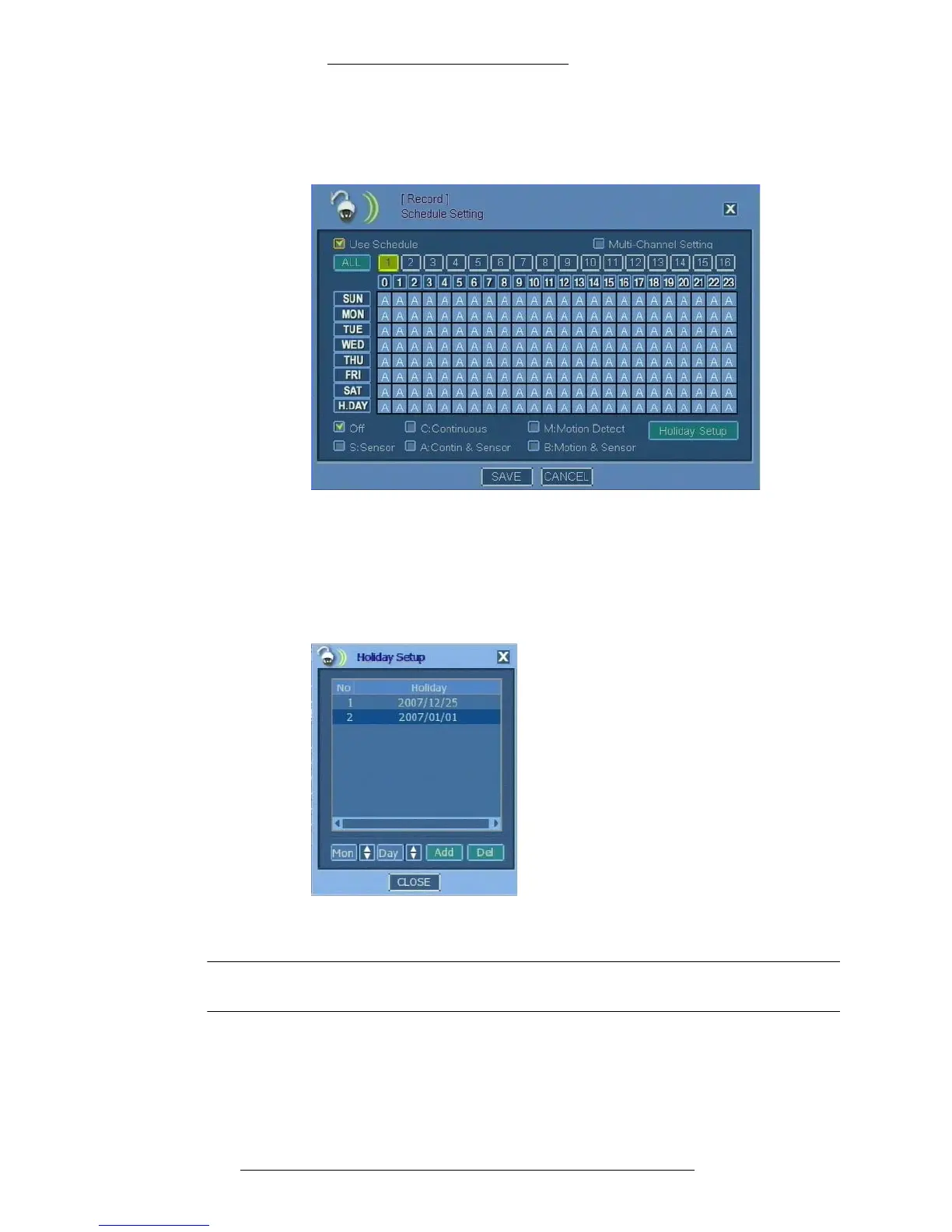
To set up holidays:
1. From the Main menu select Re
cord>Schedule Setting.
2. In the Schedule Setting window click Holiday Setup.
3. The Holiday Setup window opens. Use the arrows to select Mon (Month)
and
Day of the holiday and click Add.
You can also remove a defined holiday by selecting from the list it
and
clicking Del.
4. Click Close in the Holiday Setup window.
NOTE
Clicking Close in the Holiday Setup window saves the changes.
5. Click Save in the Schedule Setting window or proceed with configuring the
recording schedule (starting with step 2 below).



 To Next Page