WDR Software User Manual System Setup
24-10437-3 Rev. A 2-41
This document contains confidential and proprietary information of Weldex Corporation. 9/10/08
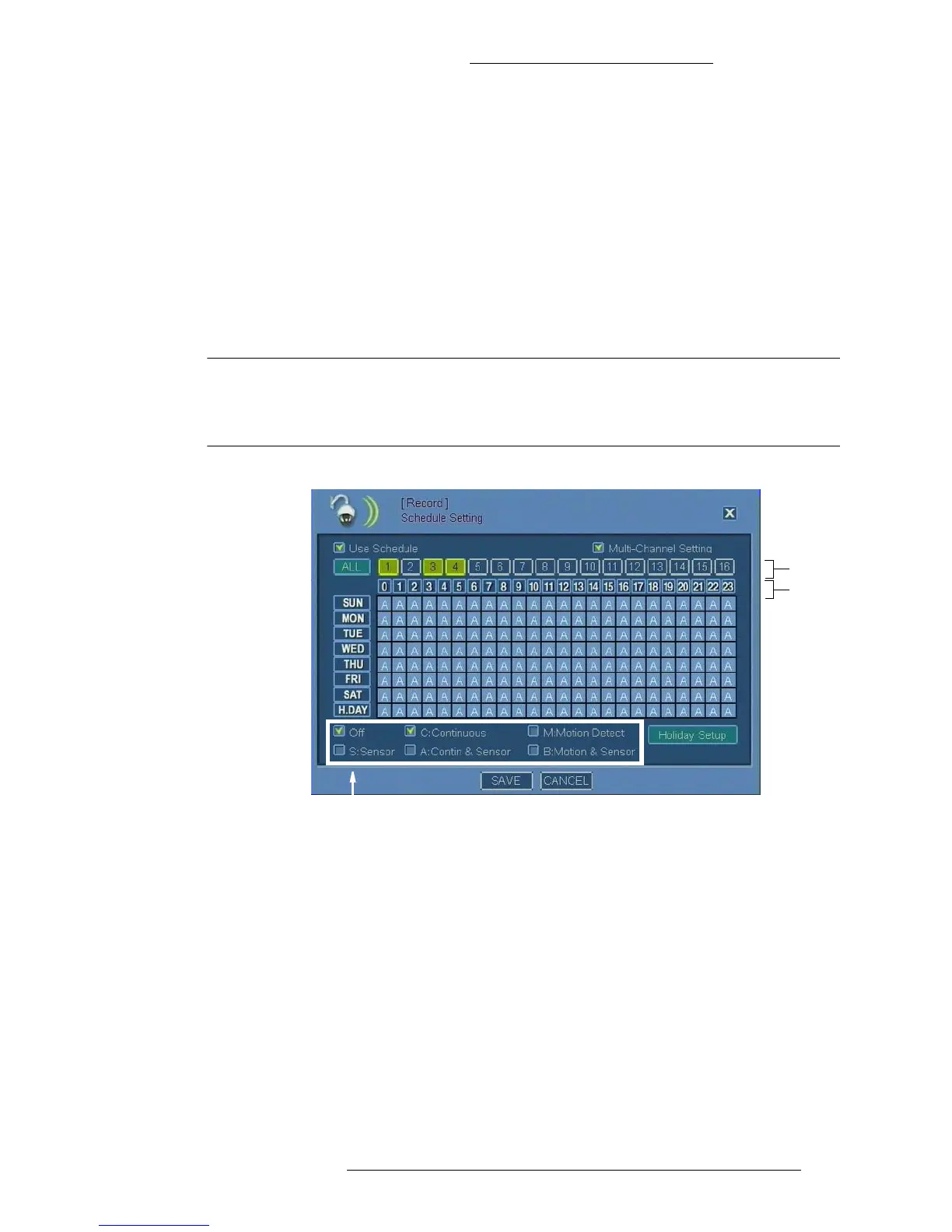
To configure recording schedule:
1. From the Main menu select Re
cord>Schedule Setting.
2. In the Schedule Setting window, select the camera fo
r which to set the
recording schedule.
To configure identical schedule for more than one
camera, first select the
Multi Channel Setting check box. Then choose the cameras. You have the
following options:
+ Choose the cameras one by one, or
+ Click the All button to select all cameras
NOTE
After setting identical schedule for multiple cameras, you can make
modifications to a particular camera by selecting only that camera and
making changes to its recording schedule.
Camera
buttons
Hour
buttons
Recording
options
3. Choose a recording option by selecting corresponding check box. Refer to
“Schedule Setting Field Definitions” for detailed description.



 To Next Page