System Setup WDR Software User Manual
2-18 24-10437-3 Rev. A
This document contains confidential and proprietary information of Weldex Corporation.9/10/08
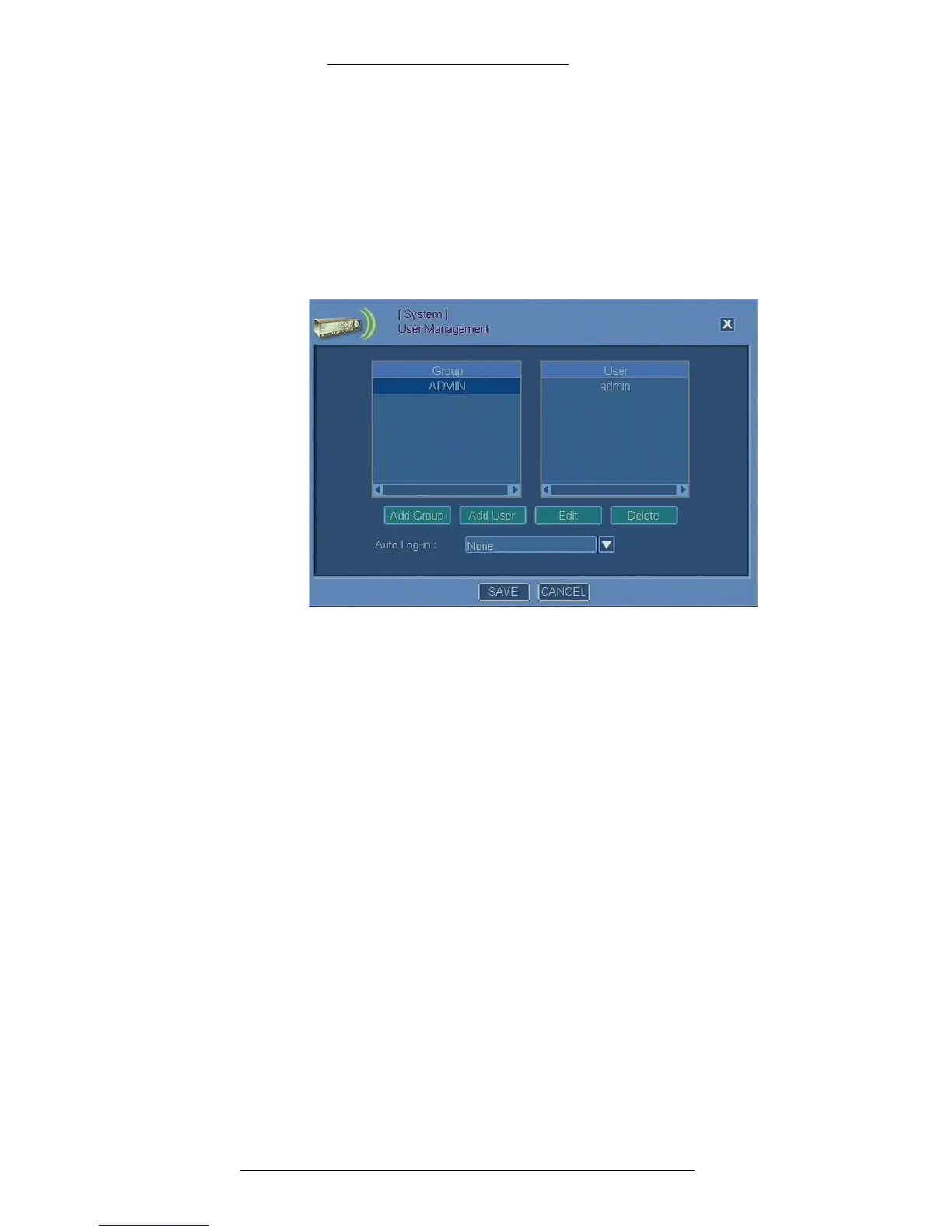
There is also a pre-defined “ADMIN” user group in the system. This user group
cannot be deleted and its rights cannot be modified. By default, the “admin” user
belongs to this group; other users can be added as well. In addition to the pre-defined
“ADMIN” user group you can define 15 additional user groups to the total of 16 per
system
.
T
o set up system users:
1. From the Main menu select System>User Management.
2. The Group list shows all defined user groups. From here you can add a new
user group or modify an existing one:
+ To define a new user group, click Add Group.
+ To edit an existing group, select it from the list an Edit.
See “Adding/Editing User Groups” on page 2-19 for details.
3. The User list shows all defined system users. From
here you can add a new
system user or modify an existing one:
+ To define a new system user, click Add User.
+ To edit an existing system user, select it from the list an Edit.
See “Adding/Editing System Users” on page 2-20 for details.
4. To delete a user group, select it and click Delete.
5. To delete a system user, select it and click De
lete.
6. From the Auto Log-in drop down
list select None, admin, or any of the
pre-defined users.
+ Selecting None is the safest option as it disables Auto Log-in feature and
requires that a person logging on enter their credentials (login and
password).



 To Next Page