System Setup WDR Software User Manual
2-44 24-10437-3 Rev. A
This document contains confidential and proprietary information of Weldex Corporation.9/10/08
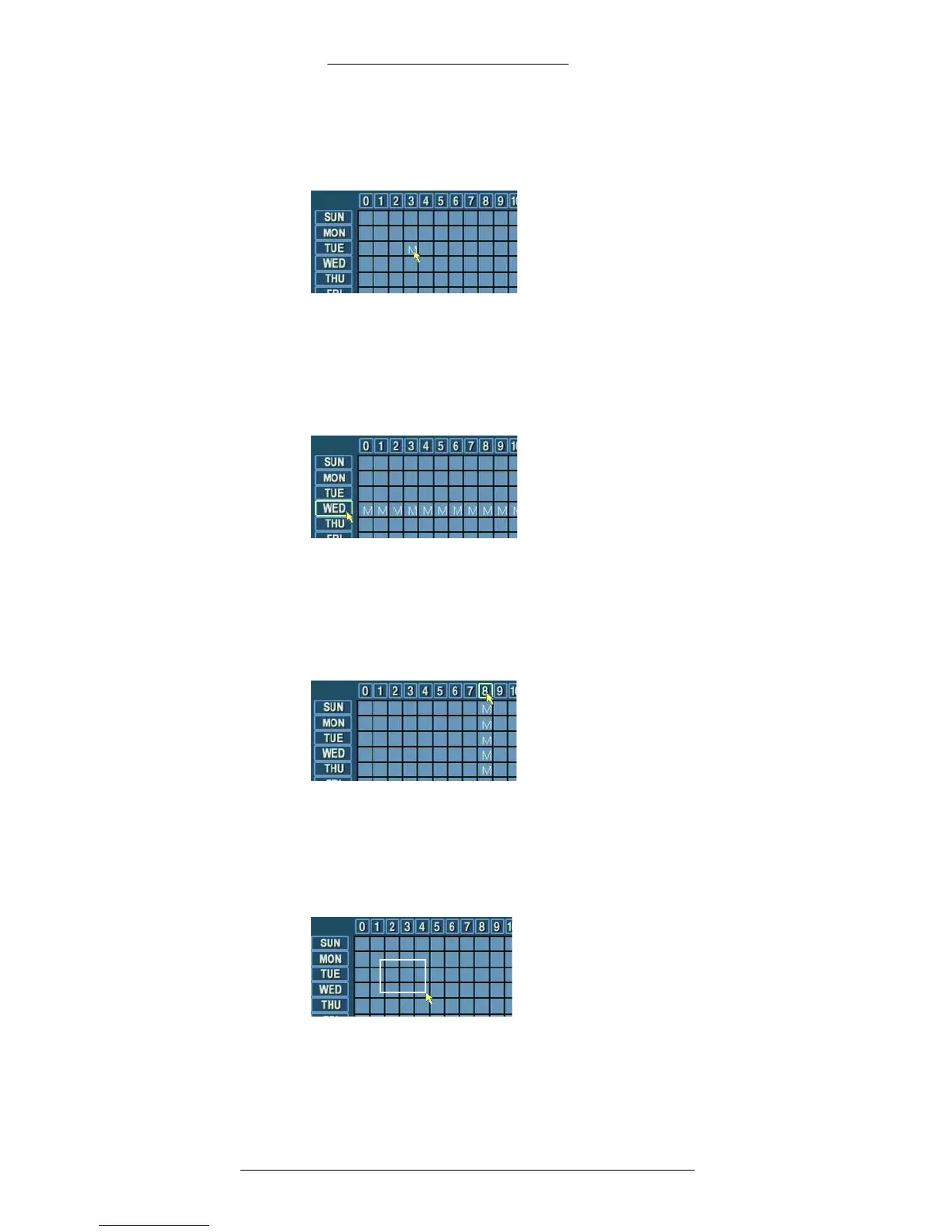
An “M” will appear in the grid and the type of recording for that hour will
change to “Motion Detect.” (See “Recording Options” on page 2-43 for types
of recording and corresponding letters.)
To set recording type for a specific day (all hours):
1. Select the type of recording, for example, M:
Motion Detect.
2. Click on the button describing the day, for example WE
D.
The type of recording for Tuesday will change to “Motion Detect.”
To set recording type for a specific hour (all days):
1. Select the type of recording, for example, M:Motion Detect.
2. Click on the button describing the hour, for example 8.
The type of recording for 8 AM will change to “Motion Detect.”
To set recording type for a day and hour range:
1. Select the type of recording, for example, M:
Motion Detect.
2. Click and hold the mouse button. Drag the c
ursor over the matrix area to
select day/hour range.



 To Next Page