System Setup WDR Software User Manual
2-52 24-10437-3 Rev. A
This document contains confidential and proprietary information of Weldex Corporation.9/10/08
NOTE
You cannot copy data from the current hour. (The DVR structures data in 1
hour increments, and it cannot copy data that is currently being created.)
To copy files:
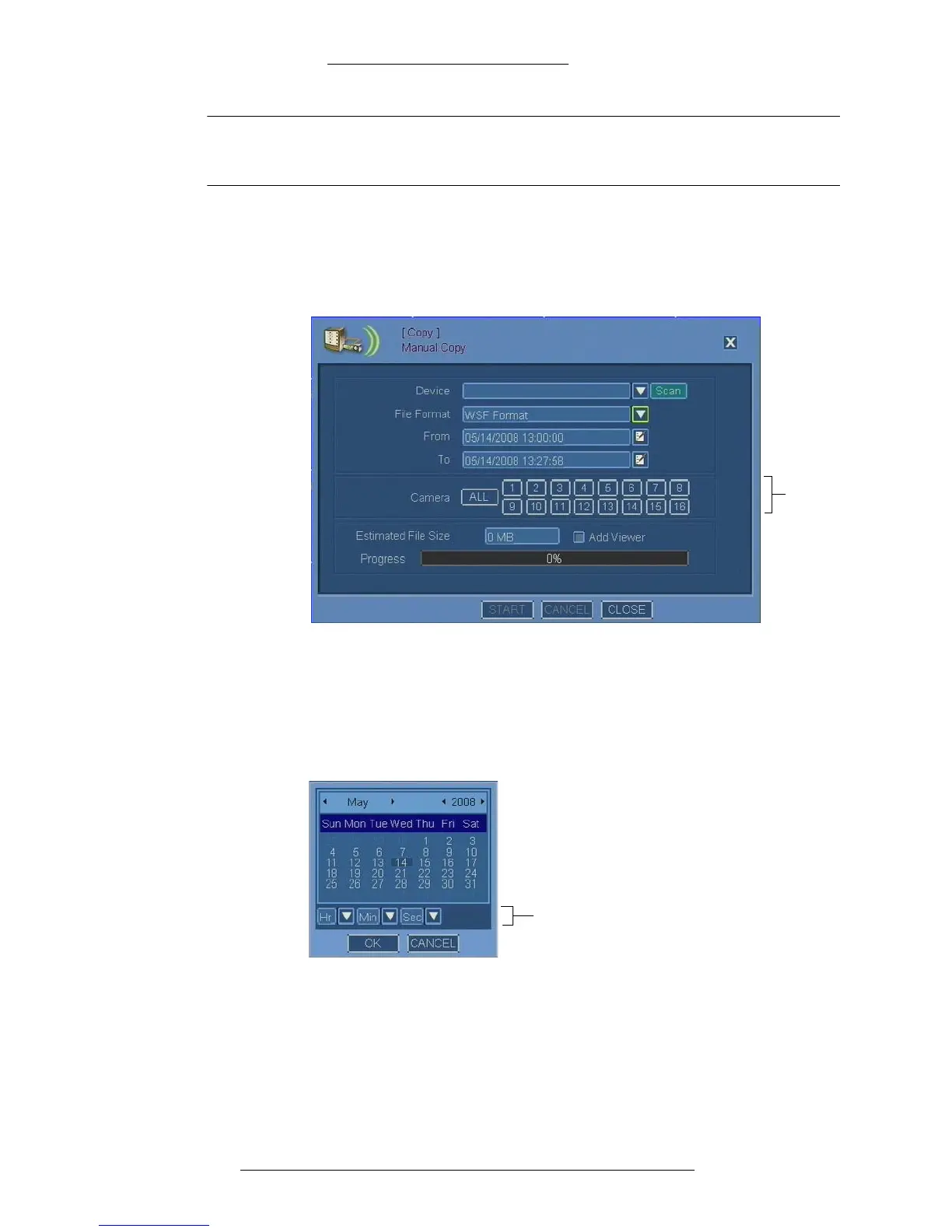
1. From the Main menu select Copy>M
anual Copy.
2. The Manual Copy window opens.
3. Insert the physical media and click Scan.
4. When the DVR finishes scanning, select a De
vice from the drop-down list.
5. Select the File Format. Refer to “Manual Copy Field Definitions” for details.
6. In the Fr
om field, define the beginning of the recording period from which
you want to copy files. To do so, first launch the calendar.
Time in the following format:
HH:MM:SS, AM/PM
7. When the Calendar window is accessed from the Manual Copy window, in
addition to the date it also displays the time. Select the date and time and click
OK.
8. In the To field, define the end of the reco
rding period to be copied. To do so,
launch the calendar again, select the date and time and click OK.



 To Next Page