Input, Output and LED Settings
Acknowledgment options
LEDs can be acknowledged by:
Via the push-button »C« at the operating panel.
Each LED can be acknowledged by a signal of the »assignment list« (If »
Latched = active«
).
Via the module »Ex Acknowledge« all LEDs can be acknowledged at once, if the signal for external
acknowledgment that was selected from the »assignment list« becomes true (e.g. the state of a digital
input).
Via SCADA, all LEDs can be acknowledged at once.
Automatically in case of an alarm from a protection function.
The automatic acknowledgment must be activated by setting:
[Device Para / LEDs / LEDs group A / LED 1...n]
»Latched«
= “active, ack. by pickup”
See also Chapter “Acknowledgments” for more information.
The Product-CD that is delivered with the device contains a PDF-Template in
order to create and print out self adhesive films for LED assignment texts (front
foil) by means of a laser printer. Recommendation: (AVERY Zweckform
Art.Nr.3482)
218 MCDGV4 DOK-HB-MCDGV4-2E
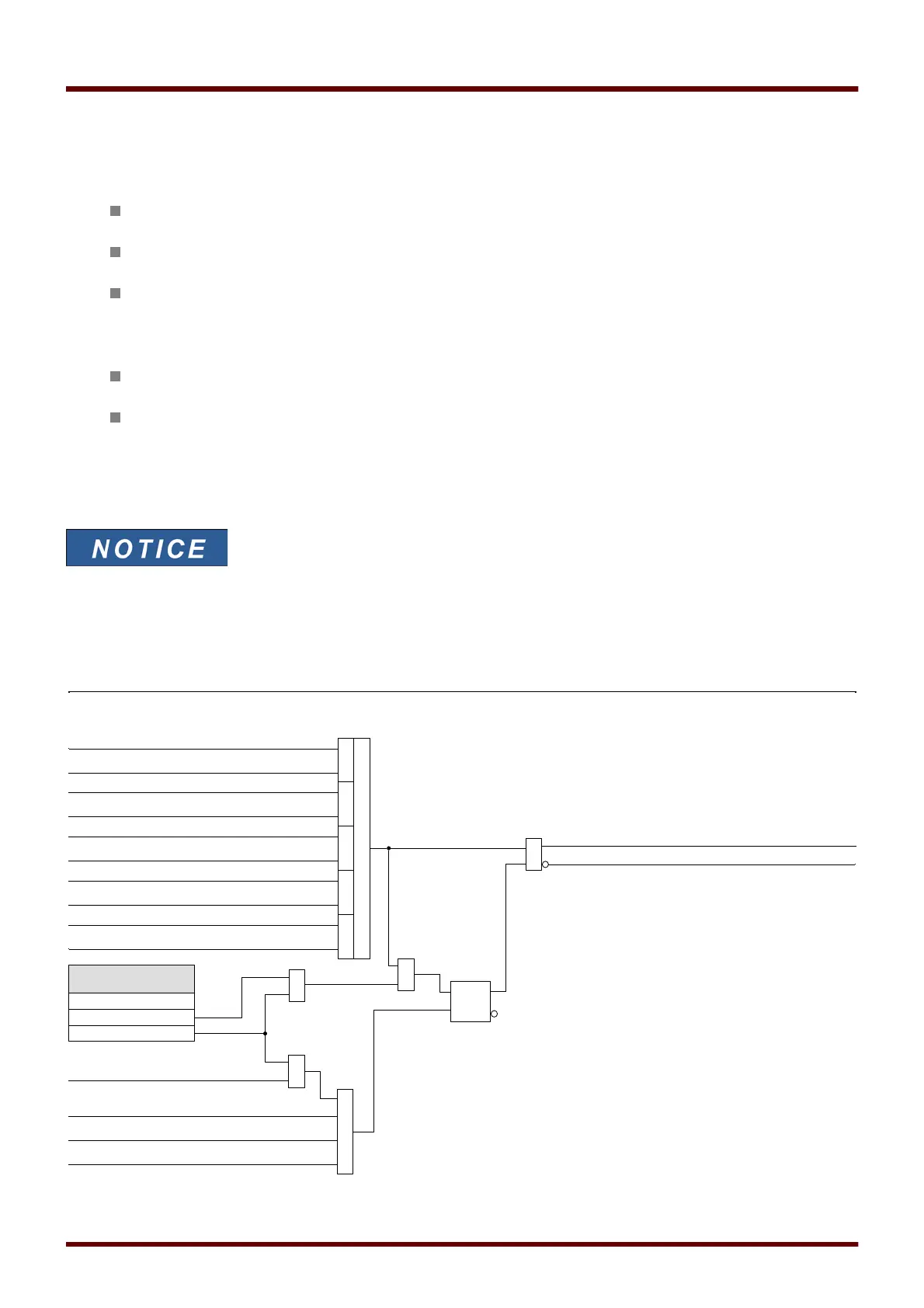
LED_Y01
LEDs
LED . LED active color
LED = LEDs group A, . . .)
S1
R
≥1
Acknowledge (-HMI)
Acknowledge (1..n, Assignment List )
Acknowledge TripCmd (Scada)
≥1
=1
LED . Assignment 1
LED . Inverting 1
=1
LED . Assignment 2
LED . Inverting 2
=1
LED . Assignment 3
LED . Inverting 3
=1
LED . Assignment 4
LED . Inverting 4
=1
LED . Assignment 5
LED . Inverting 5
≥1
&
active
LED .
Latched
inactive
active , ack. by alarm
&
Alarm
LED . LED inactive color
1
1
≥1



 To Next Page