Media Management
8
Chapter
92
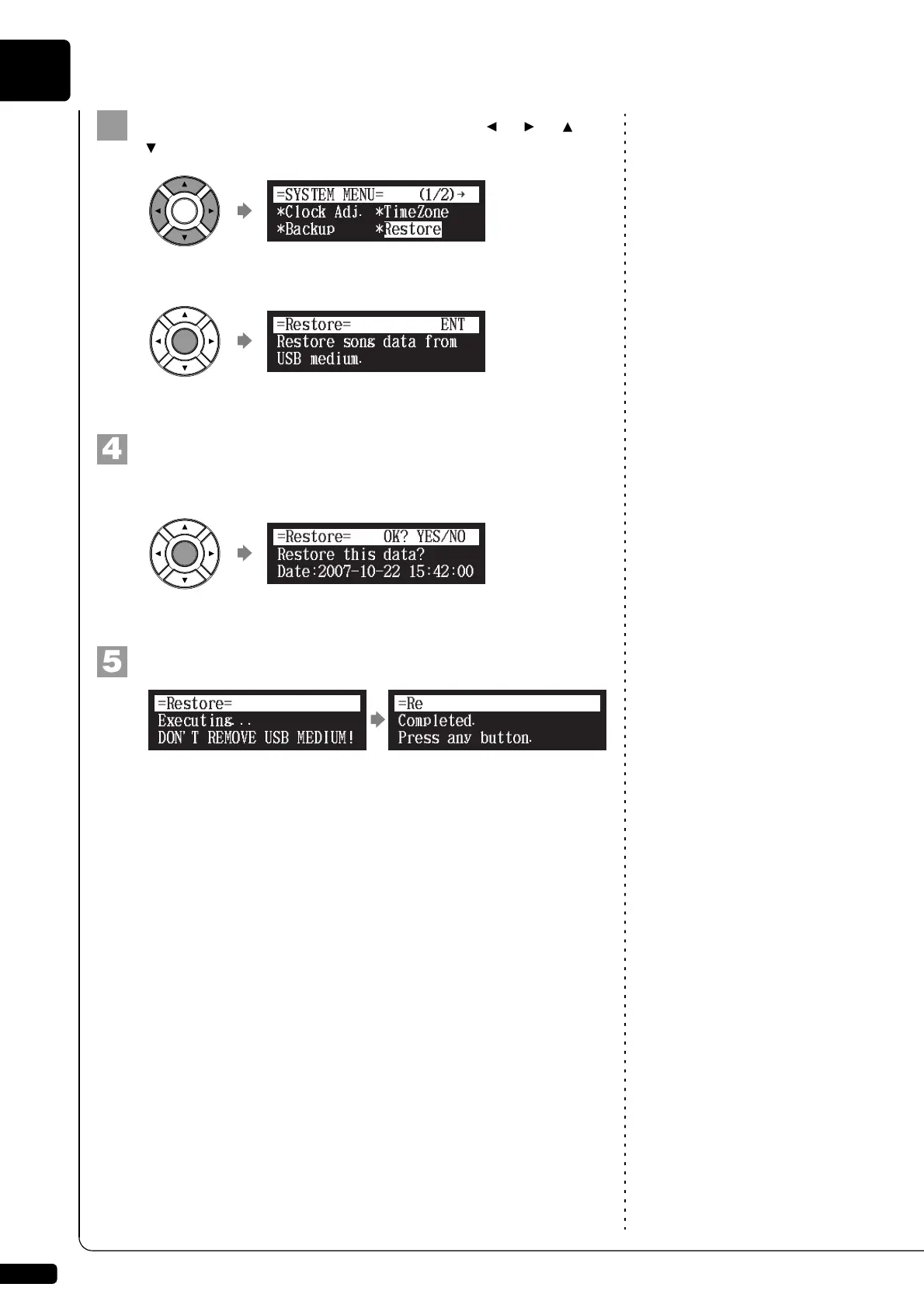
Select “Restore” with the cursor buttons ([ ] [ ] [ ]
[ ]), then press [ENTER].
The Restore screen appears.
Press [ENTER].
“OK?” flashes in the first line of the screen.
Press [+/YES] to restore, [–/NO] to cancel.
After a while, the completion message appears.
Press any button to return to the system menu screen.
!"#$%
{
Restore this data?
Date:2007-10-22 15:42:00
=Restore= OK? YES/NO
=
Completed.
Press any button.
=Restore=
ANY







 To Next Page