62
8
Chapter
Media Management
This chapter describes how to manage contents inside the media, such as managing albums,
songs and playlists.
To select a album, see Chapter 3
“Basic Song Playback – Selecting
Medium and Their Contents” on
page 17.
You can use the album function menu for creating, deleting and copying
albums inside a medium.
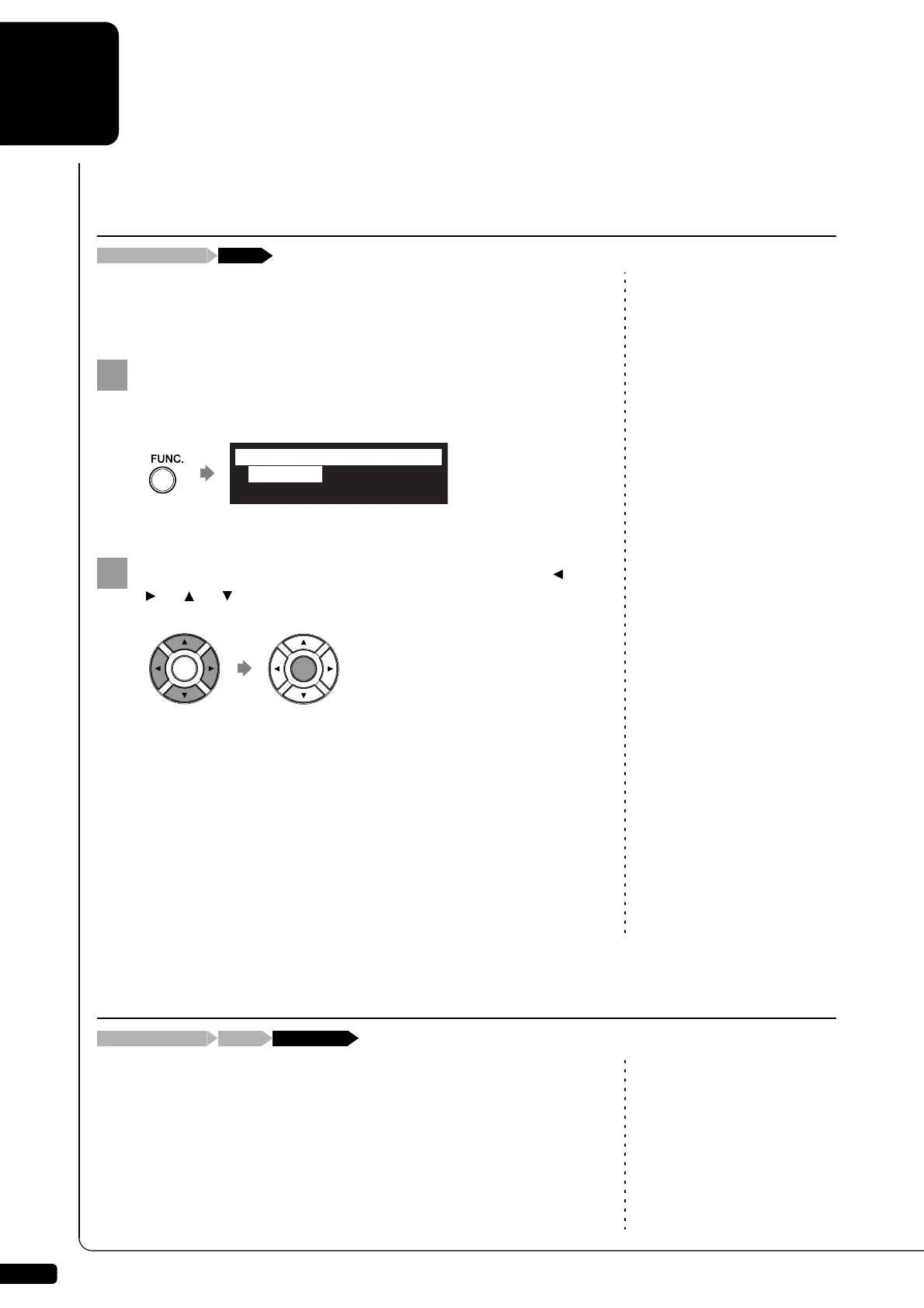
Press [FUNC.] in the album selection screen.
The album function menu screen appears.
Note:
Available functions vary depending
on the medium you selected.
Select a desired function with the cursor buttons ([ ]
[ ] [ ] [ ]), then press [ENTER].
About playlists, see Chapter 8
“Media Management – Managing
Playlists” on page 76.
The following functions are available:
- CopyAlbum
- DeleteAlbum
- NewAlbum
- RenameAlbum
- SortAlbum
- AddToPList
- DeleteList
- NewList
- RenameList
Note:
Up to 99 albums can be saved in a
medium.
You can make copies of the album to the different medium.
This function is available for albums on [Memory], [CD](CD-ROM), [USB1],
[USB2] and [FromToPC].
Managing Albums
[FUNC.]Album selection screen
*CopyAlbum
*NewAlbum
*DeleteAlbum
*RenameAlbum
=ALBUM MENU=
(1/2)
Making Copies of Albums
“CopyAlbum”[FUNC.]Album selection screen







 To Next Page