Media Management
English
8
Chapter
63
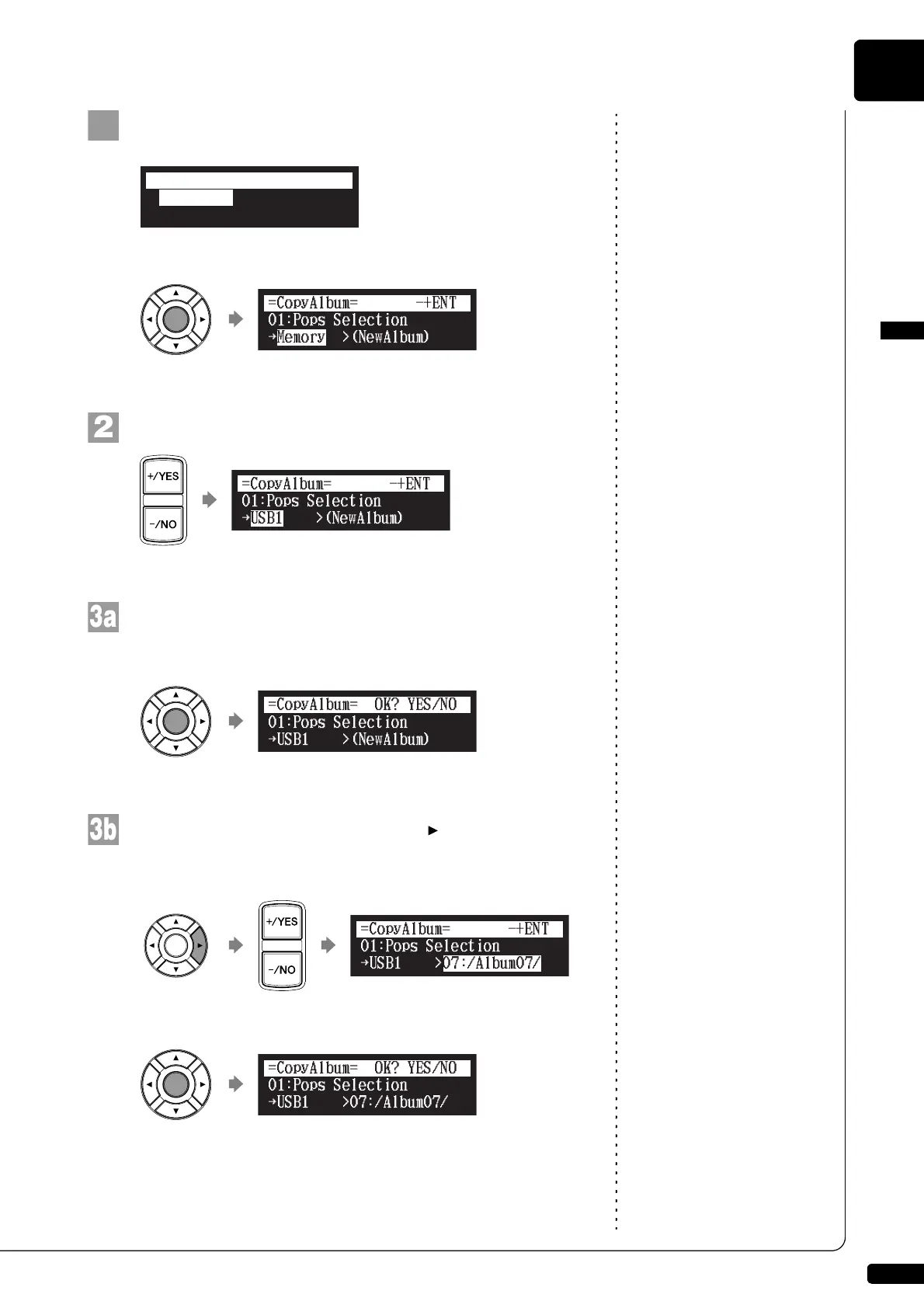
Select “CopyAlbum” in the album function menu, then
press [ENTER].
The CopyAlbum screen appears.
Select a destination medium with [+/YES] and [–/NO].
To copy to the new album, press [ENTER].
“OK?” flashes in the first line of the screen.
To add to the existing album, press [ ] to move the
cursor to the album, and press [+/YES] and [–/NO] to
select the album, then press [ENTER].
“OK?” flashes in the first line of the screen.
*CopyAlbum
*NewAlbum
*DeleteAlbum
*RenameAlbum
=ALBUM MENU=
(1/2)
{
!
{
!
{
!"#
{
{
!







 To Next Page