Advanced Song Playback
English
4
Chapter
35
Note:
The internal calendar must be set in
advance in order for the timer play
to function. See Chapter 2 “Getting
Started – Setting the Internal
Calendar” on page 11.
You can program your Disklavier to start or stop playback of a song at
various specified times. All you need to do is register up to a maximum of
99 timer settings, and your Disklavier will perform them unattended. This
function is called “timer play.”
Note:
The control unit must be turned on
in advance in order for the timer
play to function. The timer play
cannot turn on/off the control unit.
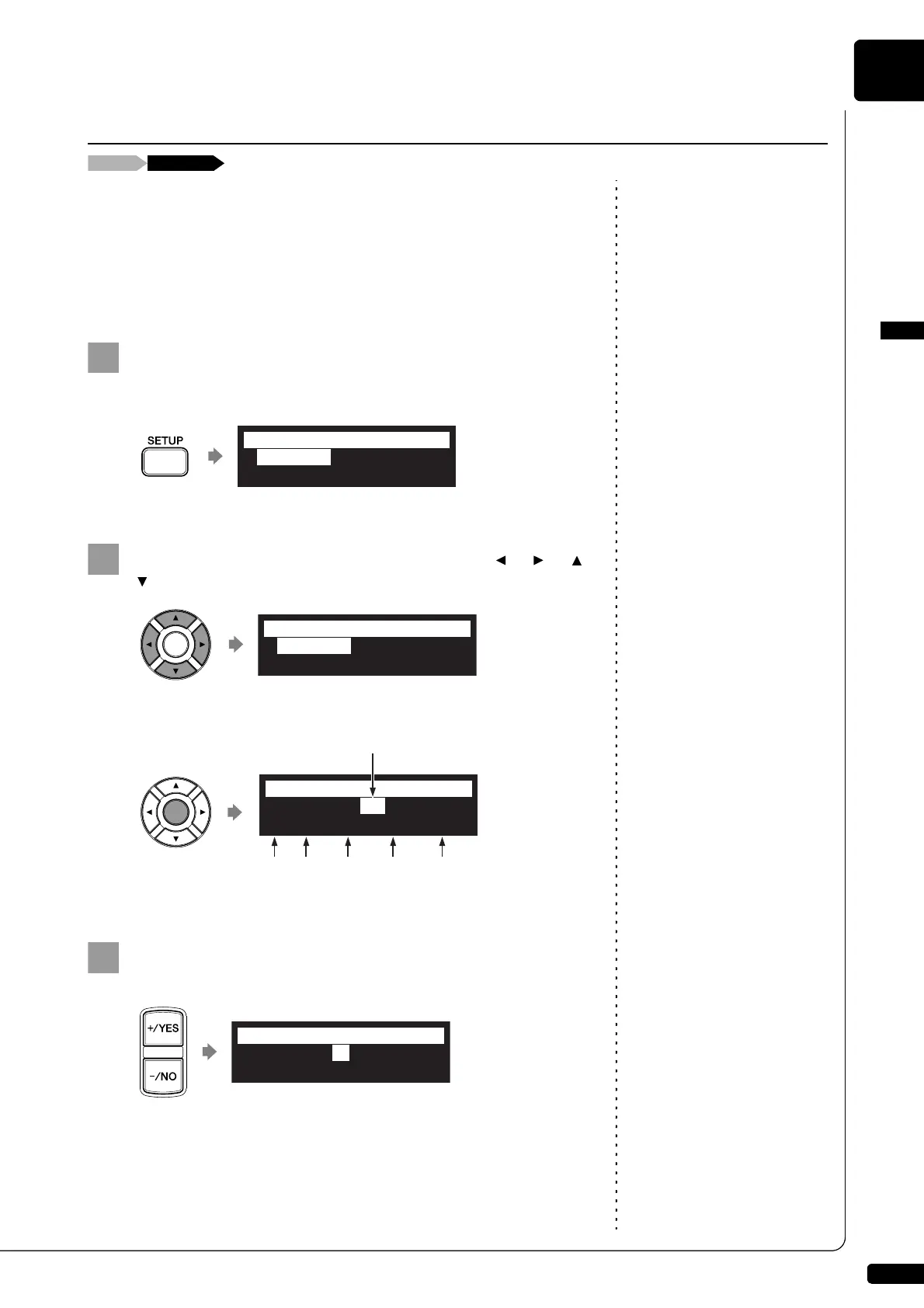
The following describes how to play back the first album in the internal
flash memory at 8:15 AM.
Press [SETUP] on the remote control.
The setup menu screen appears.
Select “TimerPlay” with the cursor buttons ([ ] [ ] [ ]
[ ]), then press [ENTER].
The timer play setting screen appears.
Confirm that the cursor is on the timer switch, then press
[+/YES] and [–/NO] to switch the timer play on and off.
Using the Timer Play
*TimerPlay
*MIDI
*AudioI/O
*M-Tune
=SETUP MENU=
(1/3)
*TimerPlay
*MIDI
*AudioI/O
*M-Tune
=SETUP MENU=
(1/3)
>TimerPlay=OFF
01[### ##:## ---- ]
=TimerPlay=
-+
_?]
Program
number
Timer switch
FunctionTimeDay Album
selection
>TimerPlay=ON
01[### ##:## ---- ]
=TimerPlay=
-+







 To Next Page