Getting Started
English
2
Chapter
15
The Disklavier can handle these three types of file format:
SMF0
Standard MIDI File format 0 for playback and recording. The name of the
file should have an extension as “.MID” or “.mid.”
SMF1
Standard MIDI File format 1 for playback only. The name of the file should
have an extension as “.MID” or “.mid.”
E-SEQ
Format developed by Yamaha, for playback only. The name of the file
should have an extension as “.FIL” or “.fil.”
■ Handling CDs
In order to protect data stored on compact discs from damage or loss,
handle them with care, and observe the following precautions.
• Do not touch the surface of a CD.
• Do not expose CDs to extreme temperatures or humidity. The working
temperature range is between 4°C and 52°C (40°F and 125°F).
• Wipe CDs with a clean, dry cloth before playback.
• Remove the CD from the CD drive before turning off the Disklavier.
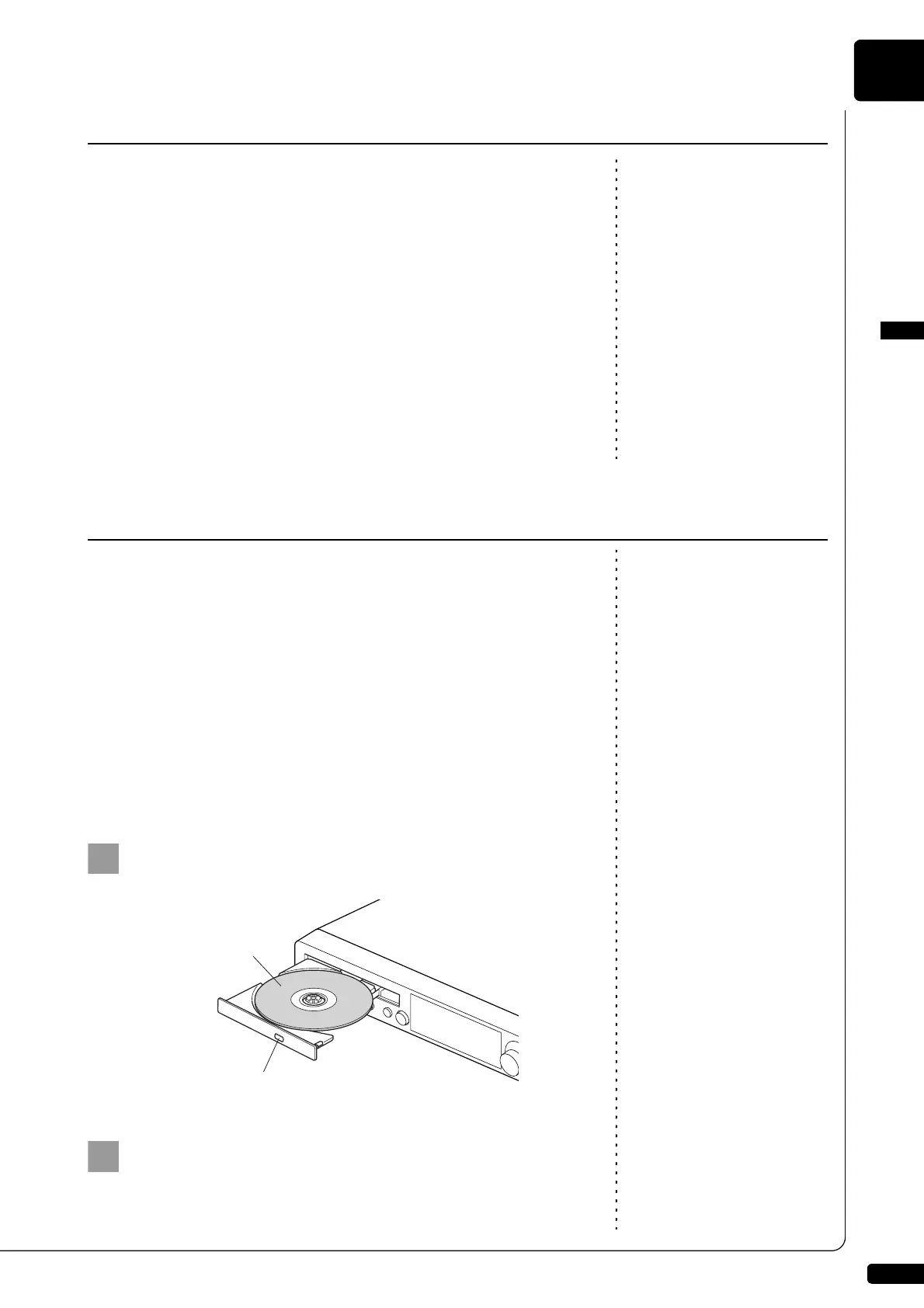
■ Loading a CD
Press the CD eject button on the control unit to open the
CD tray.
Place a CD on the tray, and then close the tray.
Compatible File Format
Basic Precautions for Using CDs







 To Next Page