Other Settings
English
11
Chapter
117
Note:
The brightness of the display will
return to its original setting when
you press any buttons, insert media,
or eject media.
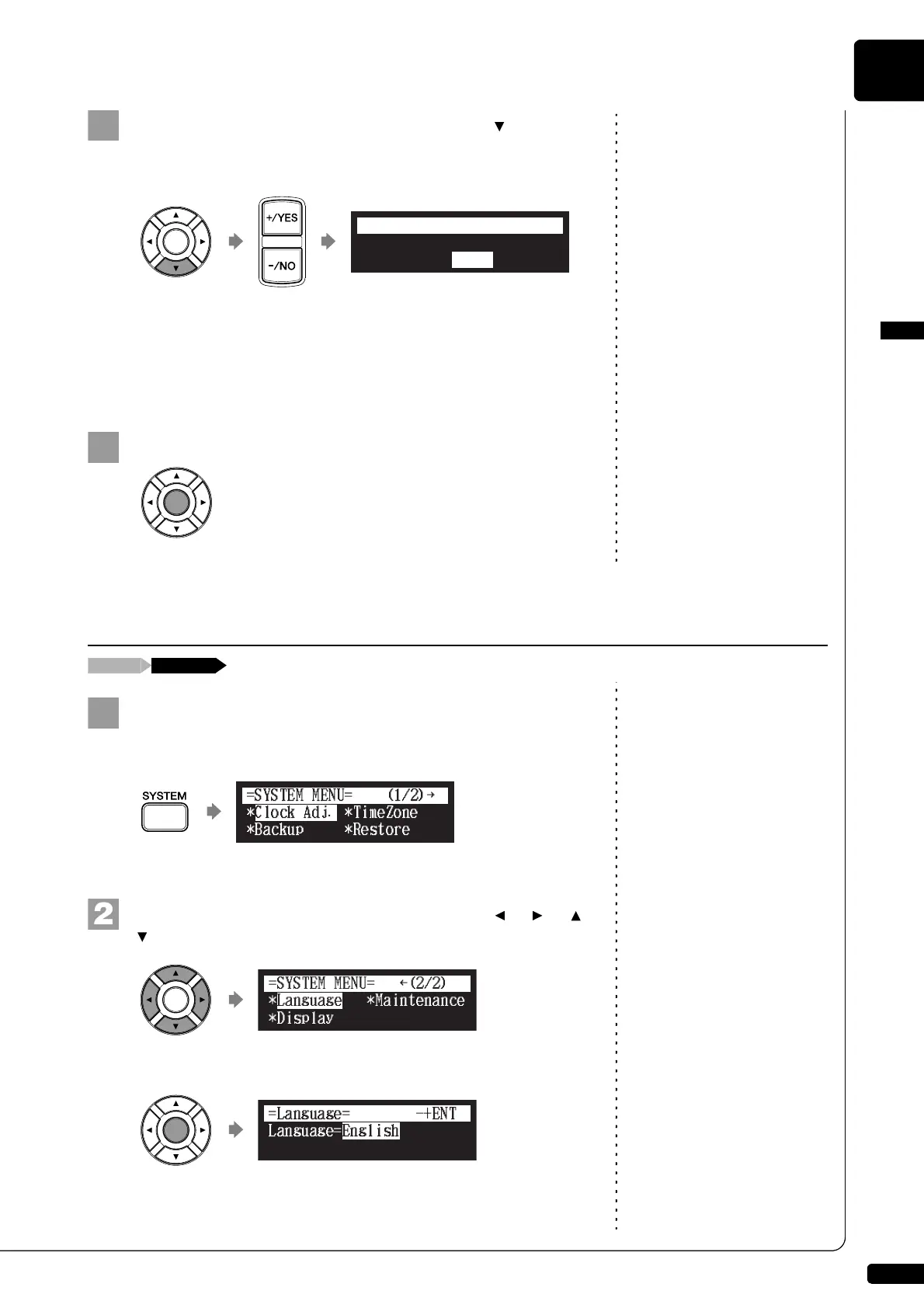
To set the time for the display to dim, press [ ] to move
the cursor to the dim light parameter, then press
[+/YES] and [–/NO].
The following time settings are available: OFF, 1min, 2min, 3min,
5min, 10min, 15min, 30min, 45min, 60min.
If there is no operation for the time set above, the display dims to
half the brightness of its original setting.
Press [ENTER] to complete the operation.
Press [SYSTEM] on the remote control.
The system menu screen appears.
Select “Language” with the cursor buttons ([ ] [ ] [ ]
[ ]), then press [ENTER].
The language setting screen appears.
*Brightness=100%
*Dim light=1min.
=Display= ?=-+ENT
Switching the Languages for the Screen
!"#$%
{
*Language *Maintenance
=SYSTEM MENU=
(2/2)
*Display
Language=English
=Language=
-+ENT







 To Next Page