Media Management
8
Chapter
70
Press [+/YES] to make a copy, [–/NO] to cancel.
After a while, the completion message appears.
Press any button to return to the song selection screen.
You can delete songs stored on an album.
This function is available for songs in the album on [Memory], [USB1],
[USB2], [Playlist] and [FromToPC].
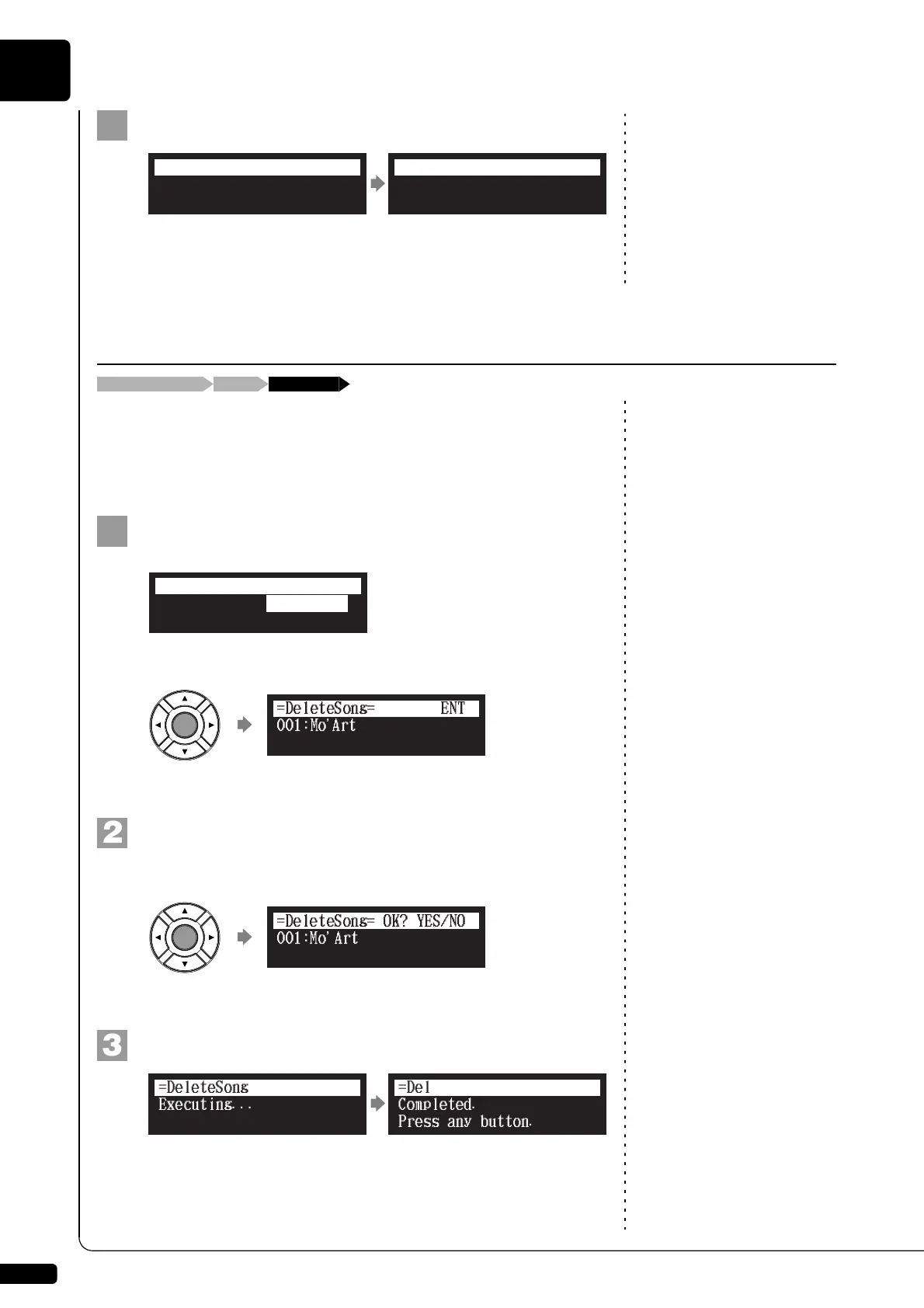
Select “DeleteSong” in the song function menu, then
press [ENTER].
The DeleteSong screen appears.
Press [ENTER].
“OK?” flashes in the first line of the screen.
Press [+/YES] to delete the song, [–/NO] to cancel.
After a while, the completion message appears.
Press any button to return to the song selection screen.
Completed.
Press any button.
=CopySong=
ANY
Deleting Songs
[FUNC.]Song selection screen “DeleteSong”
*CopySong
*RenameSong
*DeleteSong
=SONG MENU=
(1/2)
*SortSong
001:Mo
=
Art
=DeleteSong=
ENT
=
Completed.
Press any button.
=DeleteSong=
ANY







 To Next Page