Basic Song Playback
English
3
Chapter
19
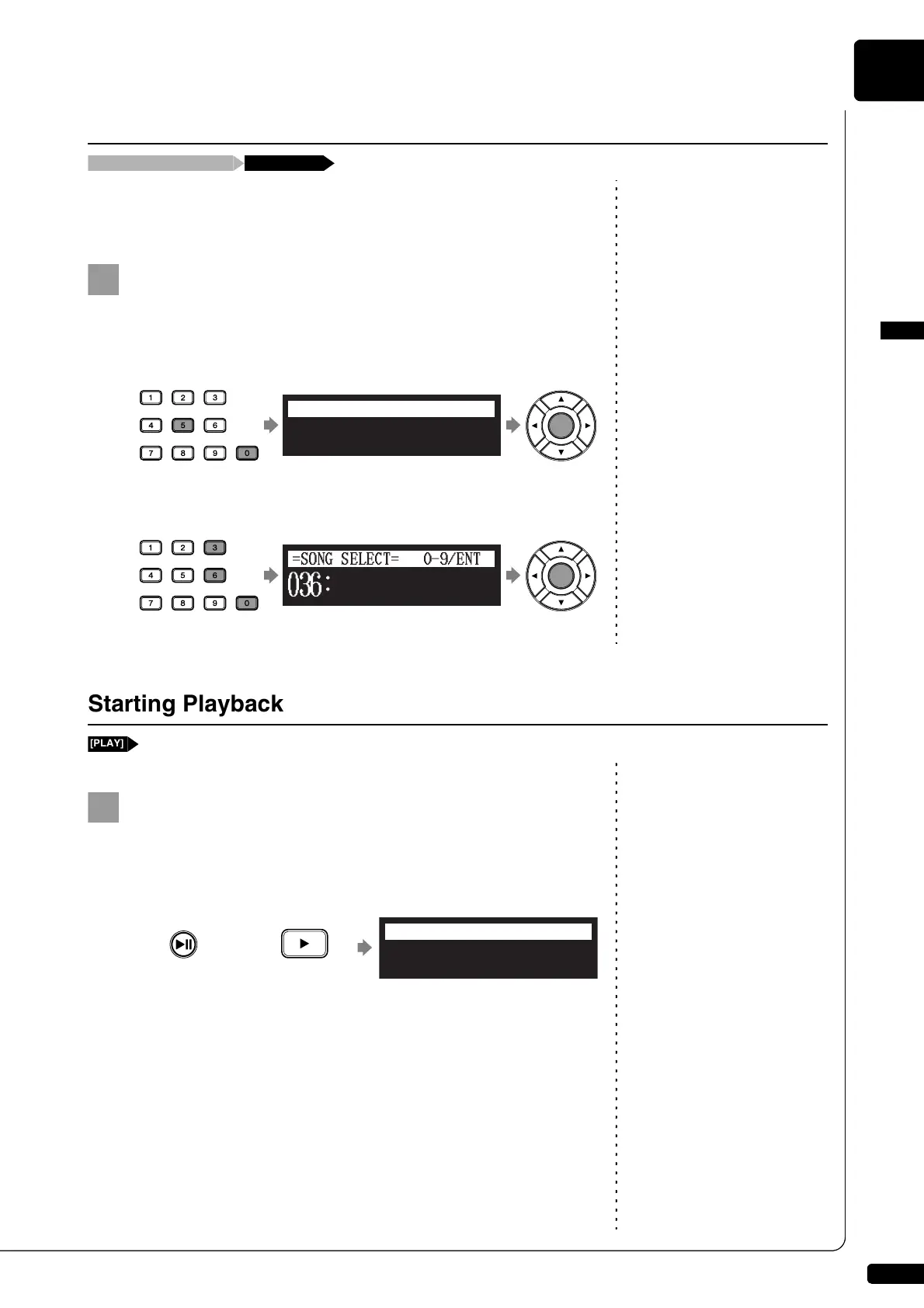
You can also select albums or songs directly with the number keypad on
the remote control.
Note:
If you enter a number higher than
the existed, the last album or song
appears.
Press the corresponding number button, then press
[ENTER].
For example, to select album number 5, first press [0], then [5],
then [ENTER].
To select song number 36, first press [0], then [3], then [6], then
[ENTER].
Press [PLAY/PAUSE] on the control unit or [PLAY] on the
remote control.
[PLAY/PAUSE] on the control unit lights green, and the numerical
value of the counter advances.
At the end of the song, the Disklavier selects the next song
automatically and continues playback.
After playback the last song in the album, playback stops.
Using the Number Keypad
Album or song selection screen Number button
Starting Playback
Control unit Remote control
or
Piano Sonate
=Memory=
<00:01>
LR SO V+00
A02-001







 To Next Page