Basic Song Playback
3
Chapter
18
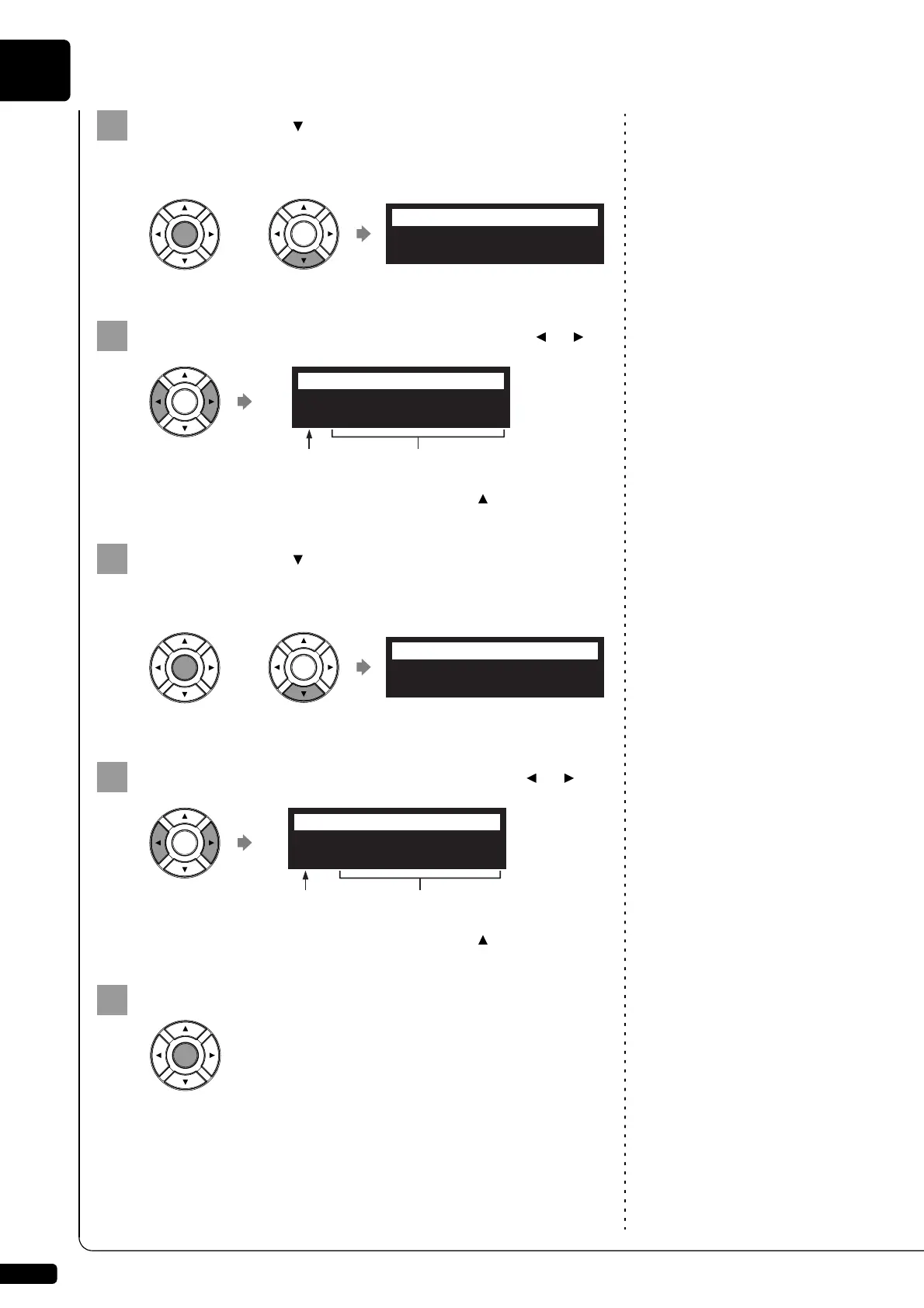
Press [ENTER] or [ ].
The album selection screen appears.
Note:
The maximum number of the
selectable albums in a medium is 99.
Select a desired album with the cursor buttons ([ ] [ ]).
Note:
You can also select albums directly
using the number keypad on the
remote control. See Chapter 3
“Basic Song Playback – Using the
Number Keypad” on page 19.
To return to the media selection screen, press [ ].
Press [ENTER] or [ ].
The song selection screen appears.
Note:
The maximum number of the
selectable songs in an album is 999.
Select a desired song with the cursor buttons ([ ] [ ]).
Note:
You can also select songs directly
using the number keypad on the
remote control. See Chapter 3
“Basic Song Playback – Using the
Number Keypad” on page 19.
To return to the album selection screen, press [ ].
Press [ENTER].
The selected song is loaded.
01:50 Greats for t
=ALBUM SELECT=
01:50 Greats for t
=ALBUM SELECT=
?=]
Album number Album title
001:Invention 1
=SONG SELECT=
001:Invention 1
=SONG SELECT=
Song number Song title
?=]







 To Next Page