Internet Direct Connection (IDC)
English
9
Chapter
97
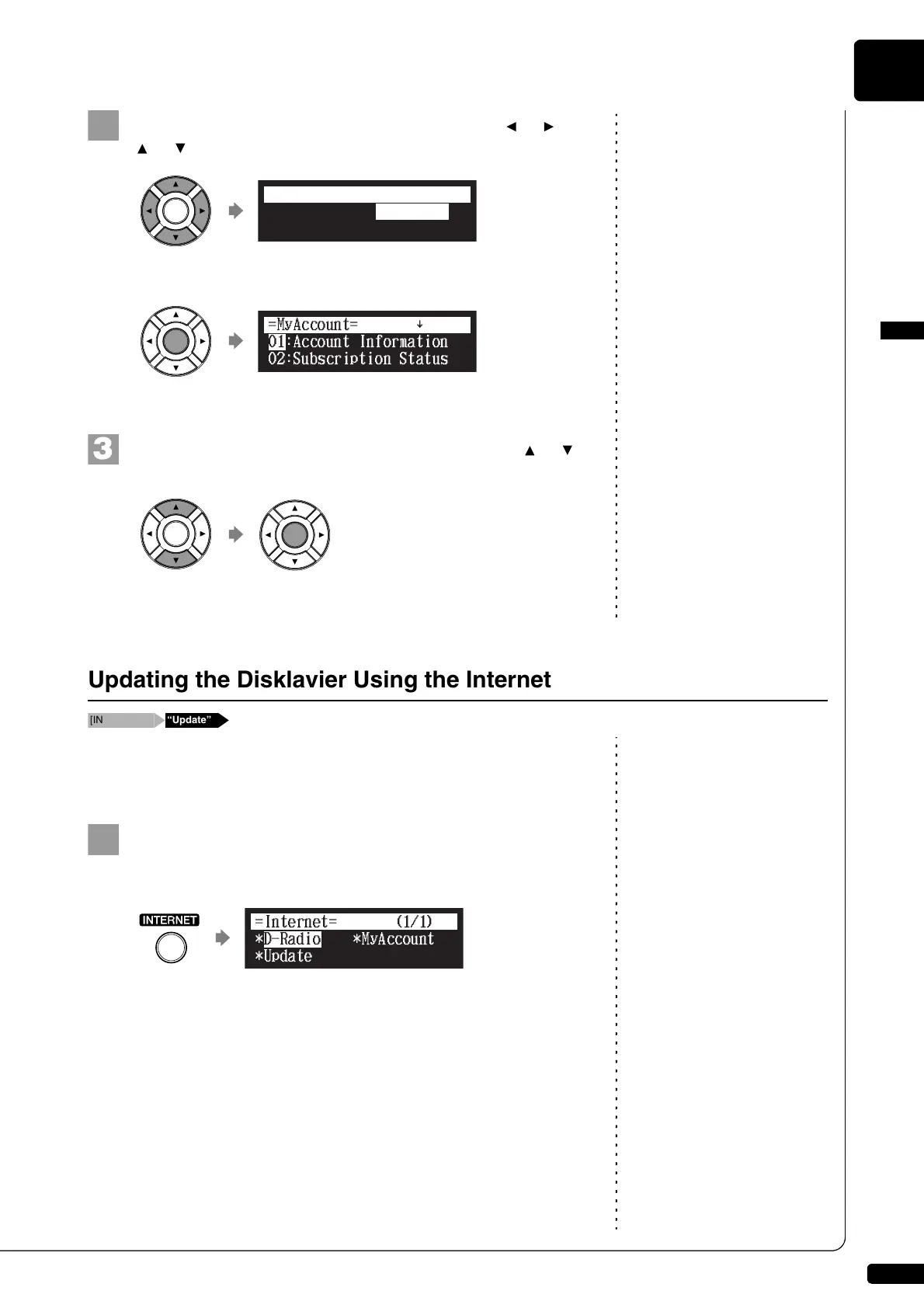
Select “MyAccount” with the cursor buttons ([ ] [ ]
[ ] [ ]), then press [ENTER].
The MyAccount screen appears.
Select a desired option with the cursor buttons ([ ] [ ]),
then press [ENTER].
Perform operations on the screen that appears.
You can download the update program directly from the Internet and
update the firmware of the Disklavier.
Press [INTERNET] on the remote control.
The Internet menu screen appears.
*D-Radio
*Update
*MyAccount
=Internet=
(1/1)
]
Updating the Disklavier Using the Internet
*D-Radio
*Update
*MyAccount
=Internet=
(1/1)







 To Next Page