42
5
Chapter
Advanced Piano Playing
Note:
The tempo parameter displayed on
the metronome setting screen
indicates the number of beats in a
minute, and one beat represents a
quarter. When you play a song
written in different measure unit
from quarter note, change the setting
(e.g.When playing a song in 3/2, set
beat to 6/4).
The internal metronome helps you playing along the meter (beat) and the
tempo you set. Also the volume of the metronome can be adjusted.
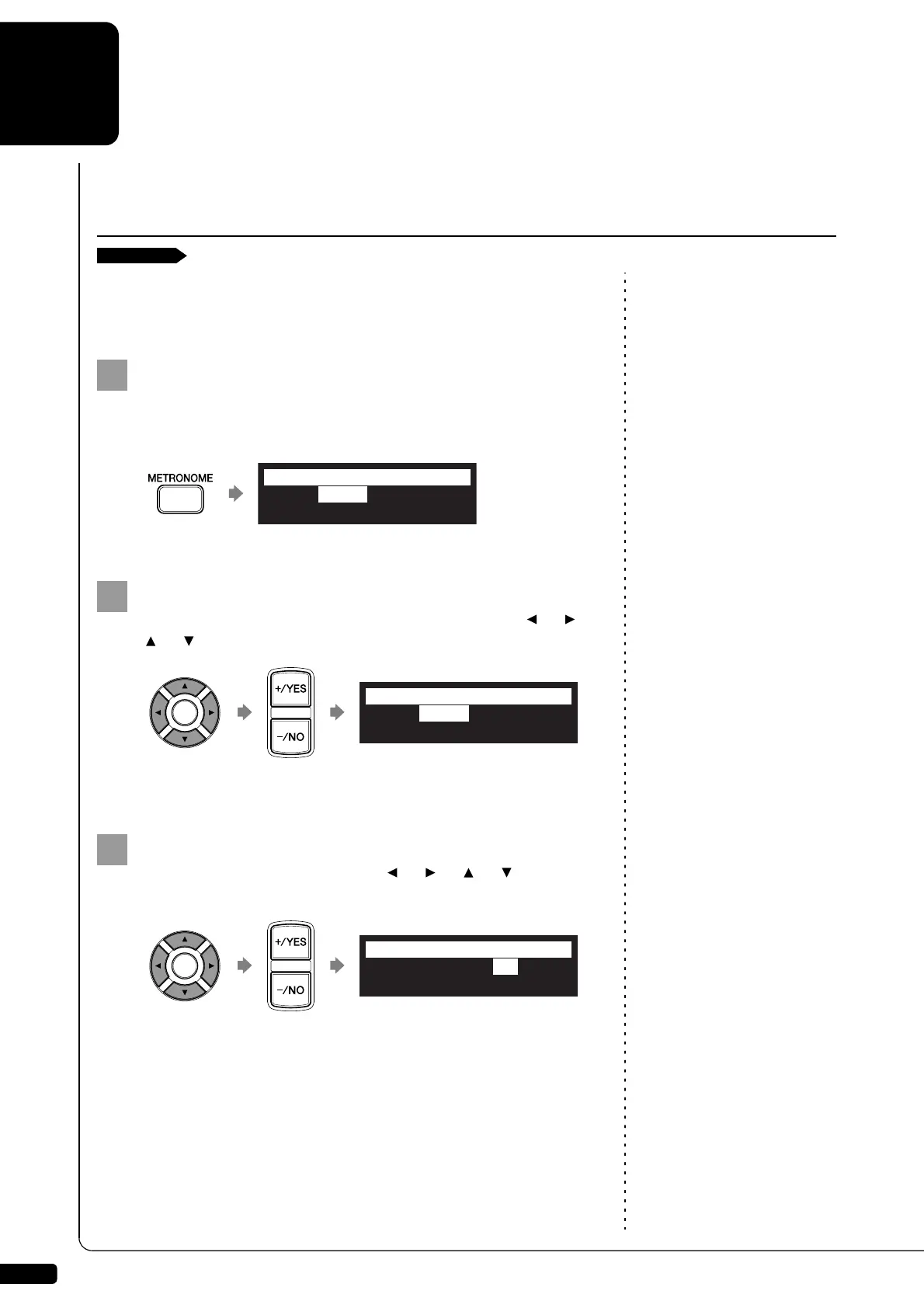
Press [METRONOME] on the remote control.
The metronome setting screen appears and the metronome starts
to click.
To change the tempo, move the cursor to the tempo
parameter (“TEMPO”) with the cursor buttons ([ ] [ ]
[ ] [ ]), then press [+/YES] and [–/NO].
The tempo can be adjusted in a range of 30 bpm to 400 bpm.
To change the beat, move the cursor to the beat parameter
(“”) with the cursor buttons ([ ] [ ] [ ] [ ]), then
press [+/YES] and [–/NO].
The following beat settings are available: 1/4, 2/4, 3/4, 4/4, 5/4, 6/4,
7/4, 8/4, 9/4.
Playing the Disklavier along with the Internal Metronome
TEMPO=117bpm =4/4
VOLUME=VOLUME= SOUND=BUZZER
=METRONOME=
-+
TEMPO=125bpm =4/4
VOLUME=VOLUME= SOUND=BUZZER
*
=METRONOME=
-+
_?=]
TEMPO=125bpm =3/4
VOLUME=VOLUME= SOUND=BUZZER
*
=METRONOME=
-+
_?=]







 To Next Page