Media Management
8
Chapter
68
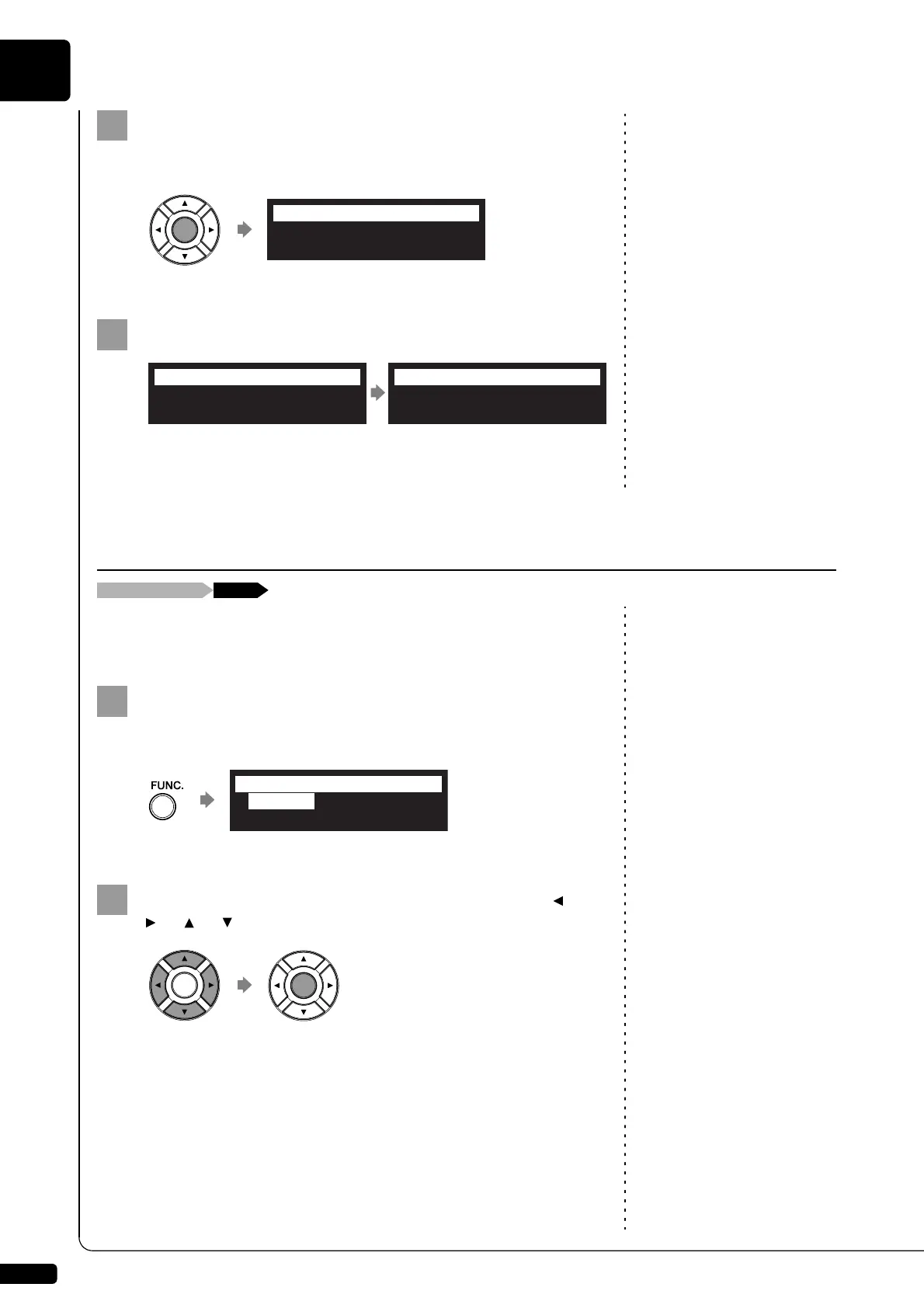
Press [ENTER].
“OK?” flashes in the first line of the screen.
Press [+/YES] to rearrange, [–/NO] to cancel.
After a while, the completion message appears.
Press any button to return to the album selection screen.
To select the song, see Chapter 3
“Basic Song Playback – Selecting
Medium and Their Contents” on
page 17.
You can use the song function menu for managing the copy or the deletion
songs inside the album.
Press [FUNC.] in the song selection screen.
The song function menu screen appears.
Note:
Available functions vary depending
on the medium you selected.
Select a desired function with the cursor buttons ([ ]
[ ] [ ] [ ]), then press [ENTER].
Note:
If there is no available function or
no song, the song function menu
screen does not appear although
pressing [FUNC.].
About playlists, see Chapter 8
“Media Management – Managing
Playlists” on page 76.
The following functions are available:
- CopySong
- DeleteSong
- RenameSong
- SortSong
- AddToPList
- ConvertSong
- Counter
- Strip XP
08:Mike Garson Trio-Live
06:Favorite Latin Select
=SortAlbum=
OK? YES/NO
Completed.
Press any button.
=SortAlbum=
ANY
Managing Songs
[FUNC.]Song selection screen
*CopySong
*RenameSong
*DeleteSong
=SONG MENU=
(1/2)
*SortSong







 To Next Page