Other Settings
11
Chapter
120
The piano diagnostics may be required as the occasion demands. In such
a case, follow the instructions of your Yamaha dealer and perform the
following procedure.
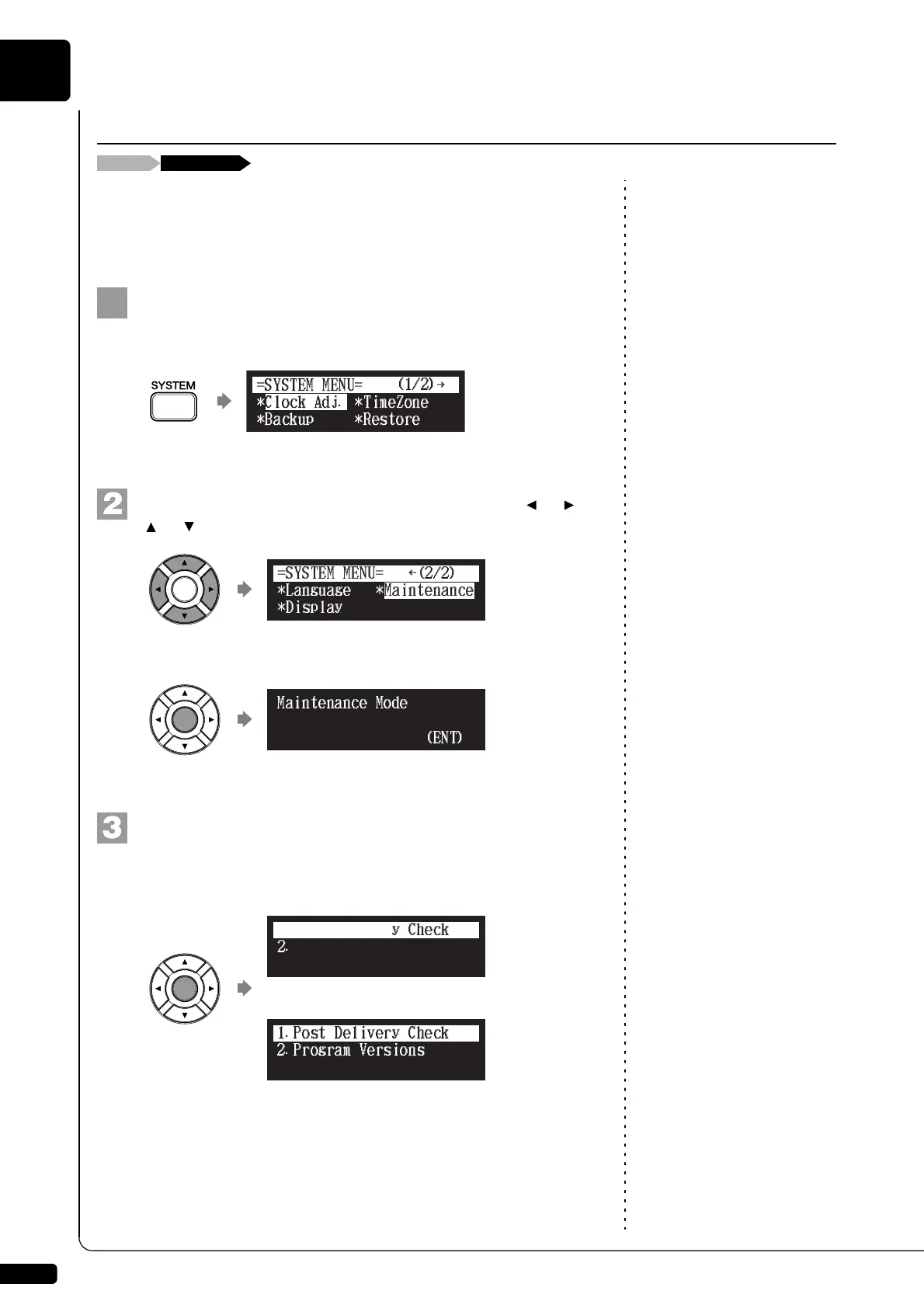
Press [SYSTEM] on the remote control.
The system menu screen appears.
Select “Maintenance” with the cursor buttons ([ ] [ ]
[ ] [ ]), then press [ENTER].
The maintenance screen appears.
Press [ENTER].
The maintenance options appears.
Diagnosing the Disklavier (Maintenance Mode)
(Grand piano)
(Upright piano)
!"#$%
{
*Language
=SYSTEM MENU=
(2/2)
*Maintenance
*Display
2.Program Versions
3.Pedal Calibration
1.Post Delivery Check







 To Next Page