48
7
Chapter
Advanced Recording
This chapter describes further functions for the advanced piano recording such as playing and
measuring the current playing song tempo with the metronome, recording the left-hand part
and the right-hand part separately.
Note:
The tempo parameter displayed on
the metronome setting screen
indicates the number of beats in a
minute, and one beat represents a
quarter. When you play a song
written in different measure unit
from quarter note, change the setting
(e.g. When playing a song in 3/2, set
beat to 6/4).
You can use the metronome to record songs.
Songs recorded with the metronome will be in the measures and beats
format.
All metronome parameters are reset when the Disklavier is switched off.
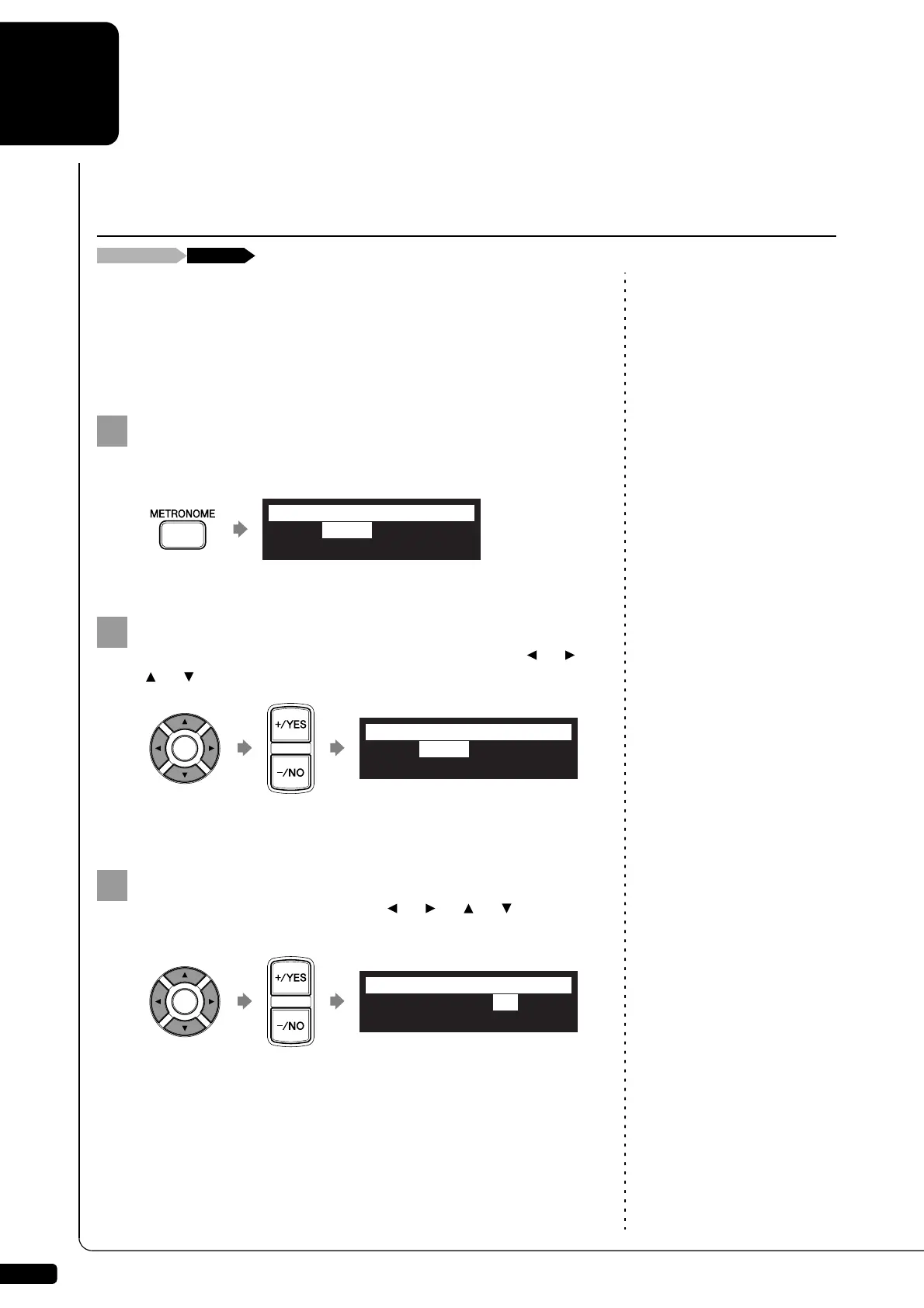
Press [METRONOME] on the remote control.
The metronome setting screen appears.
To change the tempo, move the cursor to the tempo
parameter (“TEMPO”) with the cursor buttons ([ ] [ ]
[ ] [ ]), then press [+/YES] and [–/NO].
The tempo can be adjusted in a range of 30 bpm to 400 bpm.
To change the beat, move the cursor to the beat parameter
(“”) with the cursor buttons ([ ] [ ] [ ] [ ]), then
press [+/YES] and [–/NO].
The following beat settings are available: 1/4, 2/4, 3/4, 4/4, 5/4, 6/4,
7/4, 8/4, 9/4.
Recording with the Internal Metronome
TEMPO=117bpm =4/4
VOLUME=VOLUME= SOUND=BUZZER
=METRONOME=
-+
TEMPO=125bpm =4/4
VOLUME=VOLUME= SOUND=BUZZER
*
=METRONOME=
-+
_?=]
TEMPO=125bpm =3/4
VOLUME=VOLUME= SOUND=BUZZER
*
=METRONOME=
-+
_?=]







 To Next Page