Introduction
1
Chapter
4
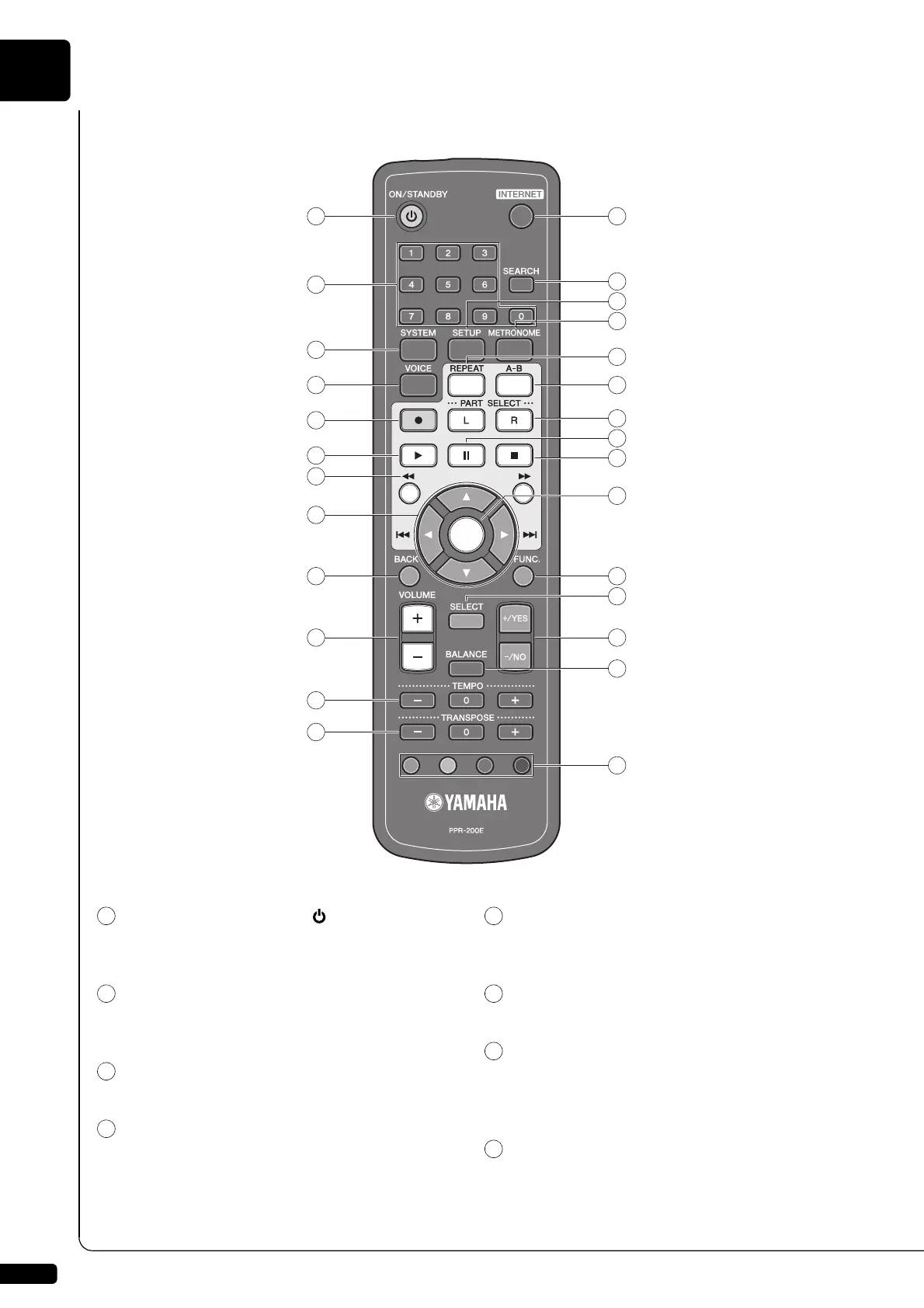
[ON/STANDBY] button
Turns on the Disklavier or puts it in the standby
mode.
Number keypad
Used for direct album/song selection and to enter a
start time for song playback.
[SYSTEM] button
Used to access the system menu.
[VOICE] button (
page 43)
Used to access the voice function.
[RECORD] button (
page 45)
Used to engage the record standby mode before
recording starts.
[PLAY] button (
page 19)
Used to start playback.
[REVERSE]/[FORWARD] buttons
In the play mode: used to fast preview and review.
In the pause mode: used to fast forward and
reverse.
Cursor buttons
Used to select options and parameters.
■ Remote Control
1 13
14
18
19
21
22
23
25
26
27
15
16
20
24
17
2
3
4
5
6
7
8
9
10
11
12







 To Next Page