Other Settings
11
Chapter
116
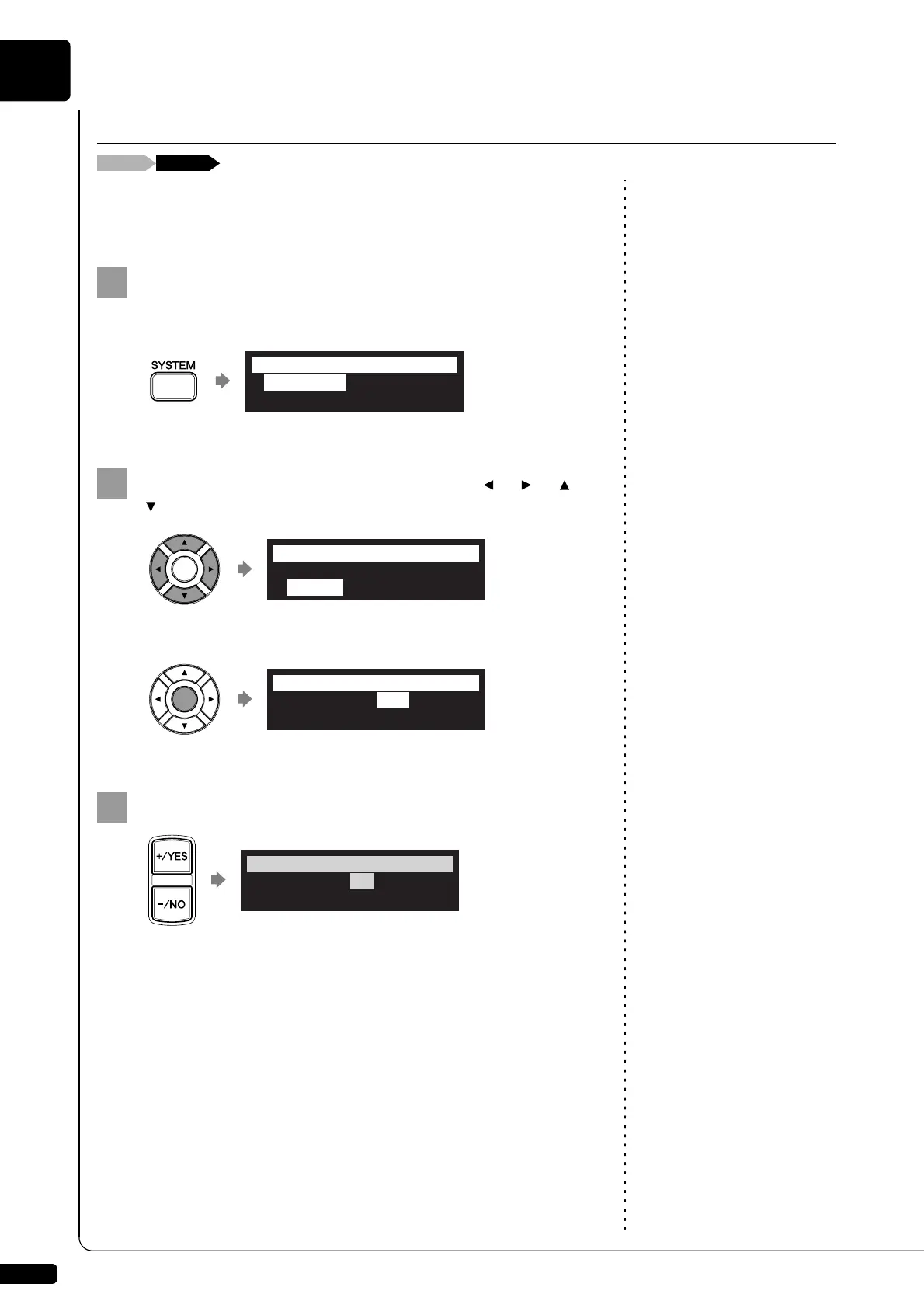
You can adjust the brightness of the display. You can also set the display
to dim after the elapse of a certain time if there is no operation.
Press [SYSTEM] on the remote control.
The system menu screen appears.
Select “Display” with the cursor buttons ([ ] [ ] [ ]
[ ]), then press [ENTER].
The display setting screen appears.
Press [+/YES] and [–/NO] to change the brightness.
The following brightness settings are available: 40%, 60%, 80%,
100%.
Adjusting the Brightness of the Display
*Clock Adj.
*Backup
*TimeZone
*Restore
=STSTEM MENU= (1/2)]
*Language
*Display
*Maintenance
=STSTEM MENU= _(2/2)
*Brightness=100%
*Dim light=OFF
=Display= ?=-+ENT
*Brightness=80%
*Dim light=OFF
=Display= ?=-+ENT







 To Next Page