Other Settings
English
11
Chapter
115
Note:
You can also use [+/YES] and
[–/NO] on the remote control, or the
dial on the control unit to enter the
code.
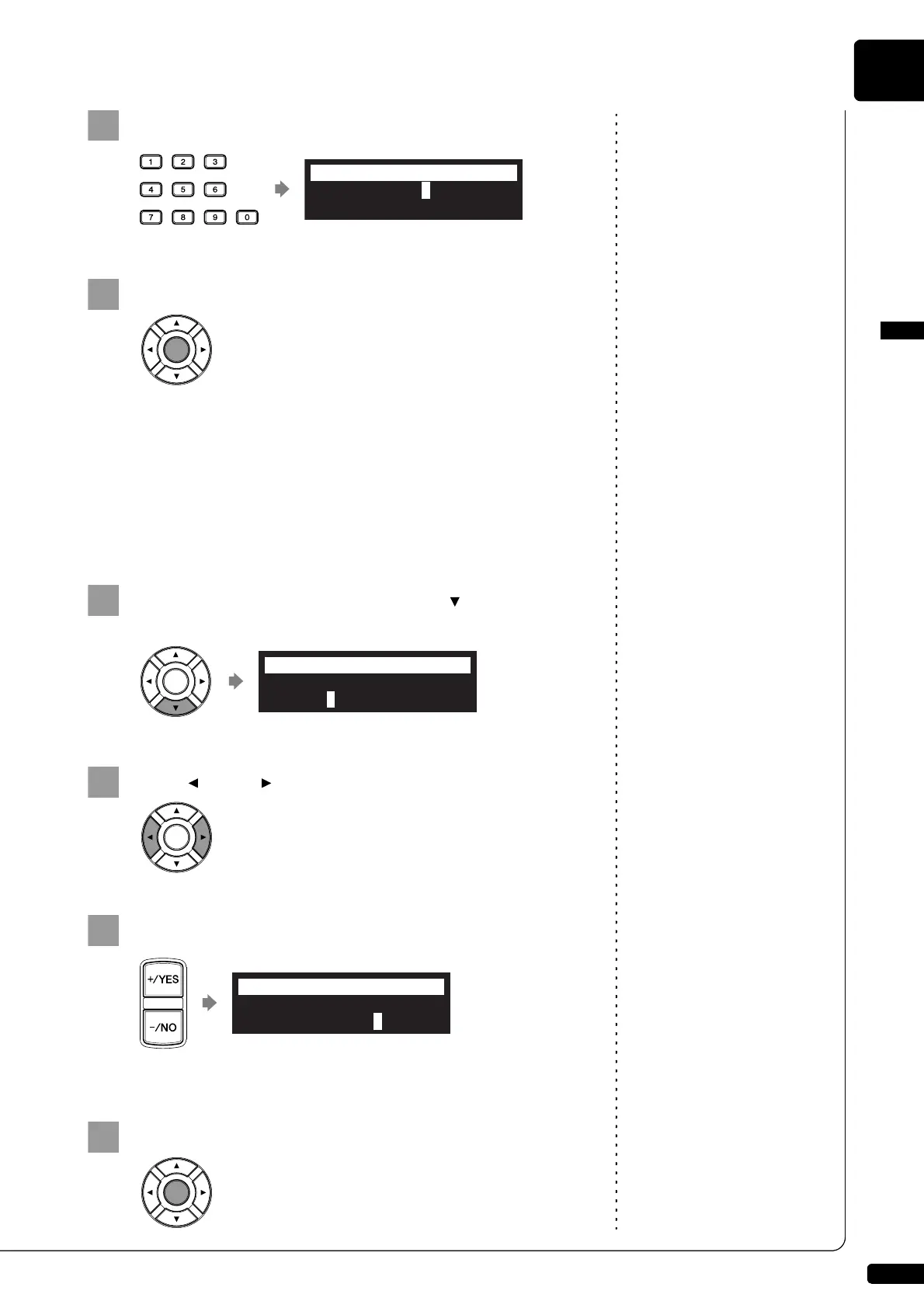
Enter the 4-digit code with the number keypad.
Press [ENTER] to complete the operation.
■ Setting the MAC Address
If you feel inconvenient to enter the passcode each time you access from
the external remote controller, you can set the MAC address of the
external remote controller. This will allow the external remote controller
with the registered MAC address to access your Disklavier without
entering the passcode.
With the passcode properly set, press [ ] to select
“MAdr1.”
Press [ ] and [ ] to move the cursor left and right.
Note:
You can also use the dial on the
control unit to enter the address.
Enter the address with [+/YES] and [–/NO].
You can set up to three addresses.
Press [ENTER] to complete the operation.
>Passcode=1234
>MAdr1=##:##:##:##:##:##
=Passcode= _?-+
>Passcode=1234
>MAdr1=##:##:##:##:##:##
=Passcode= ?=]-+
>Passcode=1234
>MAdr1=01:AB:23:C#:##:##
=Passcode= _?=]-+







 To Next Page