Basic Recording
English
6
Chapter
47
■ Entering Characters
How to Enter Characters with the Remote Control
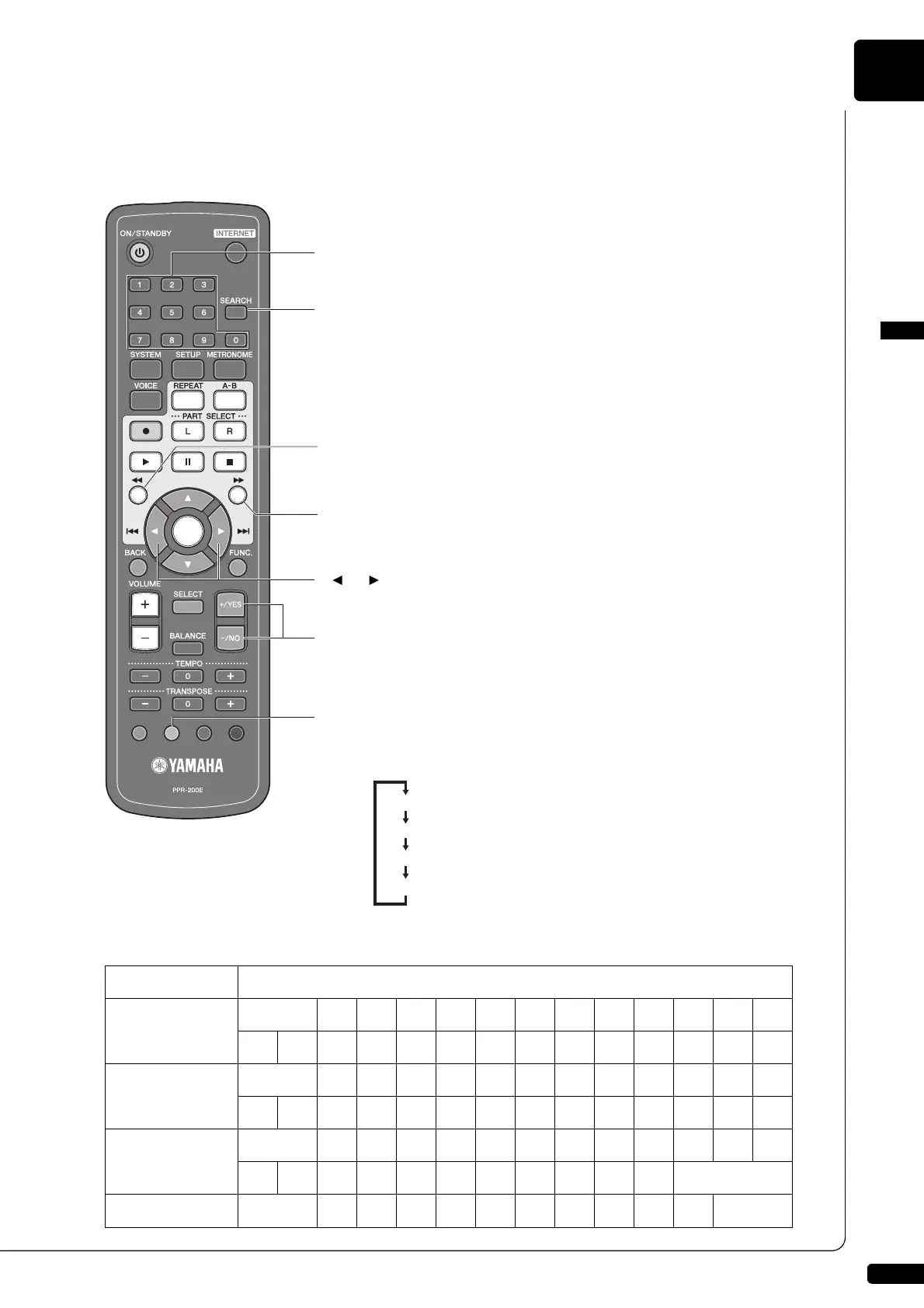
The following illustration shows how to enter characters with the remote control.
Available Characters
The following table shows which characters are available.
Character Type Characters
Letters
(Upper Case)
[A-Z]
Space A B C D E F G H I J K L
M N O P Q R S T U V W X Y Z
Letters
(Lower Case)
[a-z]
Space a b c d e f g h i j k l
m n o p q r s t u v w x y z
Symbols
[etc]
Space ! ” # $ % & ’ ( ) * + ,
- . / : ; < = > ? _ @
Numbers
[0-9]
Space 0 1 2 3 4 5 6 7 8 9
Number keypad
Overwrites a number.
[SEARCH] button
Overwrites a dot (.).
[REVERSE] button
Deletes a character. The characters on the right of the deleted one
move to the left for one character space.
[FORWARD] button
Inserts a space.
[ ]/[ ] buttons
Moves the cursor left and right.
[+/YES]/[–/NO] buttons
Selects the character. Pressing these keys simultaneously
overwrites a space.
Yellow button
Switches the character types.
The character type cycles as follows each time you press this button:
[A-Z]: letters (upper case)
[a-z]: letters (lower case)
[etc]: symbols
[0-9]: numbers







 To Next Page