Media Management
8
Chapter
76
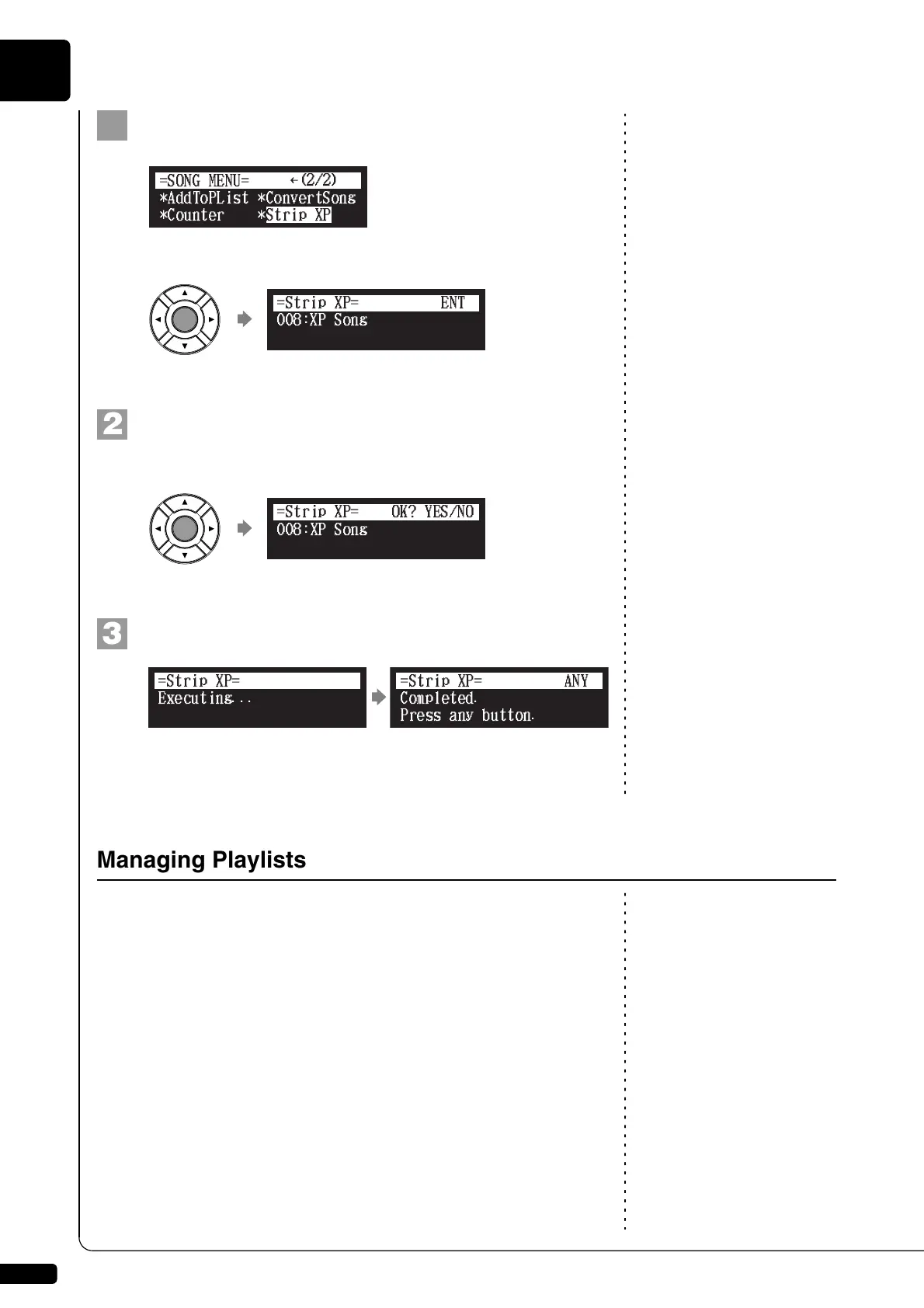
Select “Strip XP” in the song function menu, then press
[ENTER].
The Strip XP screen appears.
Press [ENTER].
“OK?” flashes in the first line of the screen.
Press [+/YES] to execute, [–/NO] to cancel.
After a while, the completion message appears.
Press any button to return to the song selection screen.
To create a playlist, see Chapter 8
“Media Management – Creating a
New Playlist” on page 79.
By creating lists of your favorite songs, you can program your Disklavier to
automatically play back a series of songs.
At the initial factory settings, no playlist is created in the internal flash
memory. First create your own playlist, then play back that list.
}
Managing Playlists







 To Next Page