Media Management
8
Chapter
88
To select a medium, see Chapter 3
“Basic Song Playback – Selecting
Medium and Their Contents” on
page 17.
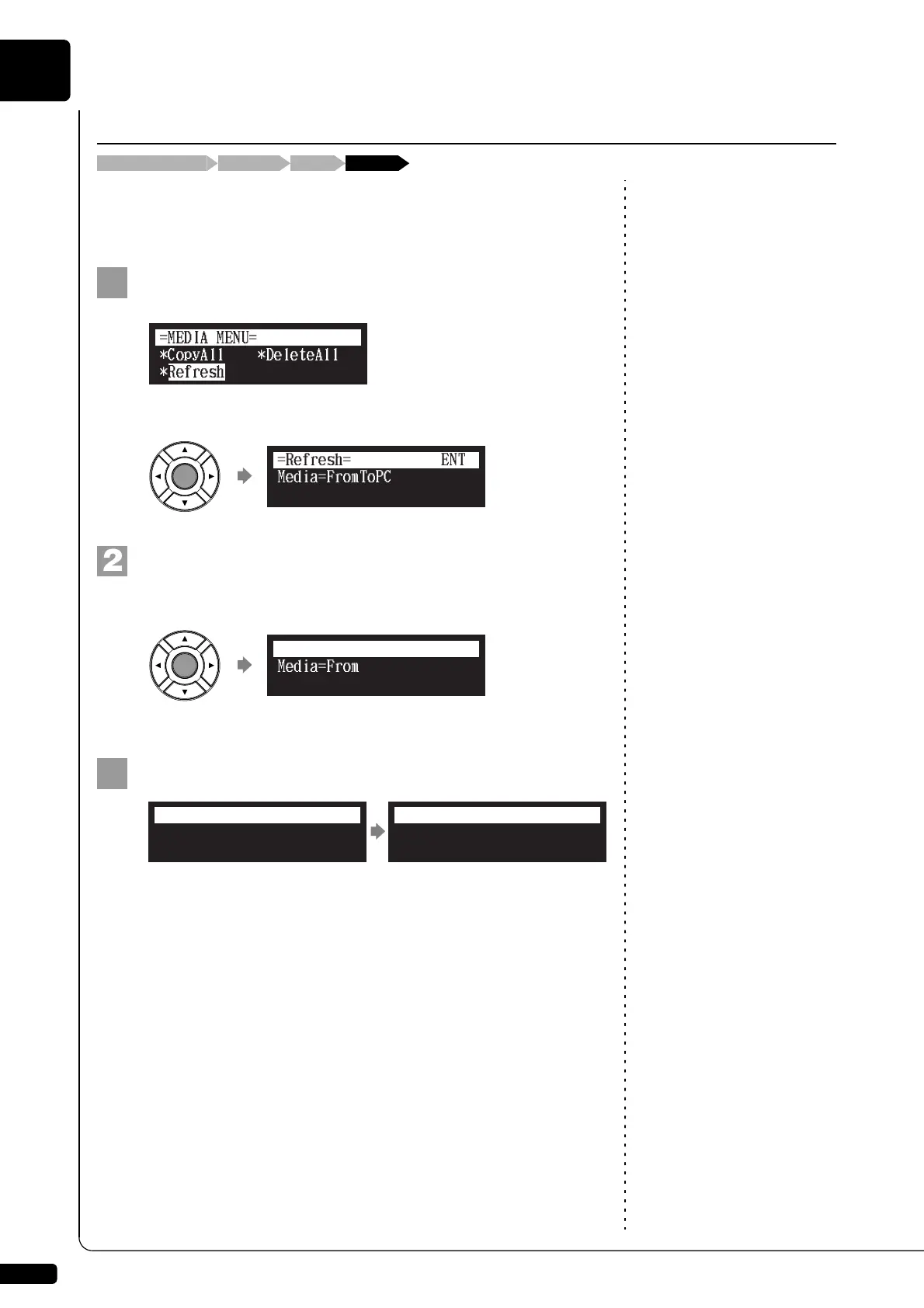
You must refresh the contents in the [FromToPC] folder after copying song
files from a personal computer, in order to play them on the Disklavier.
Select “Refresh” in the media function menu, then press
[ENTER].
The Refresh screen appears.
Press [ENTER].
“OK?” flashes in the first line of the screen.
Press [+/YES] to refresh, [–/NO] to cancel.
After a while, the completion message appears.
Press any button to return to the media selection screen.
Refreshing the Contents in [FromToPC]
[FUNC.] “Refresh”“FromToPC”Media selection screen
Media=FromToPC
=Refresh=
ENT
Media=FromToPC
=Refresh= OK? YES/NO
Completed.
Press any button.
=Refresh=
ANY







 To Next Page