Other Settings
English
11
Chapter
111
Note:
To reset to the default factory pitch
settings, see Chapter 11 “Other
Settings – Resetting the Disklavier”
on page 118.
Press [ENTER] to complete the operation.
You can assign the number keypad of the remote control ([1] thru [9] and
[0]) a series of procedures for often used functions.
■ Assigning Functions
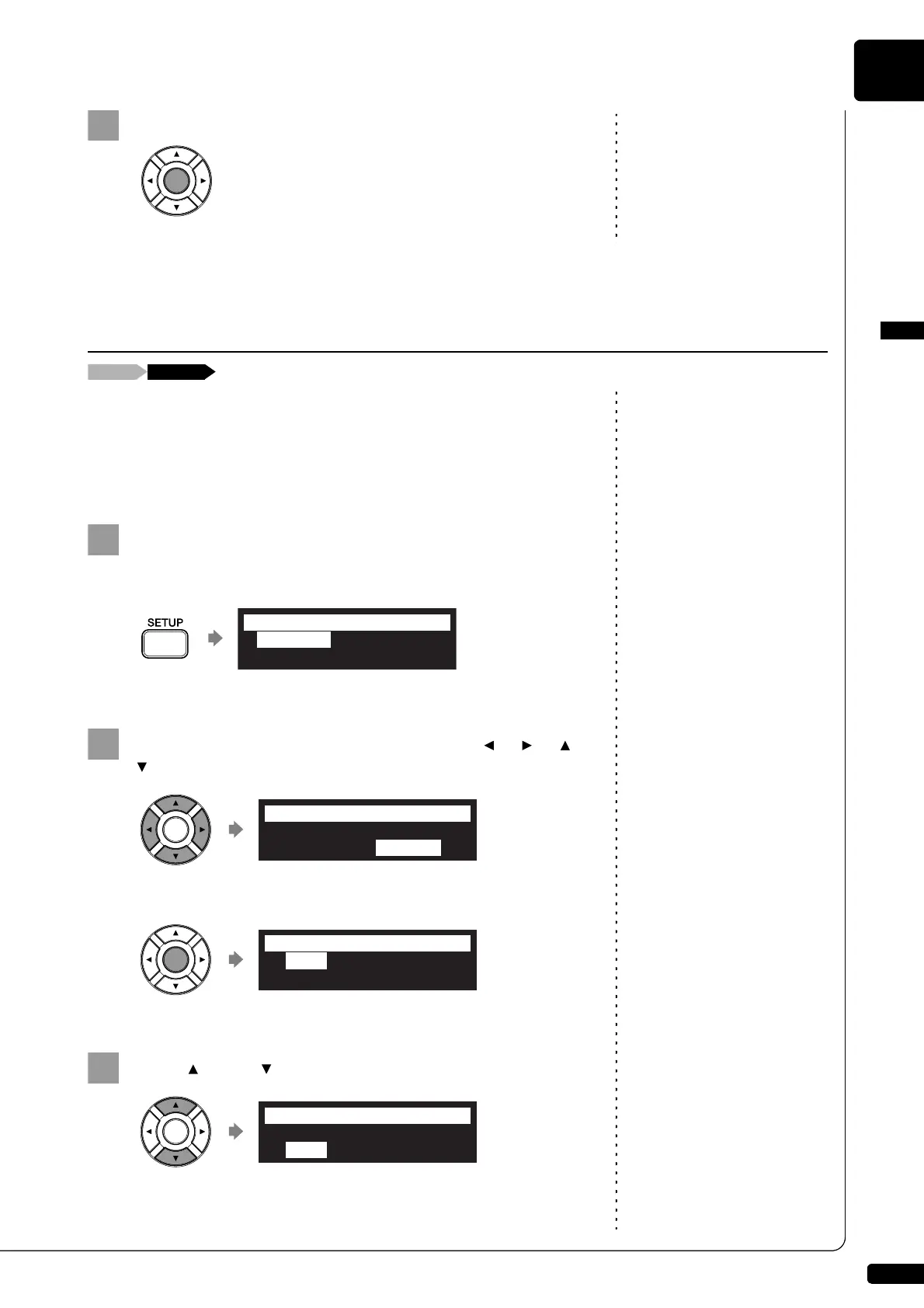
Press [SETUP] on the remote control.
The setup menu screen appears.
Select “Shortcut” with the cursor buttons ([ ] [ ] [ ]
[ ]), then press [ENTER].
The shortcut setting screen appears.
Press [ ] and [ ] to select the desired number.
Assigning Frequently-used Functions to the Number Keypad on
the Remote Control
*TimerPlay *AudioI/O
*M-Tune*MIDI
=SETUP MENU= (1/3)]
*Network *Playback
*Shortcut
=SETUP MENU= _(2/3)]
=Shortcut=
1[----- ]
?-+
2[----- ]
=Shortcut=
3[----- ]
?=-+
4[----- ]







 To Next Page