Other Settings
English
11
Chapter
121
Note:
Do not execute these options with
no instructions from the service
personnel.
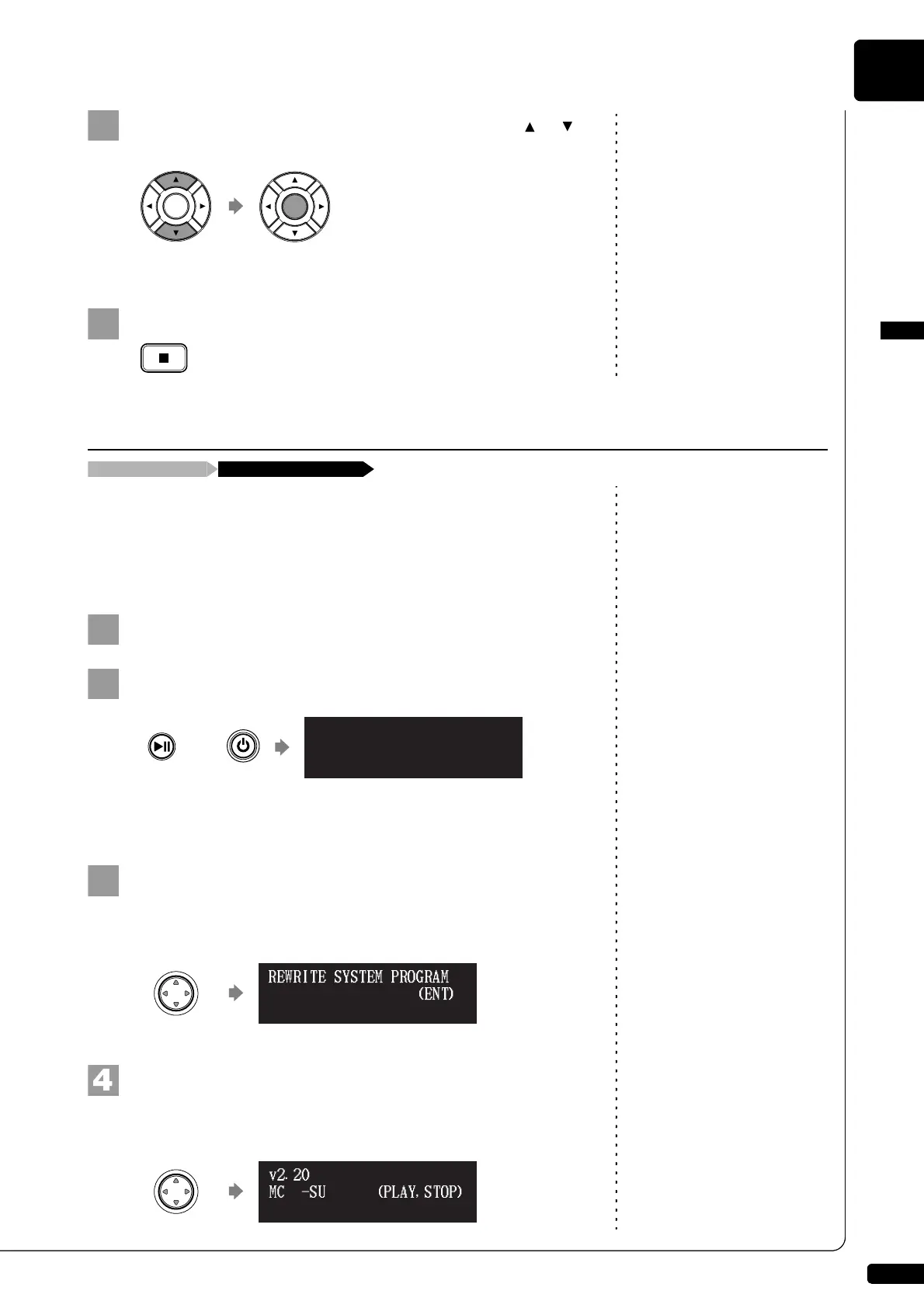
Select a desired option with the cursor buttons ([ ] [ ]),
then press [ENTER].
The selected option is executed.
Press [STOP] to complete the operation.
Note:
For this operation you have to insert
the CD-ROM or USB flash memory
in which the update program is
saved or download update program
via Internet, and shut down the
Disklavier.
You can update the Disklavier firmware using update program (saved on
the CD-ROM or USB flash memory, or downloaded via Internet).
You can download the update program from the following website:
http://download.yamaha.com/
Note:
Depending on the version or
specification of the Disklavier, the
actual indications for the version
and module names may differ from
ones depicted here.
Make sure that Disklavier is shut down.
Holding [PLAY/PAUSE] on the control unit, press [ON/OFF].
The current version information of each module appears one after
the other.
Make sure that the update program is prepared, then press
[ENTER] on the control unit.
The starting screen appears.
Press [ENTER] on the control unit again.
After a while, the update confirmation message of each module
appears.
Updating the Disklavier
Shut down the Disklavier [PLAY/PAUSE] and [ON/OFF]
CTRL system v2.20
(ENT)*UPDATE
v2.20
(PLAY,STOP)MC -SURE?
v3.00







 To Next Page