Advanced Recording
English
7
Chapter
49
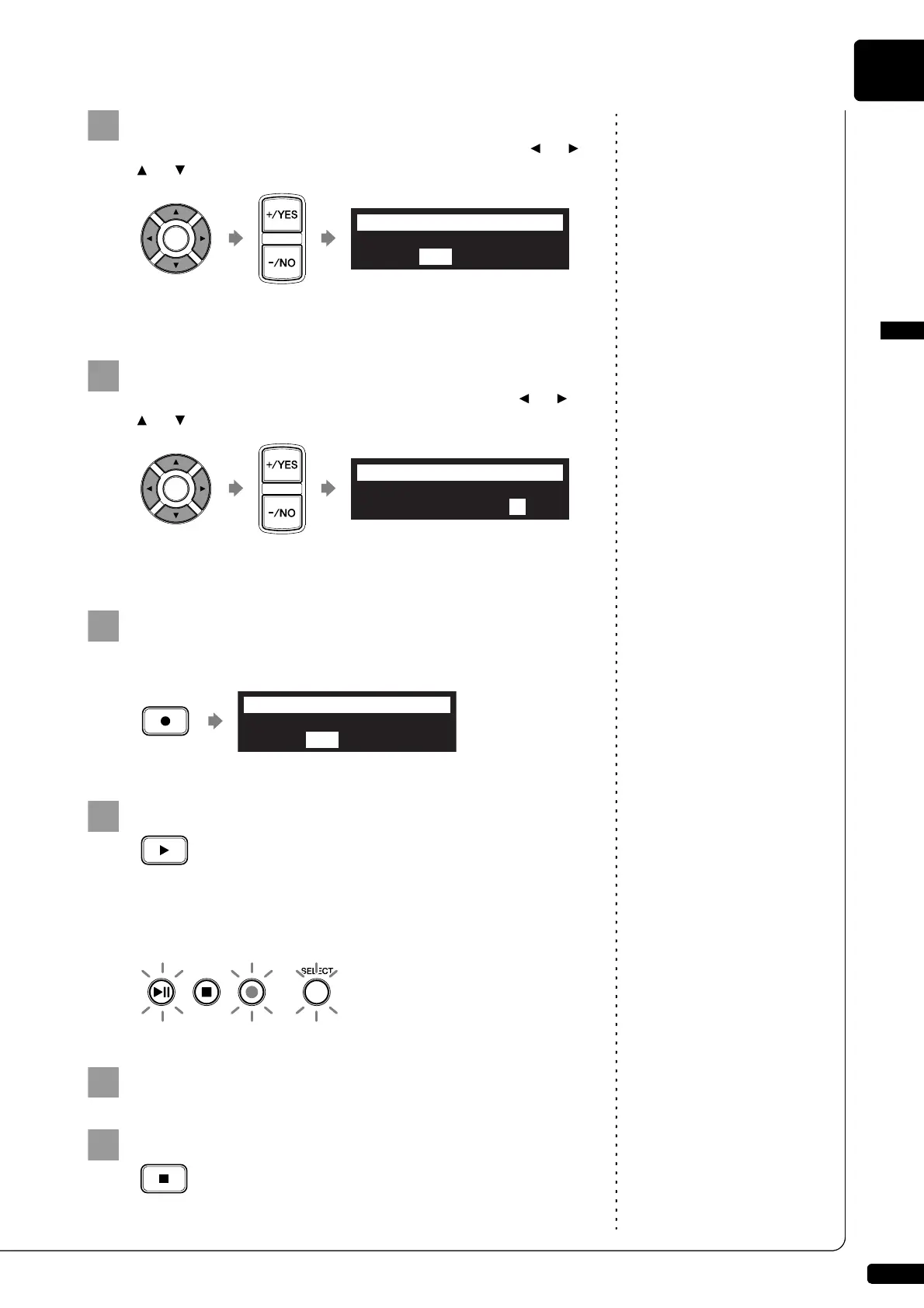
To change the volume, move the cursor to the volume
parameter (“VOLUME”) with the cursor buttons ([ ] [ ]
[ ] [ ]), then press [+/YES] and [–/NO].
The volume can be adjusted in 4 steps.
To change the sound, move the cursor to the sound
parameter (“SOUND”) with the cursor buttons ([ ] [ ]
[ ] [ ]), then press [+/YES] and [–/NO].
The following sound settings are available: BUZZER, TG
Press [RECORD] in the metronome setting screen.
The metronome recording setting screen appears.
Press [PLAY]
Recording begins immediately.
[PLAY/PAUSE], [REC] and [SELECT] on the control unit flash
simultaneously at the first beat of the metronome.
Start playing your song.
Press [STOP] when you finish playing your song.
The recorded song is loaded.
TEMPO=125bpm =3/4
VOLUME=VOLUME= SOUND=BUZZER
=METRONOME=
-+
_?=]
TEMPO=125bpm =3/4
VOLUME=VOLUME= SOUND=TG
=METRONOME=
-+
_?=]
TEMPO=125bpm =3/4
VOLUME=VOLUME= SOUND=TG
=Memory=
-+
_?=]







 To Next Page