Enhancing the Disklavier by Hooking Up Other Devices
English
10
Chapter
109
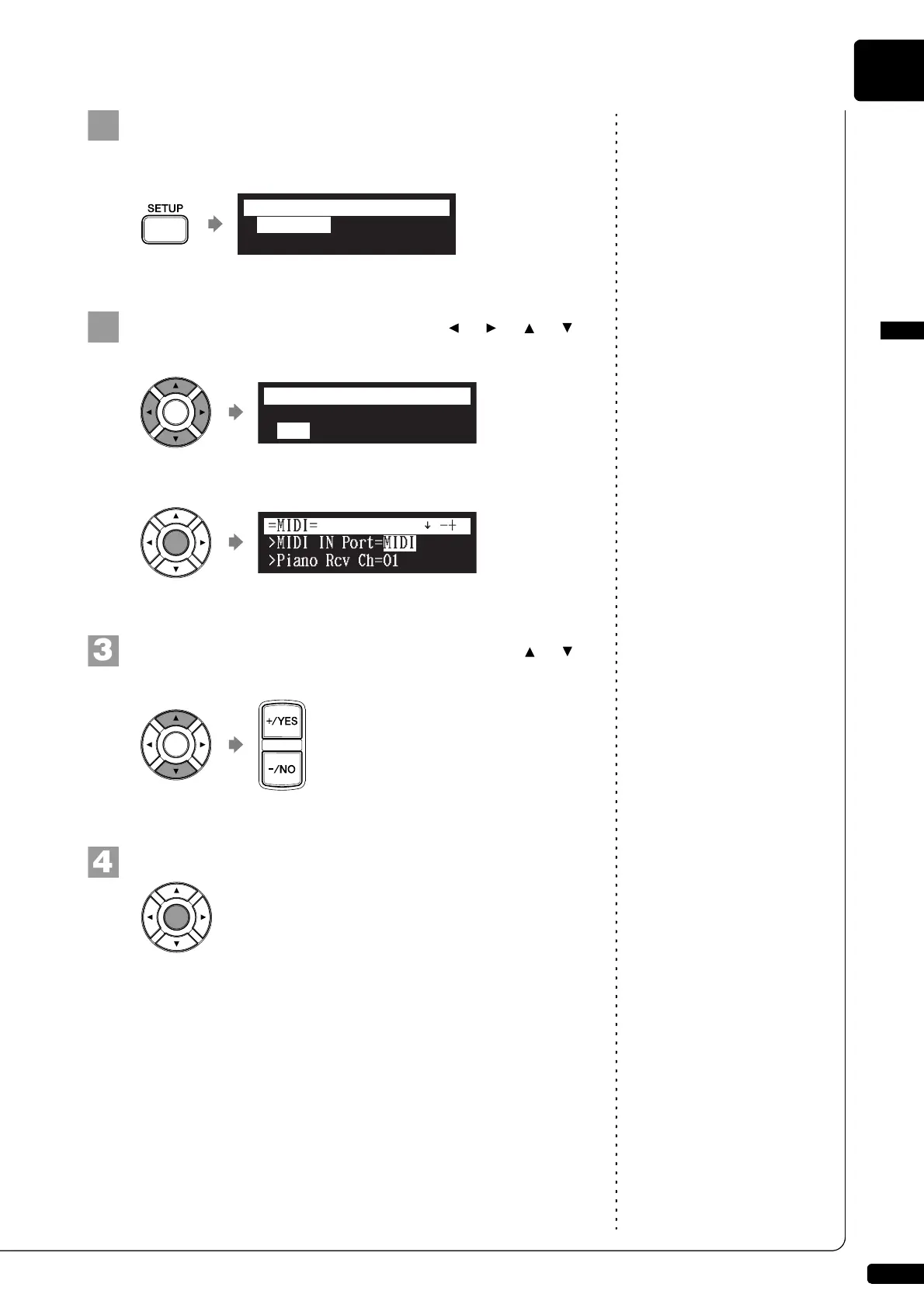
Press [SETUP] on the remote control.
The setup menu screen appears.
Select “MIDI” with the cursor buttons ([ ] [ ] [ ] [ ]),
then press [ENTER].
The MIDI setting screen appears.
Select a desired option with the cursor buttons ([ ] [ ]),
then press [+/YES] and [–/NO] to change setting.
Press [ENTER] to complete the operation.
*TimerPlay
*MIDI
*AudioI/O
*M-Tune
=SETUP MENU=
(1/3)
*TimerPlay
*MIDI
*AudioI/O
*M-Tune
=SETUP MENU=
(1/3)
]







 To Next Page