Advanced Piano Playing
5
Chapter
44
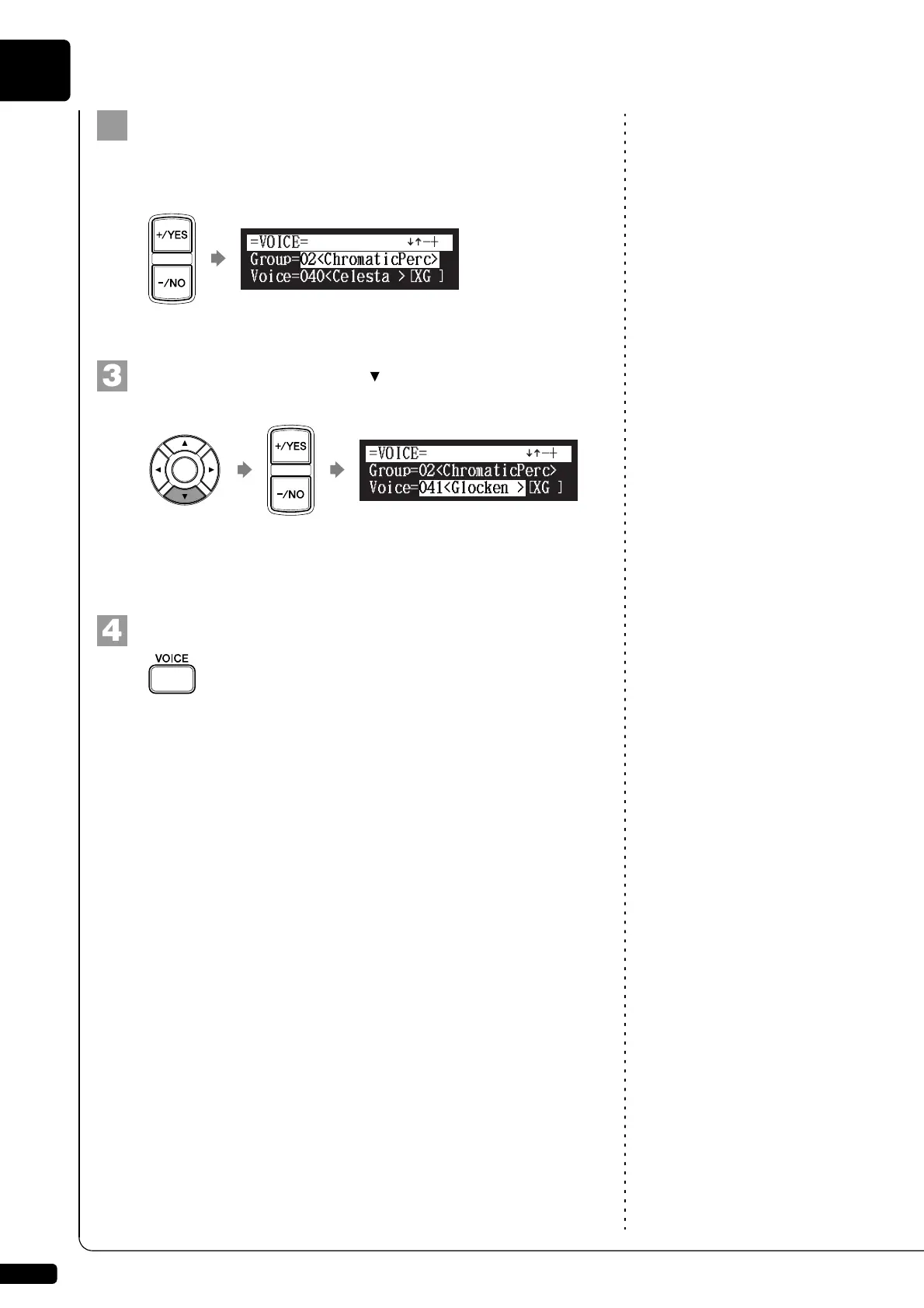
Press [+/YES] and [–/NO] to select a voice group.
Changing the voice group displays the top voice of that group in the
voice parameters.
To change the voice, press [ ] to move the cursor to the
voice parameter (“Voice”), then press [+/YES] and [–/NO].
See Chapter 4 “Advanced Song
Playback – Adjusting the Volume
Balance among the Keyboard
Playing, Ensemble Sound, and
Software Playback” on page 31.
If necessary, adjust the volume of the voice in the voice balance
setting screen.
To inactivate this function, press [VOICE] again.
Note:
The voice function is inactivated if
you escape from the voice selection
screen by other operations.
][
!"
][







 To Next Page