Advanced Recording
English
7
Chapter
51
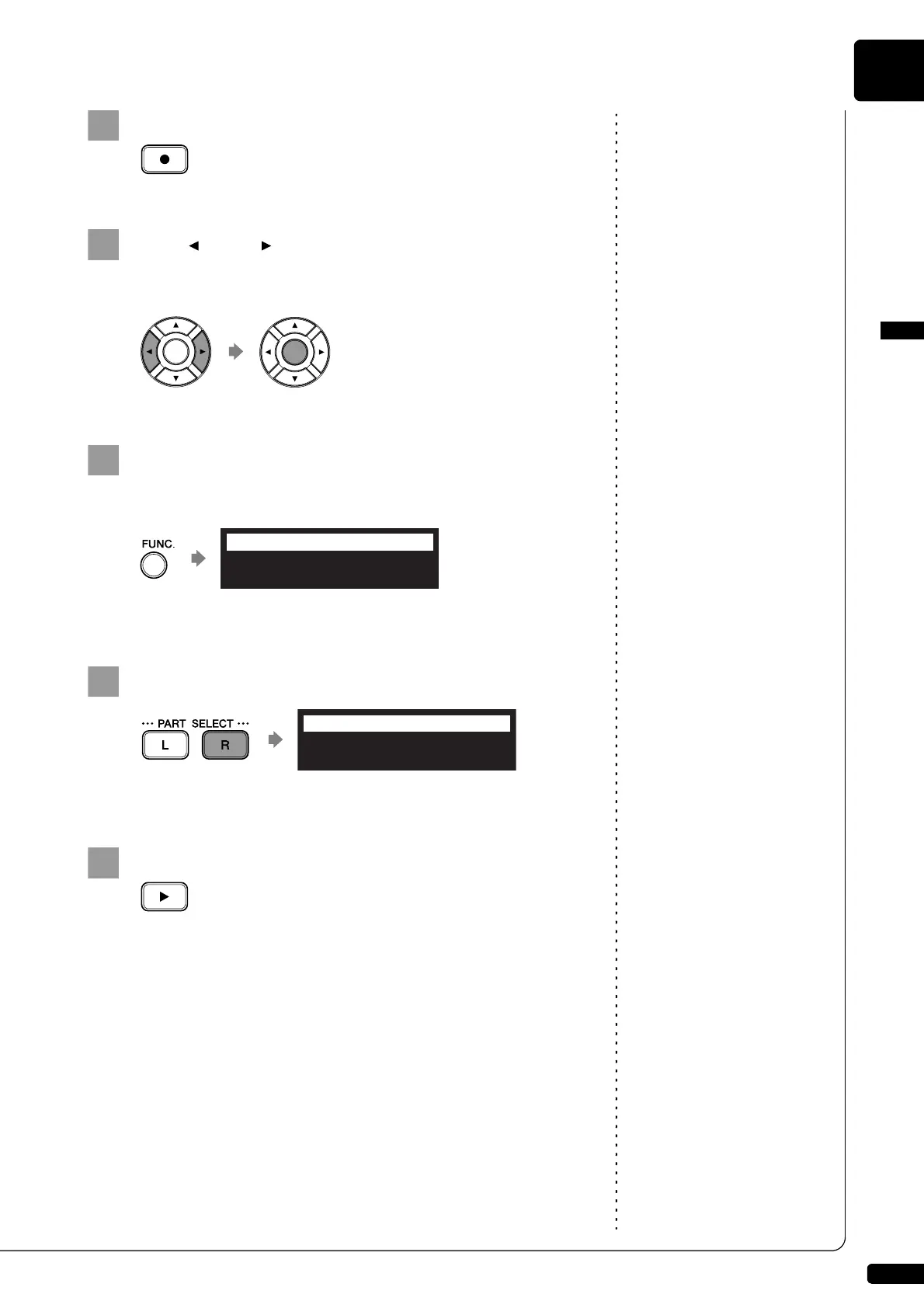
Press [RECORD].
Press [ ] and [ ] to select the L/R song with the left-
hand part that you have just recorded, then press
[ENTER].
Press [FUNC.] in the recording standby screen.
The part selection screen appears.
The part that has already been recorded is displayed as “L=PLY.”
Press [PART SELECT R] to record the right-hand part.
The part set to “REC” will be recorded.
Press [PLAY].
Playback of the left-hand recorded part starts immediately, so be
sure that you are ready to play the right-hand part along with it.







 To Next Page