Advanced Recording
7
Chapter
60
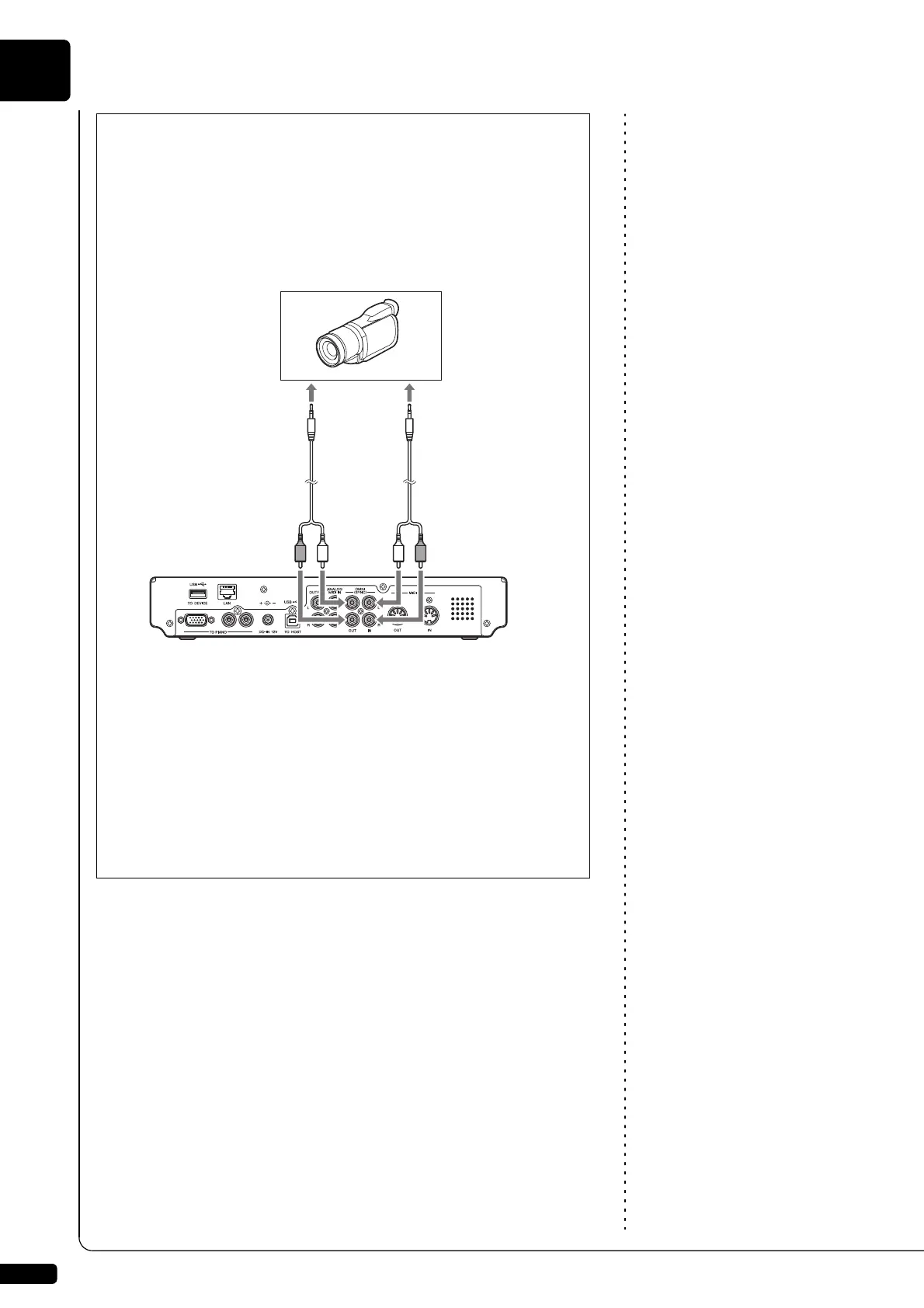
■ Using the Camcorder only
If your camcorder has both mic input and audio output, you can
perform video synchronized recording using the camcorder only.
1. Set the Disklavier following the procedures 1 to 5 on page 57.
2. Connect a camcorder to the control unit.
3. Select a destination medium and album.
4. Press [RECORD].
5. Start recording on the camcorder.
6. Press [PLAY].
7. Wait for approximately ten seconds, and then start playing your
song.
8. Press [STOP] when you finish playing your song.
9. Stop recording on the camcorder.
Camcorder
RCA cord with
resistance
(not supplied)
To mic/line
input
To audio
output
Control unit
RCA cord
(not supplied)







 To Next Page