OPERATION
Axio Imager Operating the motorized microscope via the touchscreen of the TFT display Carl Zeiss
M70-2-0020 e 06/2009 430000-7344-001 105
− Oil: Oil immersion objective
− W: Water immersion objective
− Imm: Immersions
The operation page for objectives is not available with coded nosepieces. The active objective is
only indicated in the status line.
If the light manager is active, it is automatically used in the event of a change of objective.
If a contrast method was set in the contrast manager prior to a change of objective, the
contrast manager will automatically try to adapt the method to the objective (i.e., positions on
the condenser turret and reflector turret may change). If the contrast method is not available
for the objective concerned, the system will switch to brightfield.
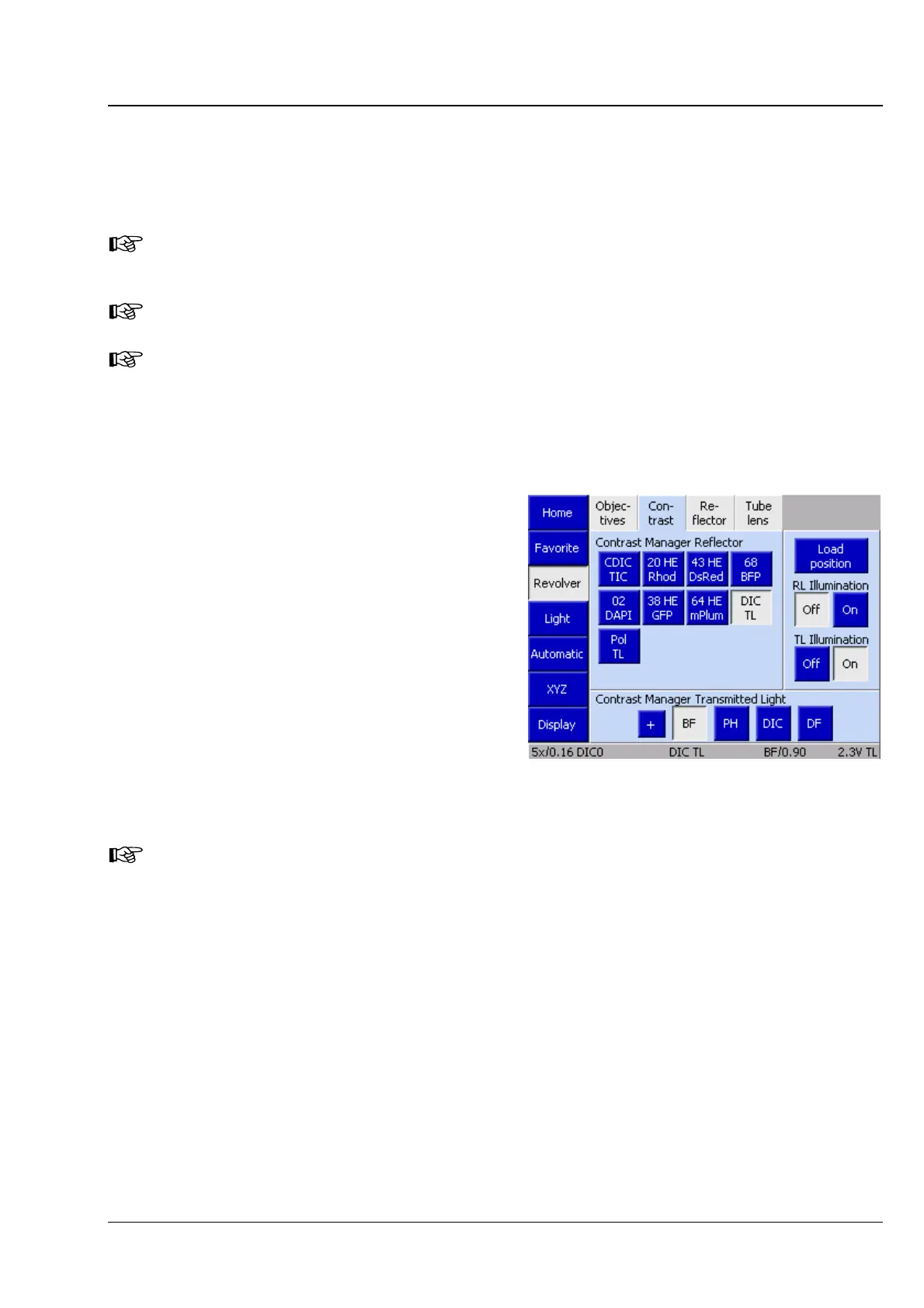
(2) Contrast tab
On this page, the desired contrast can be selected
as a function of the reflector modules, condenser
modules and objectives configured. This applies
both to the reflected-light and transmitted-light
contrast methods.
In this context, reflected-light fluorescence counts
as a reflected-light method. For this reason, the
second-generation Axio Imager does not come
with an FL button. If motorized components are
installed, the corresponding contrast is set at the
touch of the button.
The + button is provided only if the active light
channels (reflected light and transmitted light) are
not controlled via the internal power supply.
The Contrast tab will be available only
if the contrast manager has been
switched ON globally. For more
information, refer to Section
4.8.6.
Fig. 4-33 Microscope -> Revolver -> Contrast








 To Next Page