START-UP
Carl Zeiss Setting the dovetail guide of the stage carrier Axio Imager
42 430000-7344-001 M70-2-0020 e 06/2009
3.15 Setting the dovetail guide of the
stage carrier
When stage carrier 430701-9901-000 is used, the
specimen space needs to be shifted for specimens
of less than 13 mm, so that the specimen can be
focused.
To do so, proceed as follows:
• Remove the stage carrier (see Section 3.13).
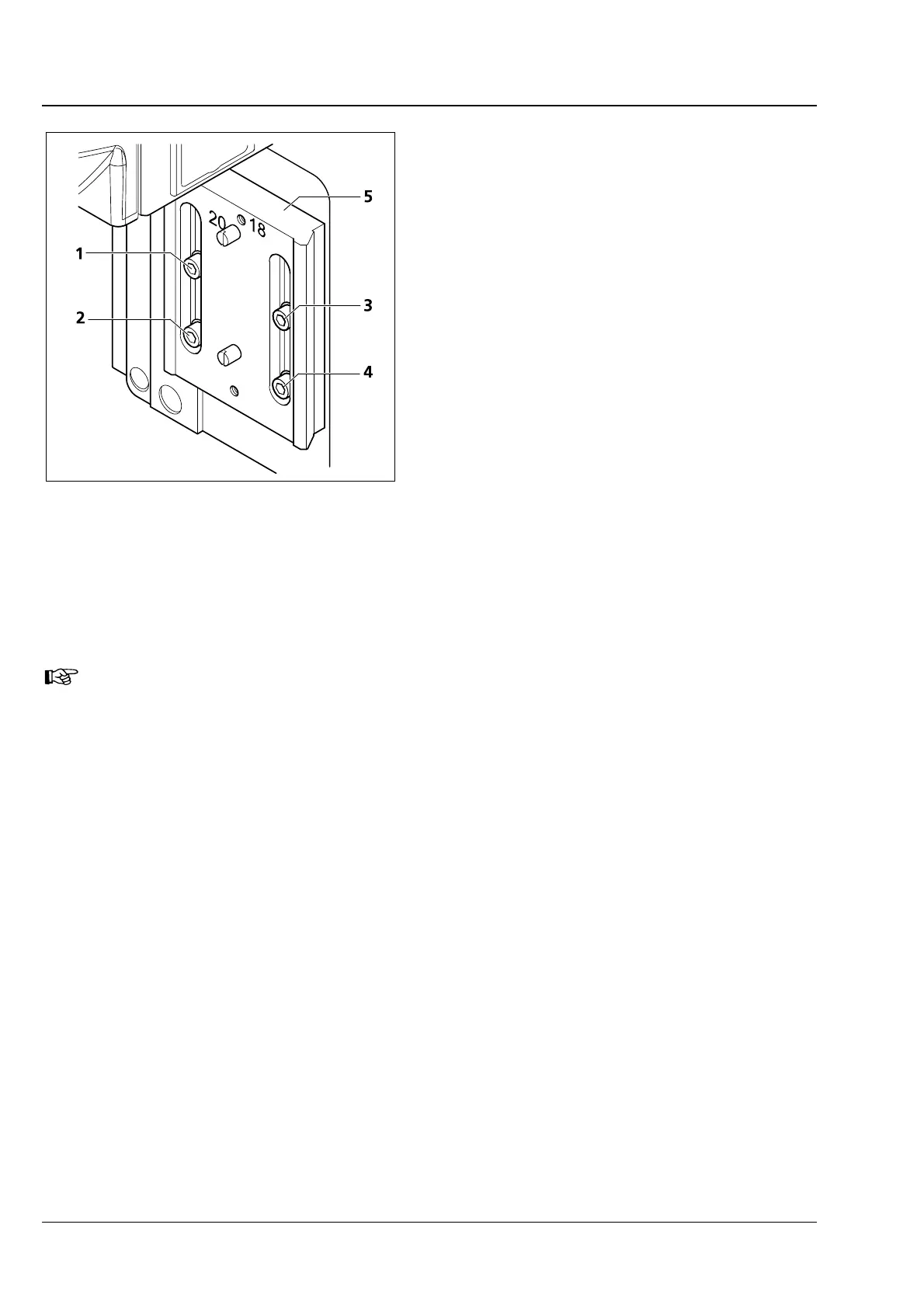
• Loosen the four locking screws (3-17/1 to 4)
of the dovetail guide.
• Move the guide plate (3-17/5) as much upward
in the slots as it will go.
• Then, tighten the four screws. Always proceed
in the following order:
− upper left screw (3-17/1),
− lower left screw (3-17/2),
− upper right screw (3-17/3),
− lower right screw (3-17/4),
• Attach the stage carrier (see Section 3.13).
If stage carrier 430701-9901-000 is no longer used, the guide plate must be set back to the
lower position (normal position).
Fig. 3-17 Setting the dovetail guide up for
specimen space expansion








 To Next Page