START-UP
Axio Imager Activating/deactivating the high-performance focus Carl Zeiss
M70-2-0020 e 06/2009 430000-7344-001 49
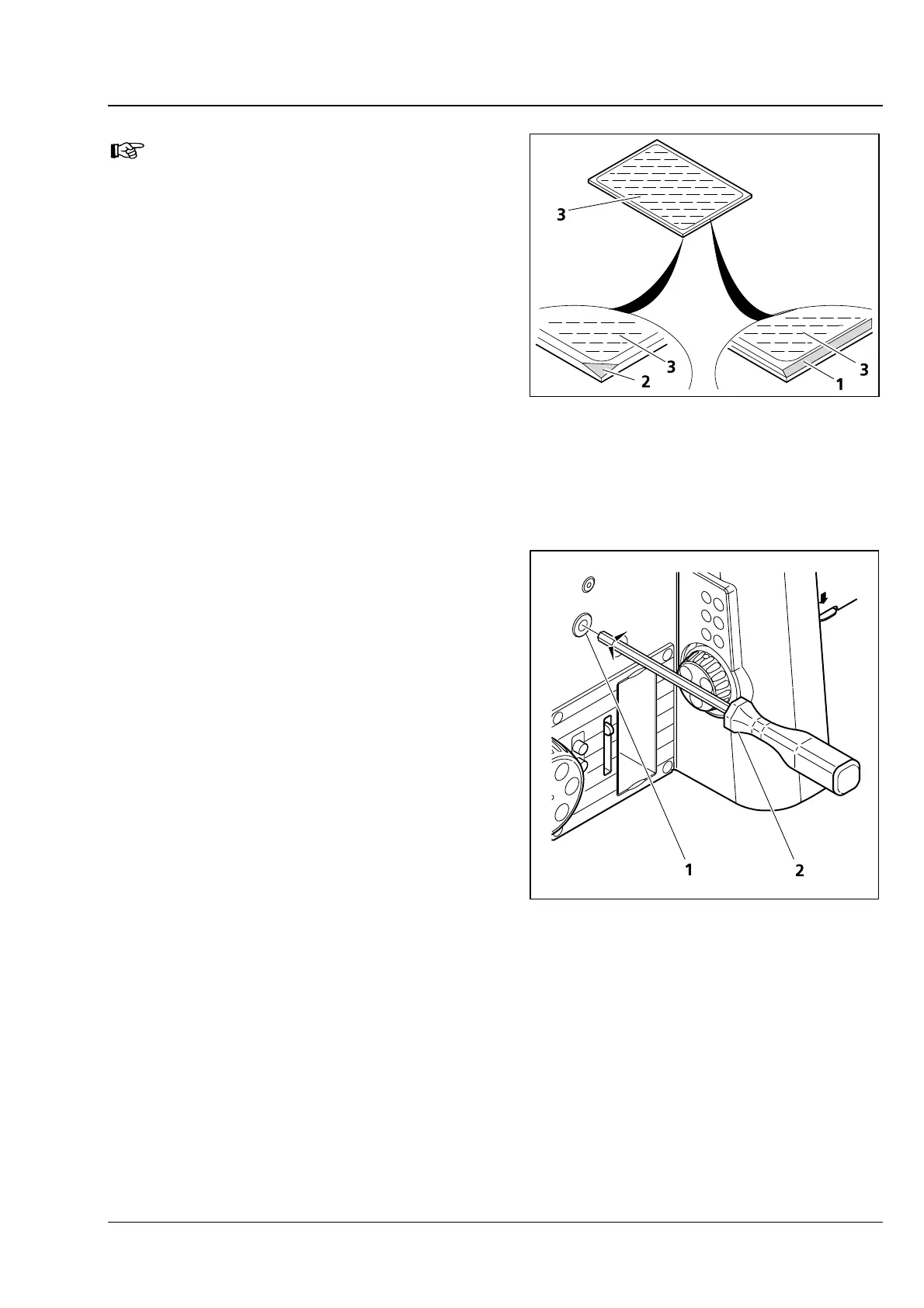
The reflective (coated) side (
3-27/3) of
the beam splitter has a beveled edge
(
3-27/1) or corner (3-27/2).
• Place the excitation half of the module
(
3-26/1) onto the emission half (3-26/4)
(retaining pins
3-26/5b and eyelets 3-26/5a
mesh with one another). Hold both halves
together and turn them back into the
installation position.
• Re-insert the slotted screws and tighten them
up.
• Finally, affix the adhesive label with the name of
the filter combination to the side of the module.
3.22 Activating/deactivating the high-
performance focus
When a scanning stage (approx. weight: 4 kg) is
used, the high-performance focus must be
activated to protect the focusing drive.
Thus, specimens weighing up to 5 kg may be
placed on the stage for microscoping.
To activate/deactivate the high-performance focus,
proceed as follows:
• Use the Z drive to move the microscope stage
into the lowest position possible.
• Use ball-headed screwdriver SW 3 (3-28/2) to
screw the two screws (
3-28/1), located to the
right and left on the stand, in or out until they
reach their respective end positions.
Screws screwed out: High-performance focus is
activated.
Screws screwed in: High-performance focus is
deactivated.
Fig. 3-27 Marks on beam splitter
Fig. 3-28 Activating/deactivating the high-
performance focus








 To Next Page