START-UP
Carl Zeiss Mounting the TFT display to the motorized stand Axio Imager
50 430000-7344-001 M70-2-0020 e 06/2009
3.23 Mounting the TFT display to the
motorized stand
CAUTION
When mounting the TFT display, the
microscope must be switched off.
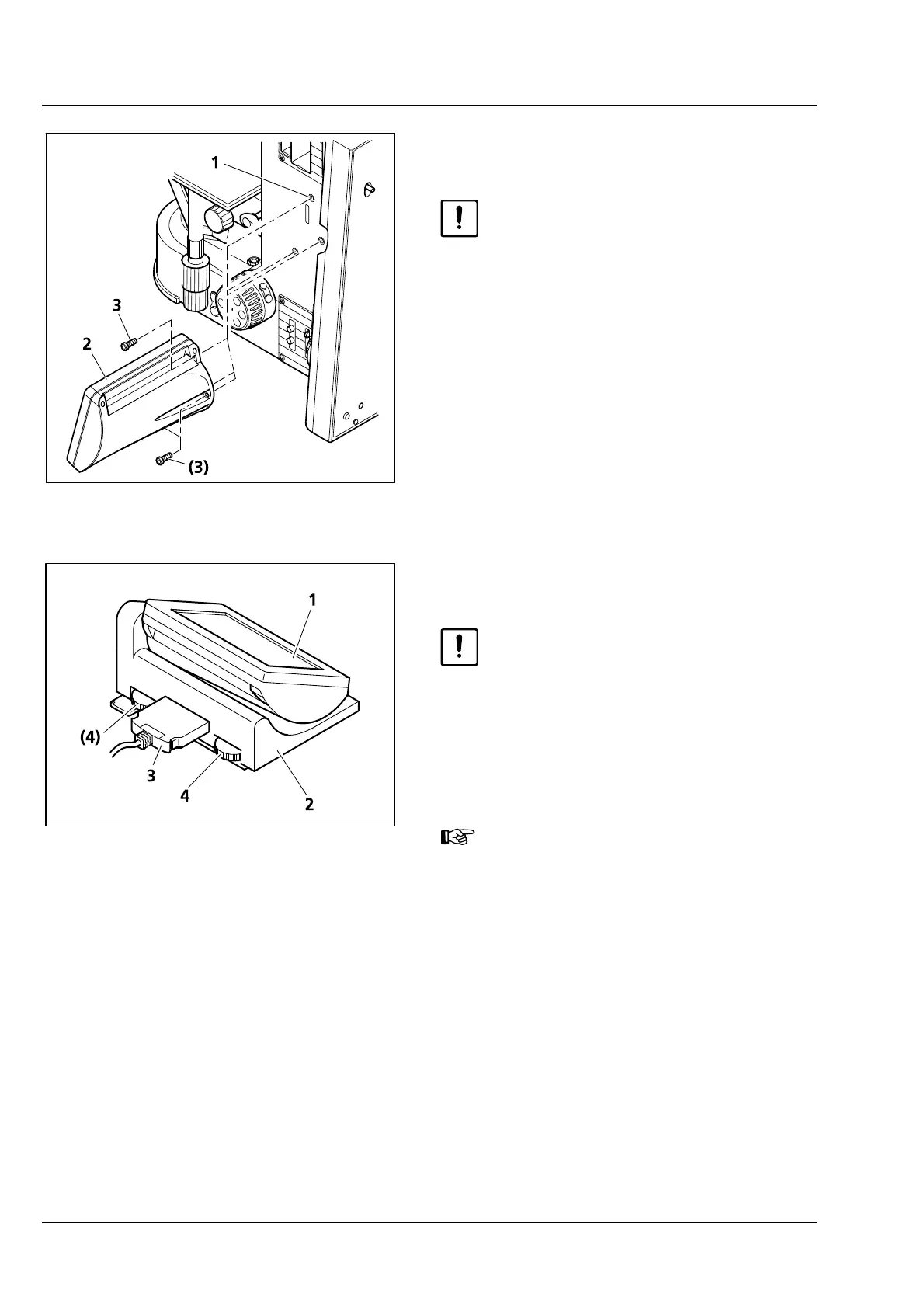
• Mount the TFT display (3-29/2) to the right side
of the motorized stand (
3-29/1) using the three
screws (
3-29/3).
In doing so, stand and TFT display are
automatically connected electrically via the plug
contact.
3.24 Attaching the TFT display to the
docking station
CAUTION
To connect the TFT display and the
docking station, the microscope must
be switched off.
• To hook the docking station up to the
motorized stand, the corresponding plug-in
module carrying the DOC port must be installed
on the back of the stand.
The plug-in module is to be installed
by the sales technician only.
• If the TFT display is already mounted on the motorized stand, it needs to be dismounted first.
• Then, the mounting holes and the opening for the plug-in contact on the stand must be closed with
the caps supplied.
• Put the TFT display (3-30/1) on the docking station (3-30/2) and screw it on, using the long Allen
screwdriver provided. In so doing, make sure that the plug-in contact is accurately inserted into the
opening.
• Use the connection cable (3-30/3) to connect the docking station to the DOC port on the back of the
stand.
• The angle of the TFT display can be changed with the aid of the two knurled thumb screws (3-30/4)
located on the back of the docking station..
Fig. 3-29 Mounting the TFT display
Fig. 3-30 Attaching the TFT display to the
docking station








 To Next Page