START-UP
Carl Zeiss Screwing in objectives Axio Imager
38 430000-7344-001 M70-2-0020 e 06/2009
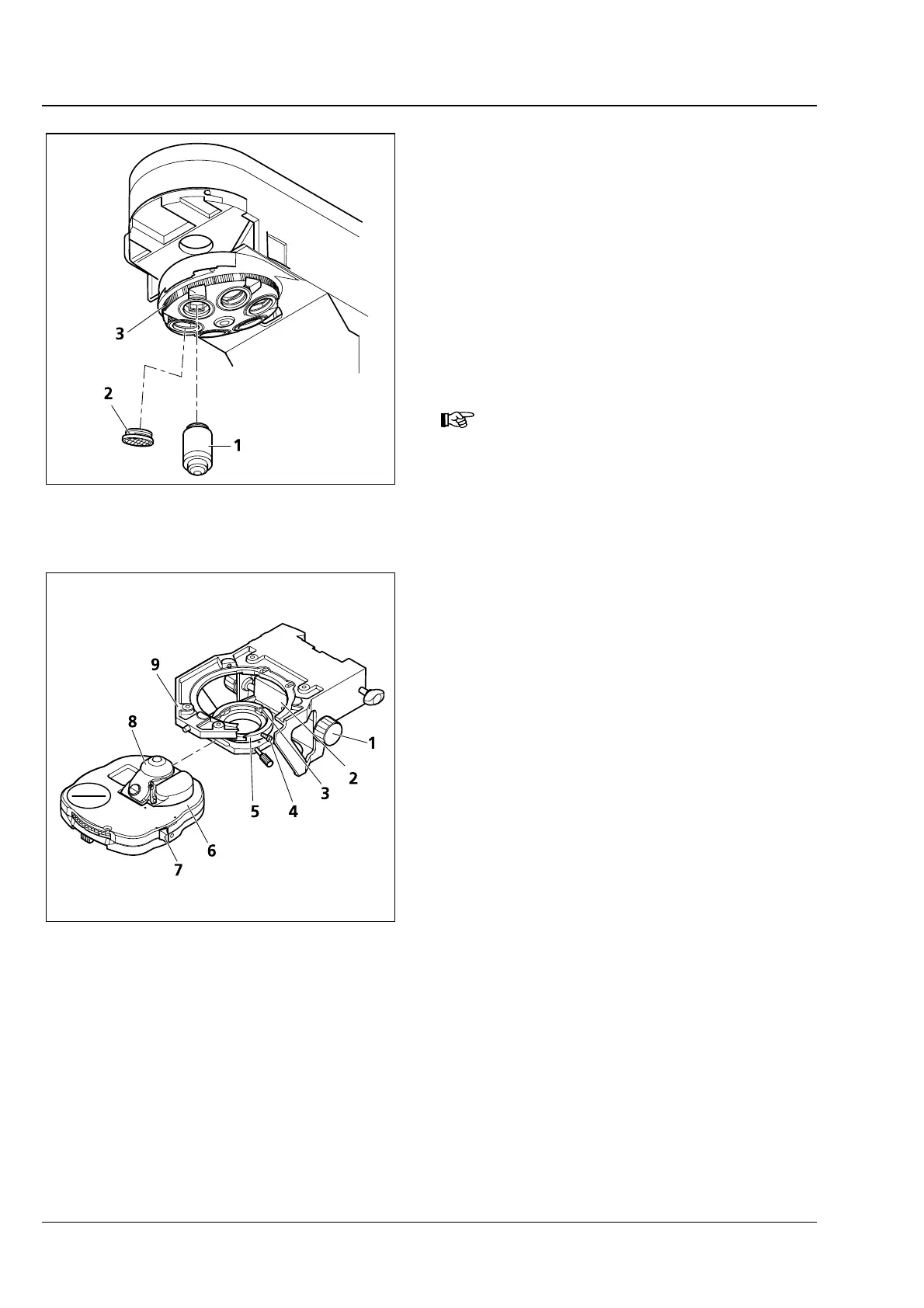
3.8 Screwing in objectives
• Move the mechanical stage with stage carrier to
the lower stop position.
• Remove dust caps (3-9/2) from the respective
openings on the objective nosepiece.
• Remove objectives (3-9/1) from the case and
screw them into the nosepiece (
3-9/3) starting
with the lowest magnification (clockwise
rotation).
• Make sure to cover objective mounts of the
nosepiece not in use by dust protection caps.
In combination with objectives with
W 0.8" thread please use adapter
M27x0.75 "0" on W 0.8 (000000-
1095-168).
3.9 Attaching or changing the
condenser
• Turn coarse focusing drive to move the stage
carrier to the upper stop position.
• Turn height control (3-10/1) to move condenser
carrier (
3-10/2) down.
• Slightly unscrew locking screw (3-10/4)
(SW 1.5), if necessary.
• If available, swivel out front lens (3-10/8) of
condenser by means of lever (
3-10/7).
• Directing the locking screw on the bottom of
the condenser to the groove (
3-10/3), insert the
condenser (
3-10/6) between condenser carrier
(
3-10/2) and stage carrier (3-10/9) in the
centerable condenser mount (
3-10/5) as far as it
will go.
• Tighten locking screw (3-10/4) on condenser
mount. In doing so, do not apply excessive
force to avoid any damage to the condenser
mount.
Fig. 3-9 Screwing in objectives
Fig. 3-10 Attaching the achromatic-aplanatic
universal condenser








 To Next Page