OPERATION
Axio Imager Operating the motorized microscope via the touchscreen of the TFT display Carl Zeiss
M70-2-0020 e 06/2009 430000-7344-001 119
4.8.6 Settings page
The Settings page is accessible from the Home page by pressing the Settings button on the navigation
button bar.
In diesem Teil der Software wird das motorische Stativ konfiguriert. Einige Angaben sind für die
automatischen Funktionen Lichtmanager und Kontrastmanager unbedingt erforderlich. Hierzu gehören
die Konfiguration der Objektive, Okulare sowie die Leuchtenkonfiguration in Auflicht und Durchlicht
(siehe unten). Dies ist zwingend notwendig, da andere Funktionen (Umschaltung DL / AL, die Regel-
bereiche der Leuchten (HAL, LED und VIS-LED), Lichtmanagerberechnung und Kontrastmanager) hiervon
abhängen.
The Settings page provides access to the following pages: Components, Extras and Info.
4.8.6.1 Components page
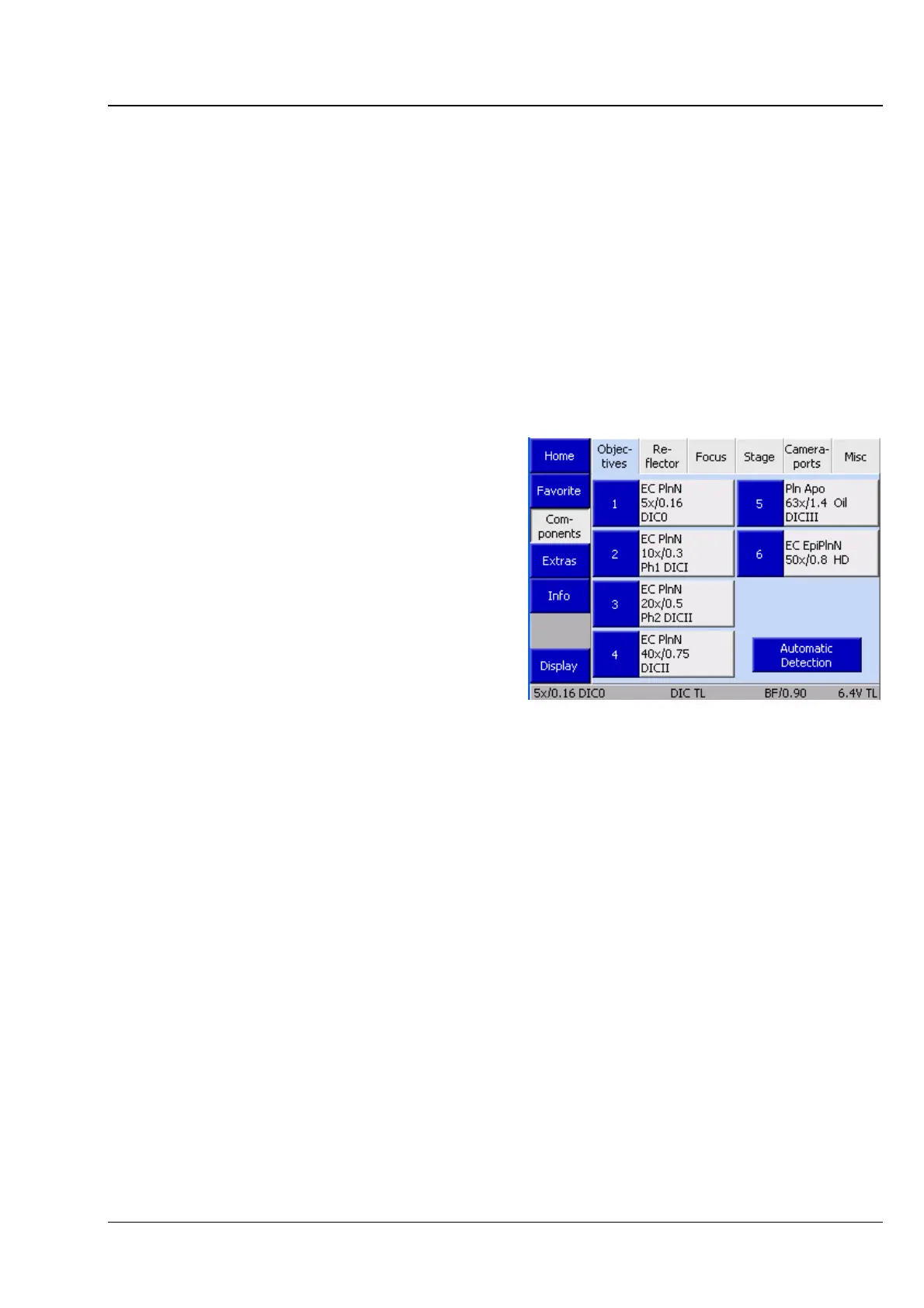
(1) Objectives
The tab allows the user to configure the objectives.
The tab shows up to seven buttons dependent on
the actual number of objective mounts on the
nosepiece. As long as you have not configured any
objectives yet, the buttons are labeled only with
the numbers of the nosepiece positions.
After you configured an objective position, the
following objective data will be displayed:
Designation of objective, Magnification, Numerical
Aperture (NA), Immersion.
• Press the relevant button to configure a turret
position.
Fig. 4-55 Microscope -> Settings ->
Components -> Objectives








 To Next Page