START-UP
Carl Zeiss Changing the mechanical stage Axio Imager
68 430000-7344-001 M70-2-0020 e 06/2009
• Press the stage to the front against the spring pin and lower it towards the back of stage carrier
(
3-52/2), and then release it.
• Retighten screw cap (3-52/3).
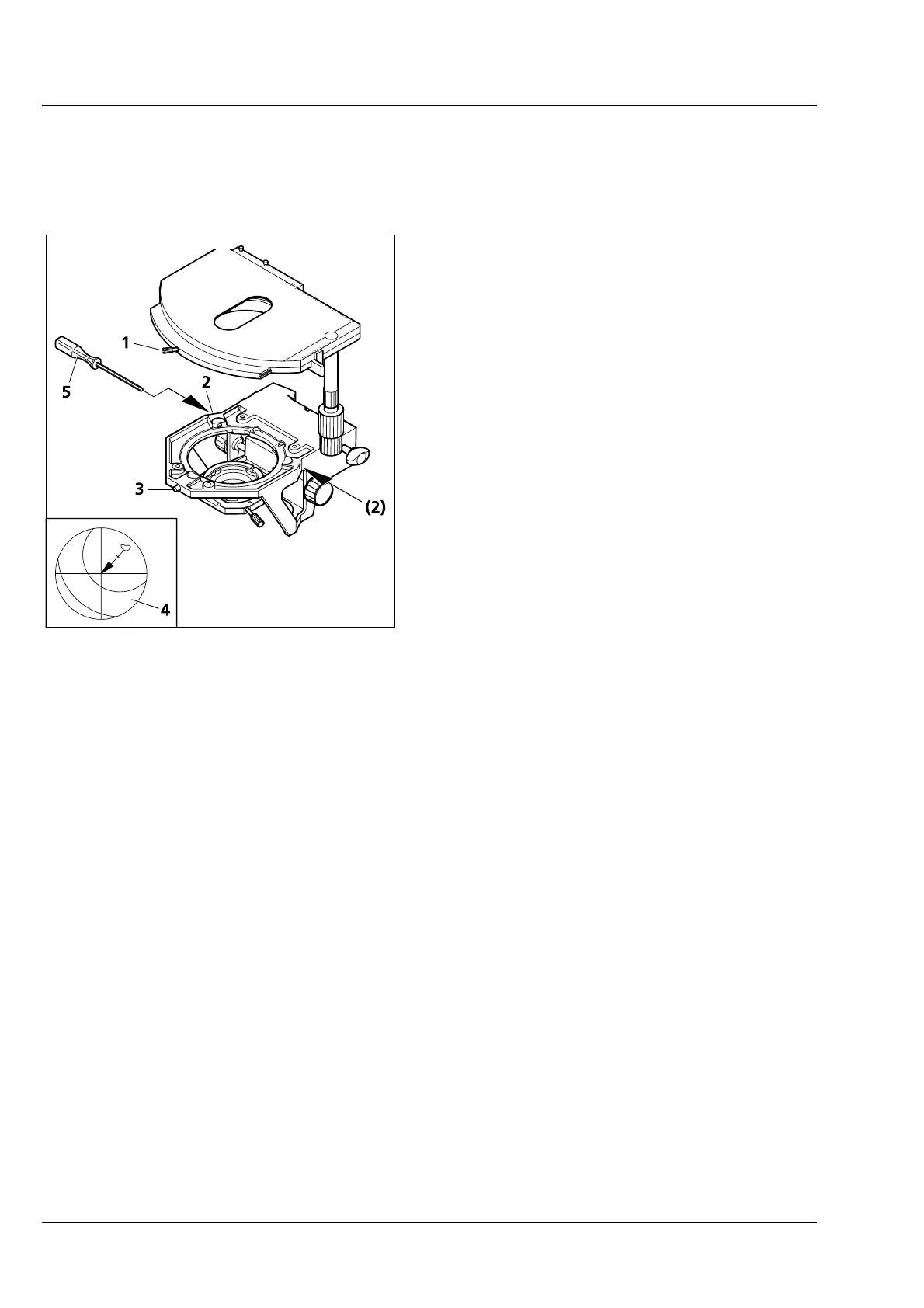
(3) Centering the stage
When objectives with high magnification are used,
centering can be exact for one selected objective
only.
All stages are factory-precentered, i.e. a set
specimen detail remains in the image center when
the stage is rotated. If the image detail moves from
the image center (
3-53/4), while you rotate the
stage, recenter the stage as follows:
• Loosen stage clamping screw (3-53/1) and the
screw cap on the stage carrier (
3-53/3).
• Rotate the stage to determine the maximum
specimen deflection (
3-53/4, tip of arrow) to
the eyepiece reticle.
• Reset the two centering screws on the stage
carrier (
3-53/2) using one SW 1.5 Allen screw-
driver (
3-53/5) each to move the specimen
detail by half the arrow length in the direction
of the crossline center. Check whether the
specimen detail moves when the stage is
rotated again; repeat the procedure, when
required.
• When centering is finished, tighten screw cap
(
3-53/3) again.
The stage can be turned through 240° up to a motion range of y ≤ 27 mm. No rotation is possible above
this range of movement.
3.33.3 Adjusting the travel range on ergonomic drive
On mechanical stages with ergo-drive, the length of the x and y stage drive can be extended by
max. 15 mm by axial movement of the drive knobs to further improve operating ease.
Fig. 3-53 Centering the rotary mechanical
stage








 To Next Page