16 Rev.B
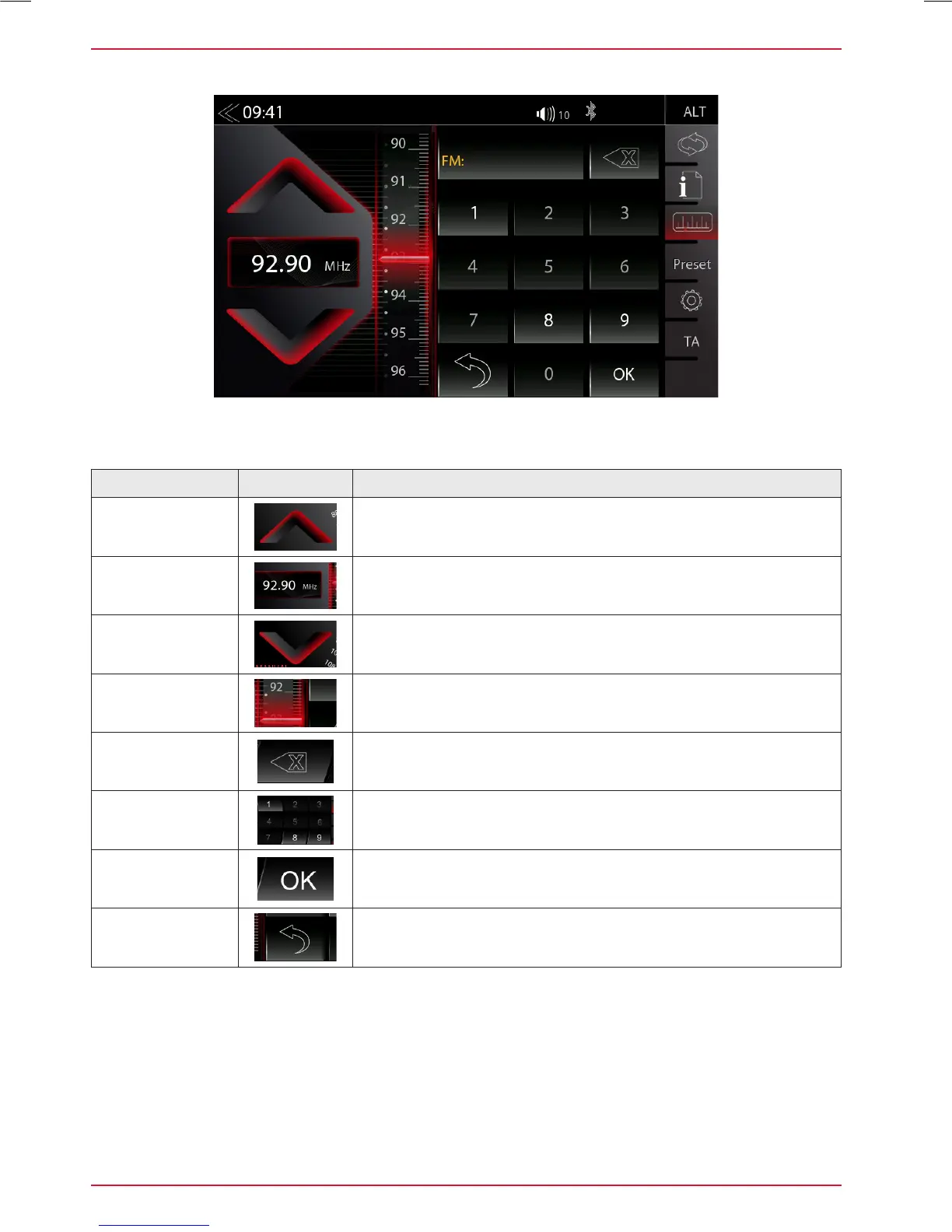
MANUAL FM STATION SEARCH
Function Icon Operation
Station
Frequency UP
Tap to auto seek / manual seek up, depending on setting
Station
Frequency
Tap to open and close direct station frequency input via keypad
Station Frequency
DOWN
Tap to auto seek / manual seek down, depending on setting
Scale
Radio frequency scale display
Delete
Tap to delete a number
Press and hold to delete the full number string
Keypad
Direct frequency input option
OK
Touch to confirm frequency
Hide
Hide Keyboard / Keypad
When you tap to the frequency display area, the numeric input keyboard opens for a direct input of
the station frequency.



 To Next Page