73 Rev.B
COMMISSIONING
Make sure that the vehicle is located outside, and that the GPS reception is not adversely affected by
any shadowing (trees, high buildings etc.). Now insert the navigation software microSD card supplied
with the set into the microSD card slot of the ZENEC system, and start it in order to establish a sat
fix. Make sure that the vehicle is not moved until the sat fix is established. Now press the NAV button
to start the navigation mode, and choose map view. Once your present location can be seen in the
map view the sat fix has been established. This can take 3 to 5 minutes. You can now use the ZENEC
system.
Finally carry out a general functional test and perform the basic and car specific settings (AC, OPS
etc.). Also ensure that no fault warnings appear on the vehicle side.
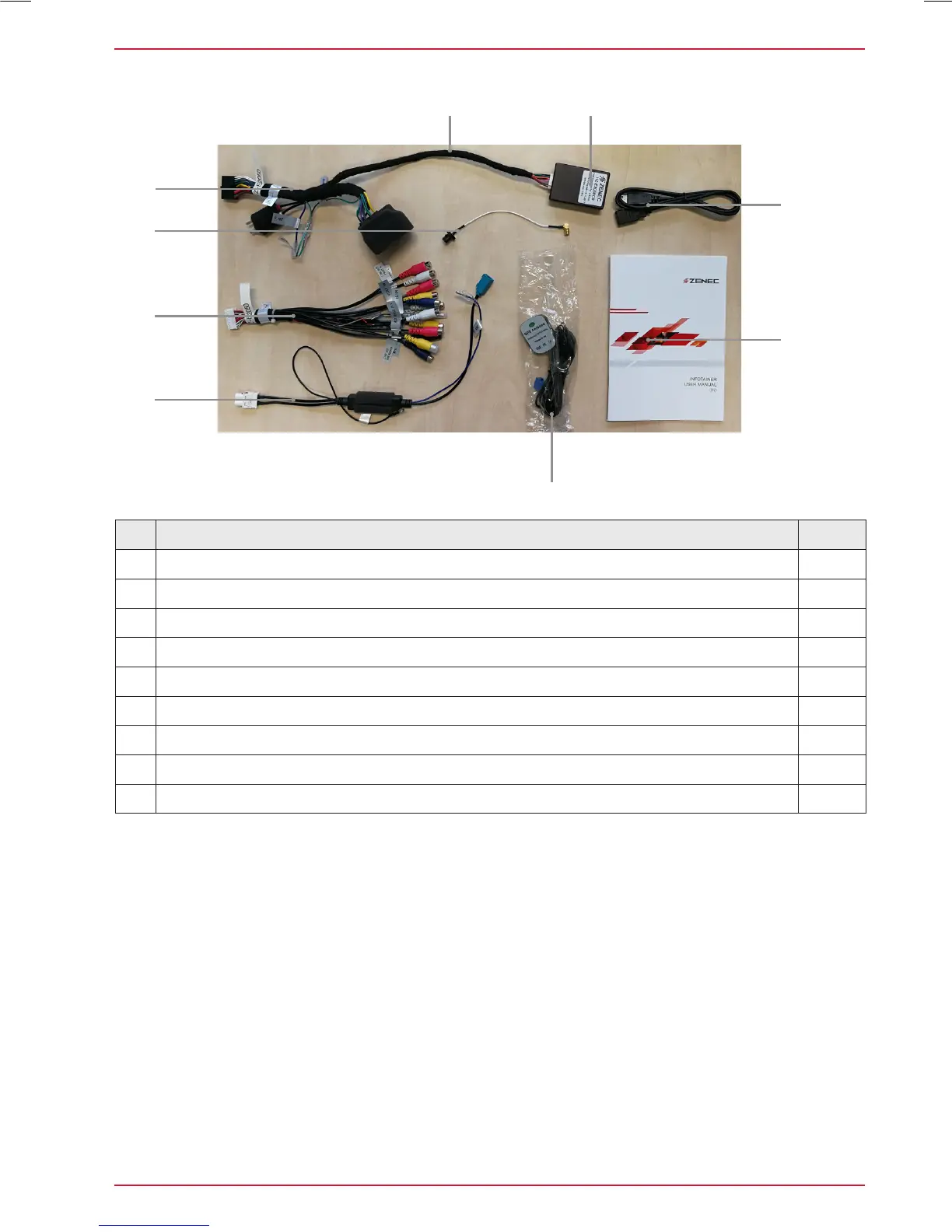
OVERVIEW OF INCLUDED ACCESSORIES
No. Article Qty
1 Main power Main harness Quadlock II for VW 1
2 CAN BUS connection cable for ZENEC interface 1
3 24 PIN cable for RCA line-out / A/V / rear view cam 1
4 FM antenna interface, single to twin Fakra converter cable for VW 1
5 DAB SMB to Fakra A converter cable 1
6
USB extension cable 1m 1
7
GPS antenna with cable and Fakra connector 1
8
Main device operating instructions booklet 1
9
ZENEC CAN BUS Interface 1



 To Next Page