66 Rev.B
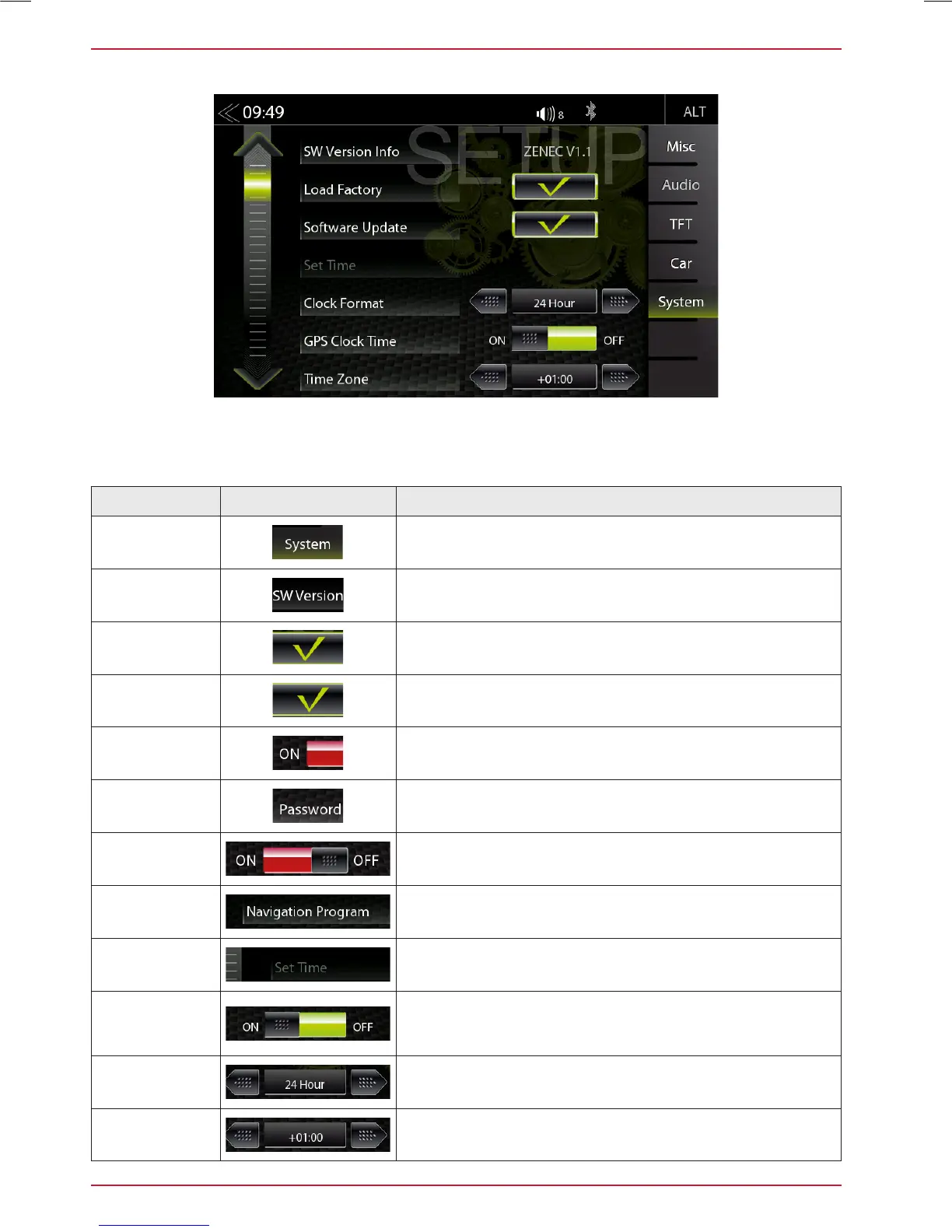
SYSTEM SETUP
Function Icon Operation
System
Tap to access various system settings
SW Version
Info
Tap to access detailed software version information
Load Factory
Tap and confirm to reset the ZENEC system to factory
default values
Software
Update
Tap and confirm to initiate a software update.
www.zenec.com → Support → Softwareupdates
Password
Function
OFF = password protection disabled
ON = password protection enabled
Password
Tap and confirm to enter a password
Daylight/
Saving Time
Tap to change between summer and winter time
Navigation
Program
Tap to choose Navi.exe from Navi-SD-card
Set Time
Tap to change clock time
GPS
Clock Time
ON / OFF
ON = use GPS time
OFF = use the internal system clock time
Clock
Format
Tap to select 12 H / 24 H
Time Zone
Tap, to change the time zone
In the System Setup menu page, you can make various system settings, such as: Adjust the Clock
Time, Load Factory settings, initiate Software Updates or set a Password.



 To Next Page